Import identities from a CSV file
The Team breakdown card on the AI Hub Identity page lets you define your organization's structure by uploading a CSV file that maps identities to teams.
AI Hub stores the mappings in a Datastore table that you can reuse elsewhere in the console, for example in a CloudFlow Datastore node. The table uses a fixed two-column schema (identity and team), and each identity must be unique. Later uploads update the same table in place, so CloudFlow flows that reference the table keep working.
Upload a CSV file
-
In the AI Hub sidebar, go to Tokenomics > Identity, and scroll to the Team breakdown card.
-
Select Upload CSV.
If you haven't uploaded identities yet, you can also select Download CSV template to get a file with the correct column headers and example rows.
-
Prepare your CSV file with exactly two columns:
- identity: A unique identifier for the person or service, such as an email address or an ARN (for example,
[email protected]orarn:aws:iam::123456789012:user/build-bot). - team: The team or department the identity belongs to (for example,
EngineeringorPlatform).
- identity: A unique identifier for the person or service, such as an email address or an ARN (for example,
-
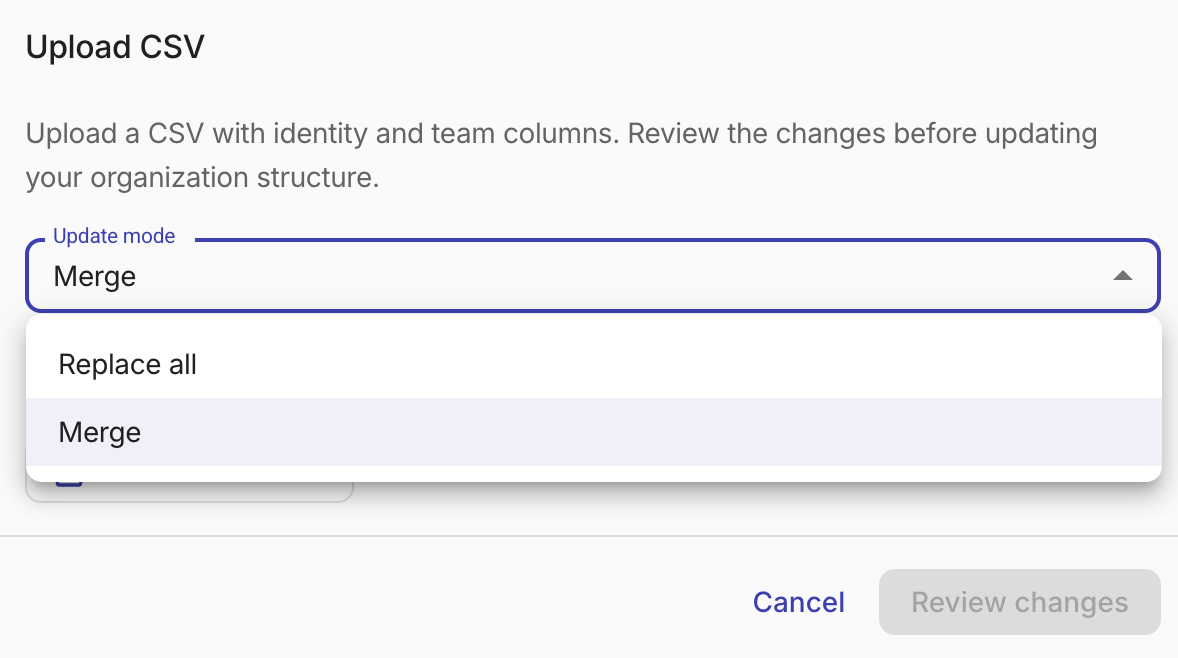
In the upload dialog, choose an update mode:
- Replace all: Treats the file as the complete organization structure. New identities are added, existing identities are updated, and identities missing from the file are removed.
- Merge: Adds new identities and updates teams for existing ones. Identities missing from the file are kept.
-
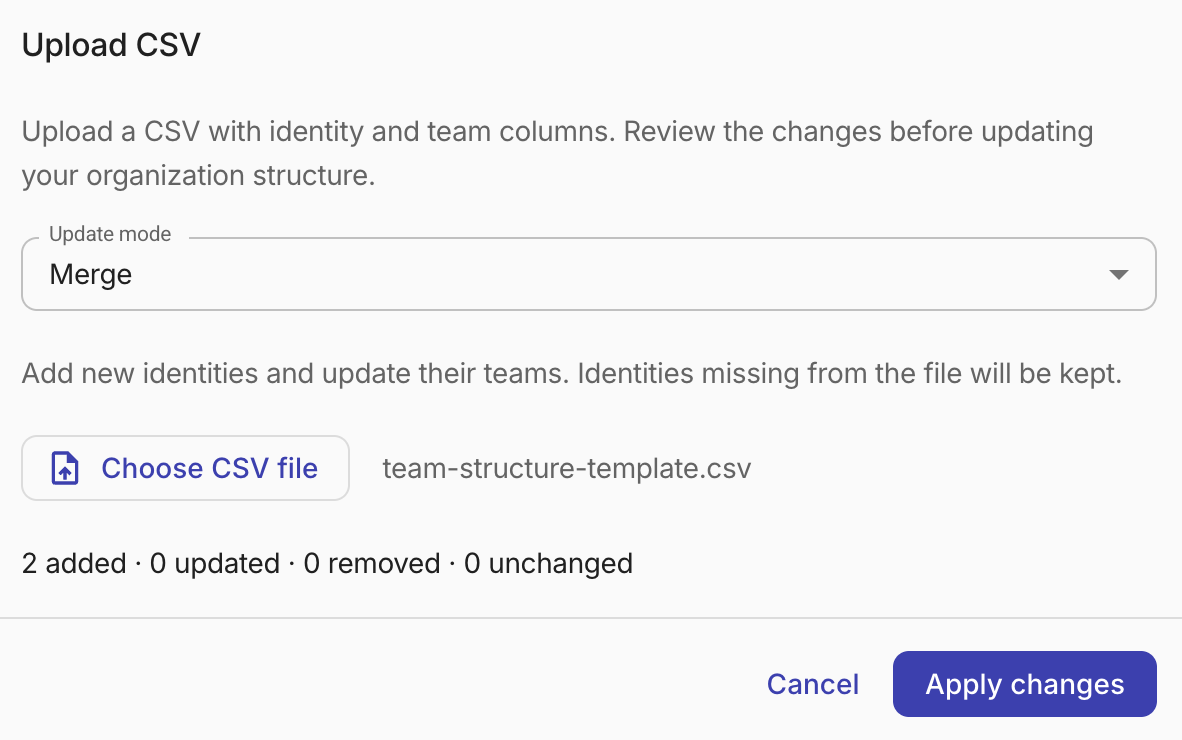
Select Choose CSV file and select your prepared file.
-
Select Review changes. A preview summary shows how many identities will be added, updated, removed, and left unchanged.
If the import would remove existing identities, a warning shows how many will be removed.
-
Select Apply changes.
After the upload, the Team breakdown card shows the Total identities in your organization structure and a table of your identity-to-team mappings.
CSV requirements
Your CSV file must meet the following requirements:
- Maximum file size of 5 MB
- Exactly two columns with headers
identityandteam - Between 1 and 5,000 data rows (excluding the header)
- Every row must have a non-empty identity and team value
- Each identity must appear only once
- Identity values can be up to 2,048 bytes; team values can be up to 256 bytes
Text values retain their original case and leading zeros. If the file does not meet these requirements, the upload dialog displays an error describing the issue.