請求書の発行
請求書の発行は 2 つの主なステップで構成されます:発行可能バージョンの生成、請求書の確認と発行です。
必要な権限
- DoiT アカウントに Admin ロールが付与されている必要があります。
発行可能バージョンを作成
請求書のステータスが Ready の場合にのみ、発行可能バージョンを生成できます。
-
請求書エントリの一番右端で Create issuable version を選択します。
-
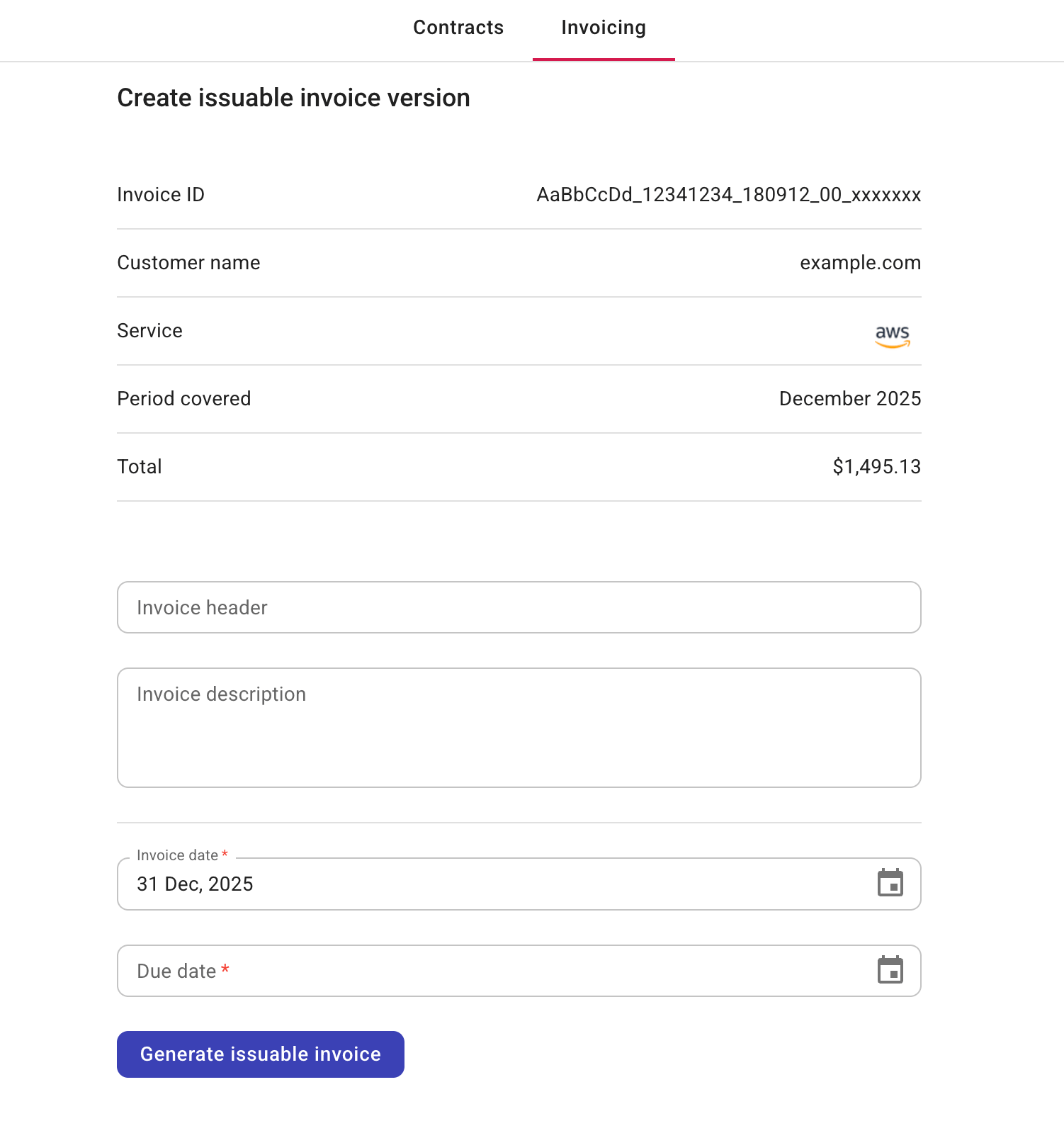
請求書情報を確認して更新します。
-
自動入力される項目:Invoice ID、Customer name、Service、Period covered、Total
-
任意:Invoice header、Invoice description
-
必須:Invoice date、Due date
-
-
完了したら、Generate issuable invoice を選択します。
成功すると、請求書のステータスは Issuable になります。
請求書の詳細を更新
Issuable の請求書については、請求書エントリの一番右端にあるケバブメニュー(⋮)から Update details を選択して、次の情報を更新できます。
-
Invoice header、Invoice description
-
Invoice date、Due date
完了したら、Update invoice details を選択します。
請求書を更新しても再計算は行われません。
請求書を発行
発行できるのは Issuable の請求書のみです。
請求書を発行するには、請求書エントリの一番右端にあるケバブメニュー(⋮)から Mark as issued を選択してください。
成功すると、請求書のステータスは Issued になります。
顧客へのメール
Issued の請求書をメール送信するには、請求書エントリの一番右端にあるケバブメニュー(⋮)から Email to customer を選択します。
請求書は、顧客契約の Billing details で指定された連絡先に送信されます。