ユーザーとロール
ディストリビューターとリセラーは、ダウンストリームテナントのユーザーを管理できます。(サポートされている権限と事前定義ロールの全一覧については、ロールと権限 を参照してください。)
必要な権限
ディストリビューター/リセラー:
-
Admin ロール: フルアクセス。このロールでは、顧客の表示・追加・編集が可能です。
-
Sales ロール: 閲覧専用アクセス。このロールでは、ユーザーリストを表示できますが、ユーザーの招待・編集・削除はできません。
新しいユーザーを招待
新しいユーザーを招待するには:
-
DoiT コンソール にサインインし、上部ナビゲーションのメガメニューから Customers を選択します。
-
対象の顧客を探し、その行の Settings(歯車アイコン )を選択します。
-
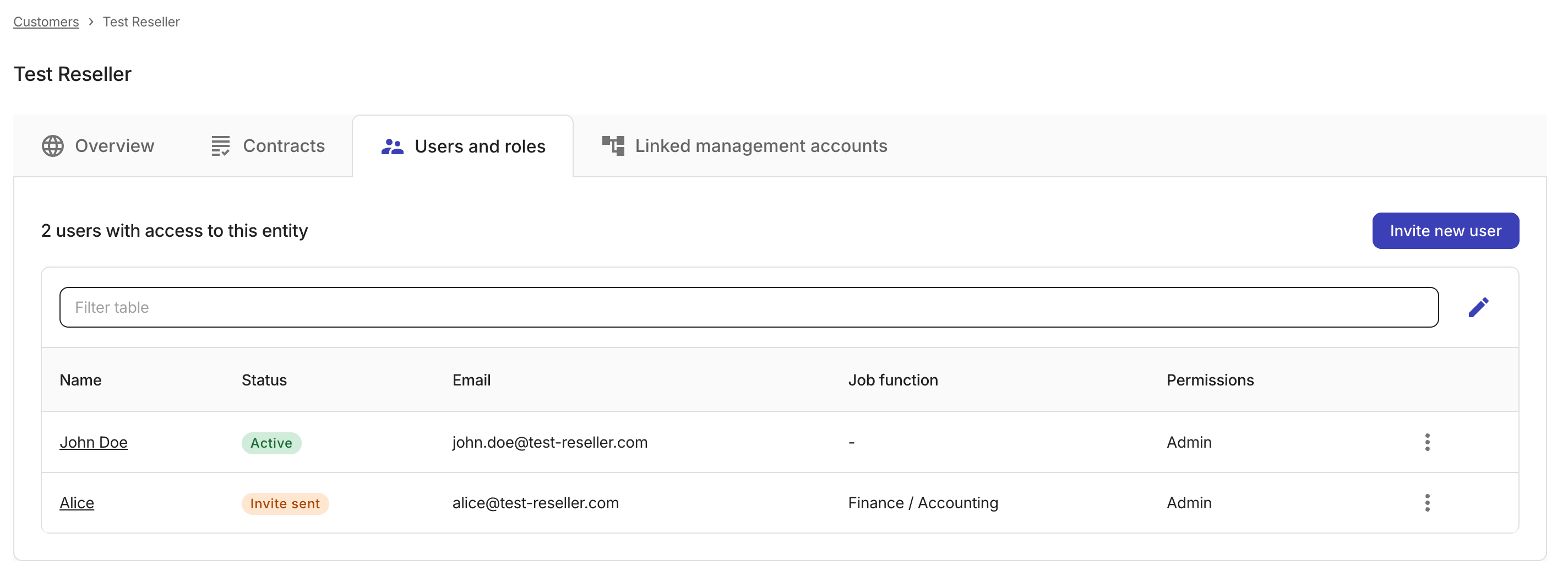
Users and roles タブで Invite new user を選択します。
-
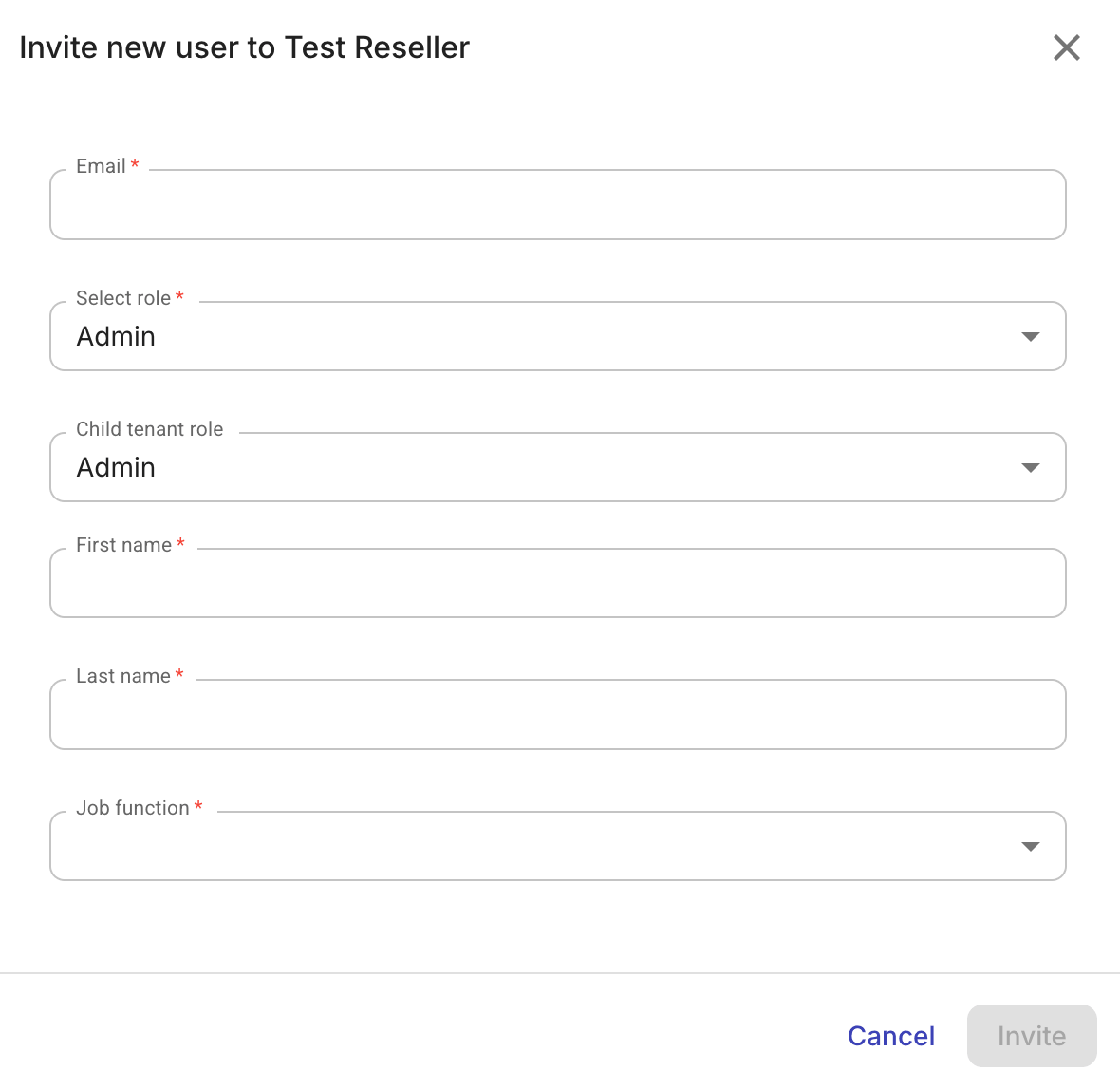
新しいユーザーの必須情報を入力します。
-
基本情報: メールアドレス、名、姓、ジョブ機能。
-
Select role: 現在のテナントにおける招待ユーザーのロールを指定します。
-
Child tenant role(ディストリビューターとリセラーのみ): ユーザーがダウンストリームテナントにアクセスする際に付与されるロールを指定します。このオプションにより、各子テナントにユーザーを個別招待しなくても、マルチテナント階層全体で権限をカスケードできます。
例えば、ディストリビューター管理者がディストリビューターレベルでユーザーを招待し、そのユーザーに子テナントの Sales ロールを割り当てた場合、そのユーザーがダウンストリームテナントへナビゲートするたびに、そのロールが自動的に適用されます。
-
-
Invite を選択します。招待されたユーザーには、DoiT コンソールのアカウントを有効化するためのメールが送信されます。
ユーザーを管理
ユーザーを編集または削除するには:
-
上部ナビゲーションのメガメニューから Customers を選択します。
-
対象顧客の Users and roles タブに移動します。
-
対象のユーザーを探します。
-
行の一番右端にあるケバブメニュー(⋮)を選択し、次のアクションから選択します。
- Edit: ユーザー情報を更新します。編集が完了したら Save changes を選択してください。
- Delete: ユーザーを削除します。削除を実行する前に、確認を求めるメッセージが表示されます。