請求書の管理
必要な権限
- DoiT アカウントに Admin ロールが付与されている必要があります。
請求書を表示する
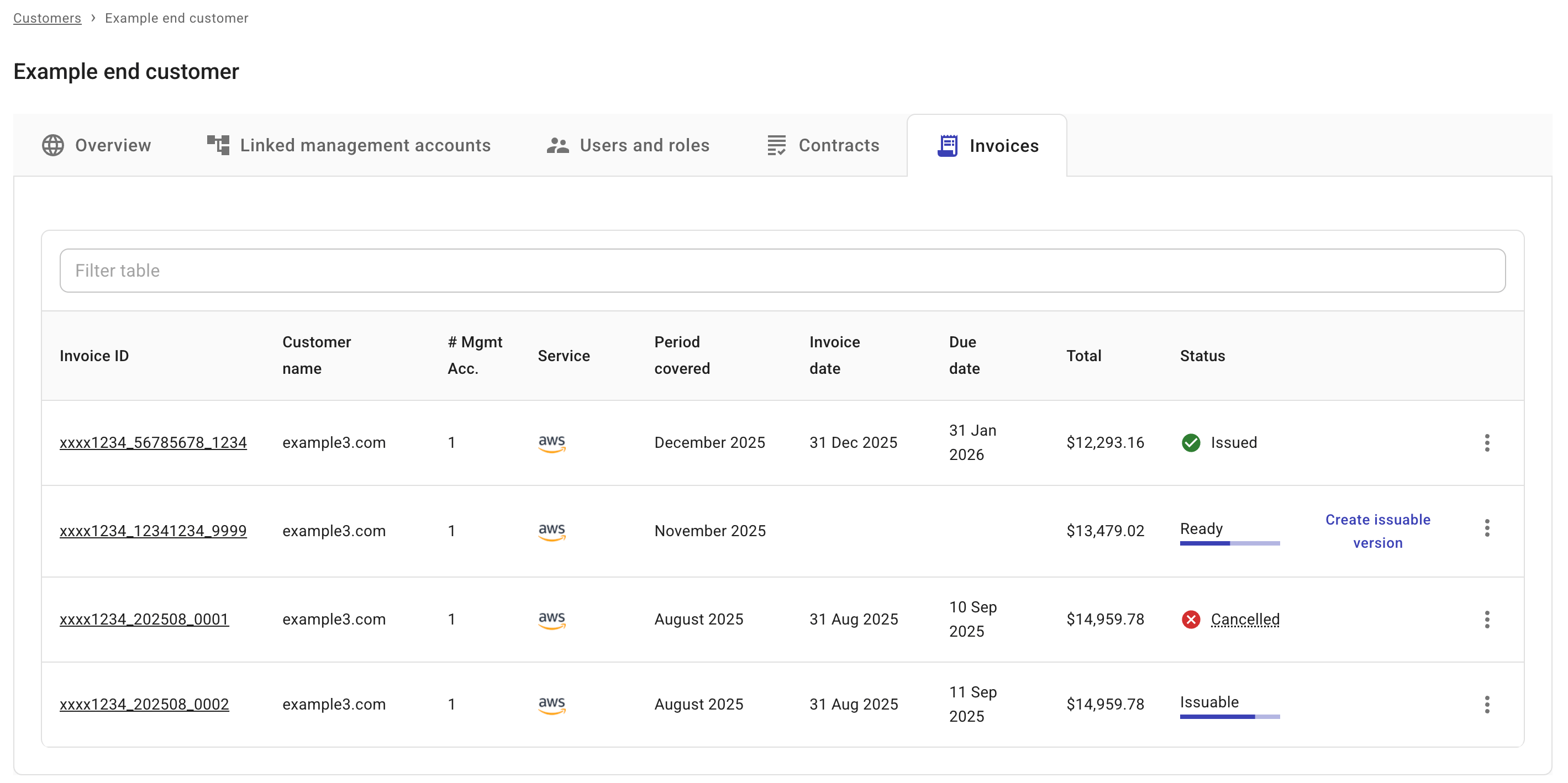
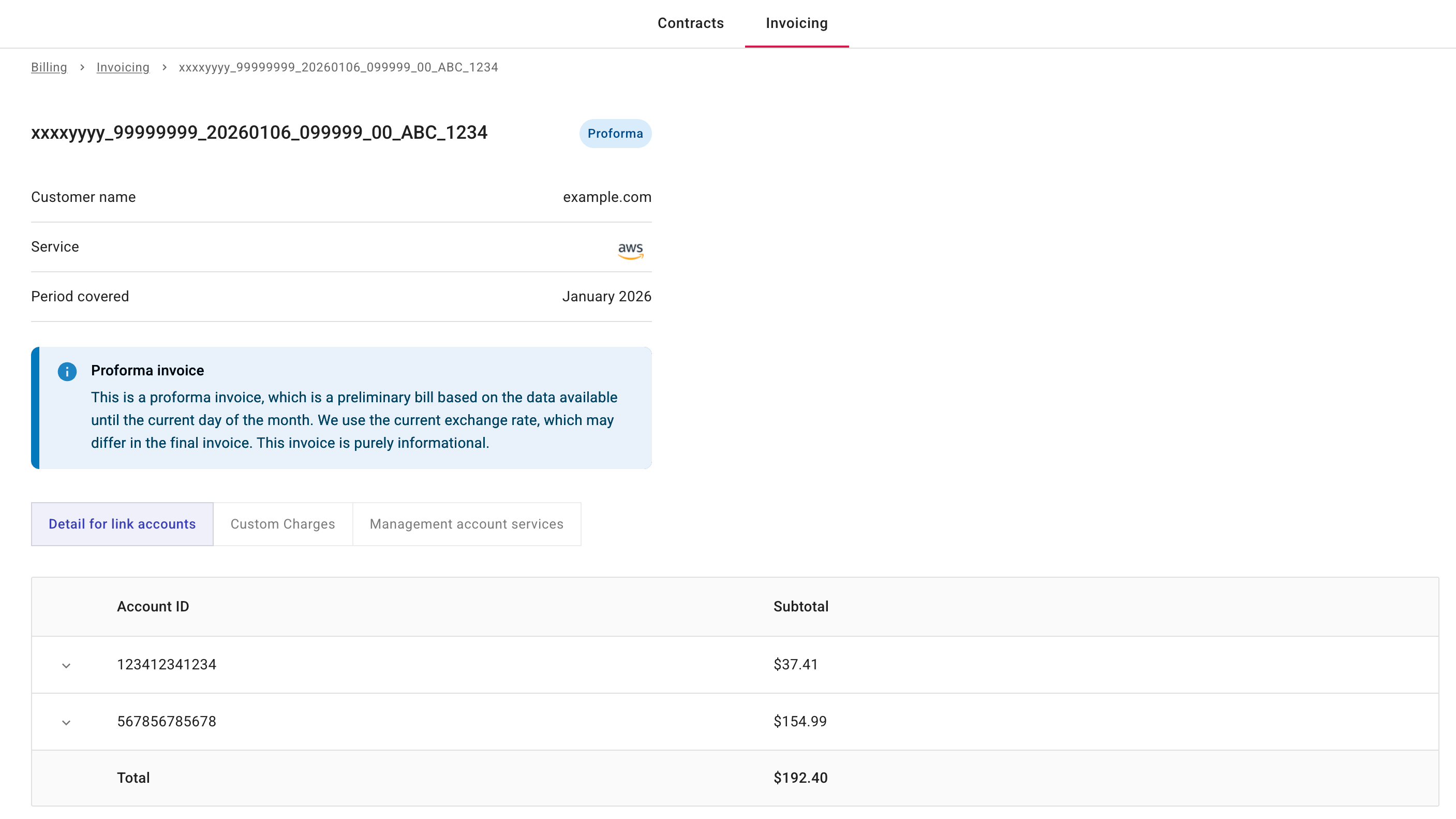
請求書のステータスに関係なく、DoiT コンソールで Invoice ID を選択すると、いつでも請求書の詳細を表示できます。
以下は仮請求書の例です。
請求書をダウンロードする
該当する場合、請求書エントリの最も右端にあるケバブメニュー(⋮)からダウンロードオプションを利用できます。
-
Issuable または Issued の請求書:PDF としてダウンロード または CSV としてダウンロード を選択できます。
-
Cancelled の請求書:PDF としてダウンロード を選択できます。
請求書をキャンセルする
Issued の請求書をキャンセルするには、請求書エントリの最も右端にあるケバブメニュー(⋮)から 請求書をキャンセル を選択してください。
正常に完了すると、請求書のステータスは Cancelled になります。