請求書テンプレート
請求書テンプレートでは、発行される請求書のレイアウトを定義します。
必要な権限
- お使いの DoiT アカウントに Admin ロールが付与されている必要があります。
請求書テンプレートへのアクセス
請求書テンプレートにアクセスするには、次の手順に従ってください。
-
DoiT コンソール にサインインし、上部ナビゲーションのメガメニューから 請求 > 請求書発行 を選択します。
-
請求書テンプレート を選択します。
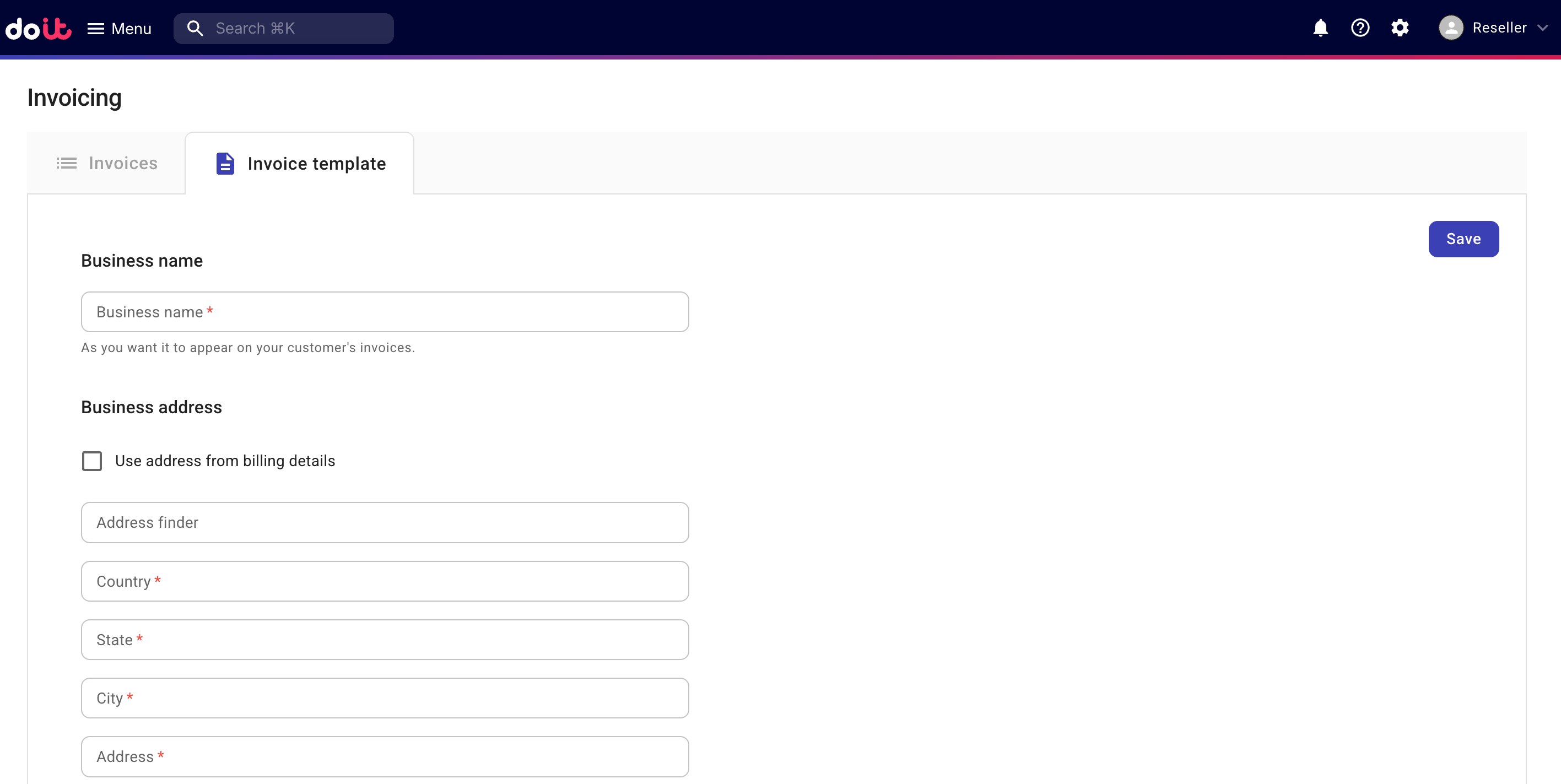
請求書テンプレートの設定
まだテンプレートを設定していない場合は、必要に応じてテンプレートを構成してください。
-
事業者名: 請求書に表示される組織の事業者名。
-
請求先住所: 請求の詳細の住所を使用 を選択すると、契約 から住所情報が自動入力されます。
-
追加テキスト: 発行された請求書の下部に表示されるフッターメッセージ。
-
ロゴ: 請求書用のロゴ画像をアップロードします。画像形式は PNG または JPG、画像ファイルの最大サイズは 1 MB、画像の最大寸法(幅 × 高さ)は 200px × 200px です。
完了したら、保存 を選択してください。
請求書テンプレートの編集
請求書レイアウトを更新するには、請求書テンプレートページで 編集 を選択し、該当するフィールドを更新してください。