顧客を追加
ディストリビューターはリセラーとエンドカスタマーの両方を追加できます。リセラーはエンドカスタマーのみ追加できます。
必要な権限
- ディストリビューター/リセラー:DoiT アカウントに Admin ロールが付与されている必要があります。
顧客を追加する
顧客(リセラーまたはエンドカスタマー)を追加するには:
-
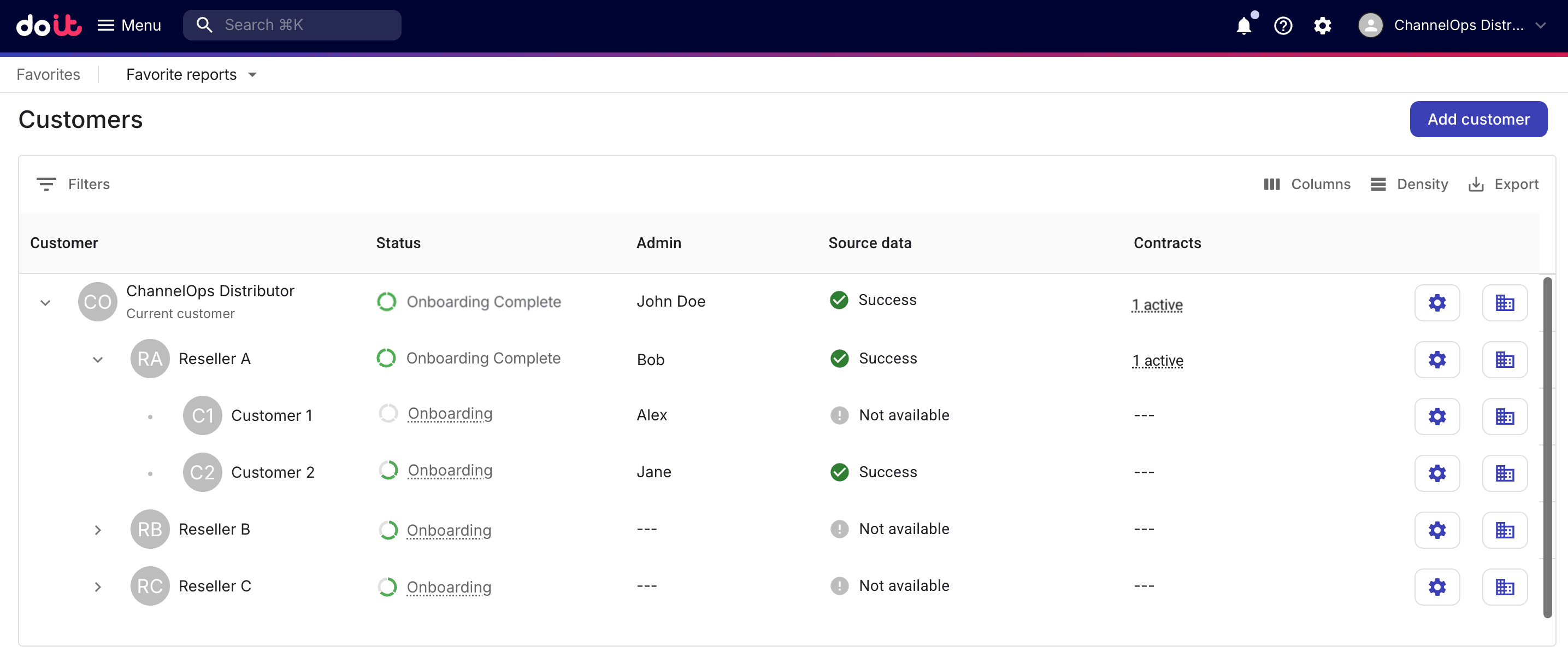
DoiT コンソール にサインインし、上部ナビゲーションのメガメニューから Customers を選択します。
-
Customers ページで Add customer を選択します。
ステップ 1: 顧客プロフィール
-
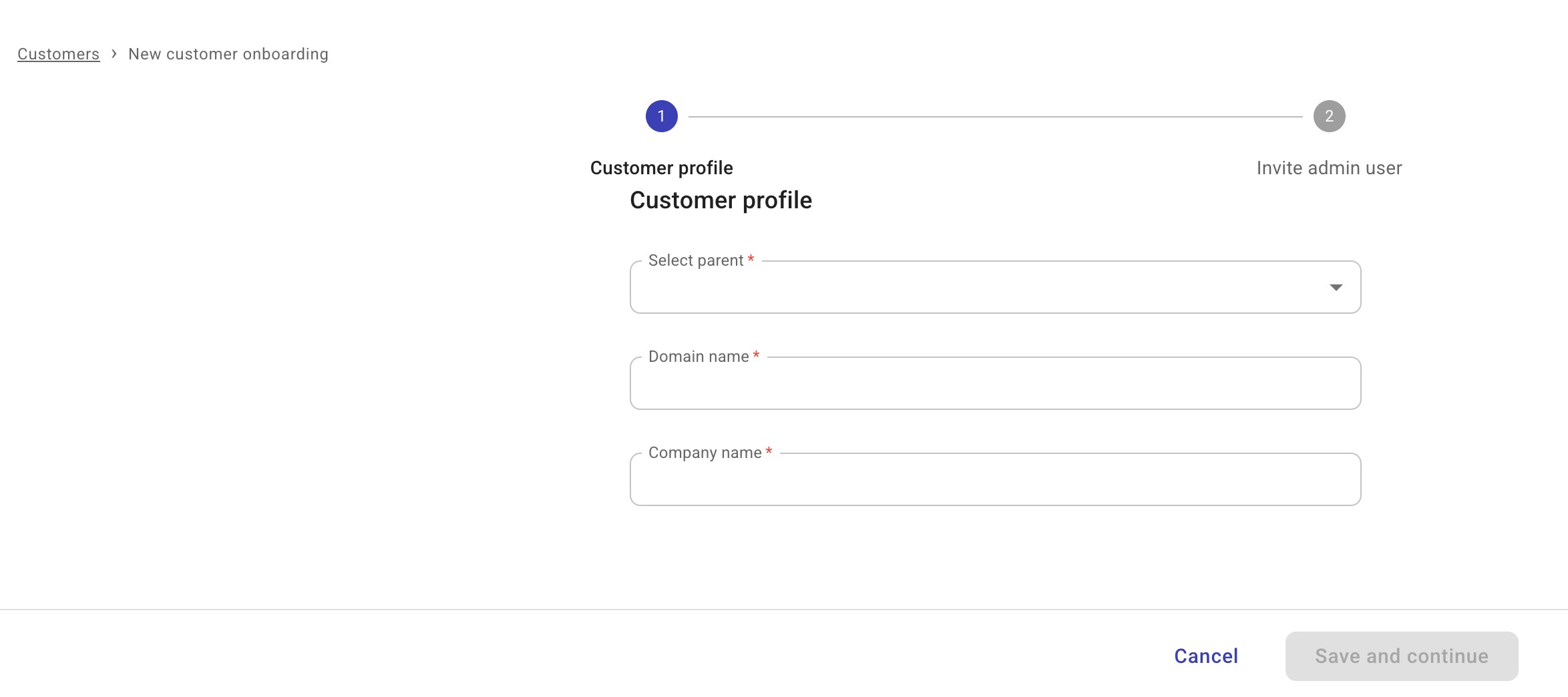
顧客プロフィールの基本情報を入力します。
-
Select parent: 階層内で親となるテナントを選択します。
-
リセラーを追加する場合は、そのディストリビューターを親として選択します。
-
エンドカスタマーを追加する場合は、そのリセラーを親として選択します。
-
-
Domain name: 顧客のプライマリドメインです。
-
Company name: 顧客の会社名です。
-
-
Save and continue を選択してください。
ステップ 2: 管理者ユーザーを招待
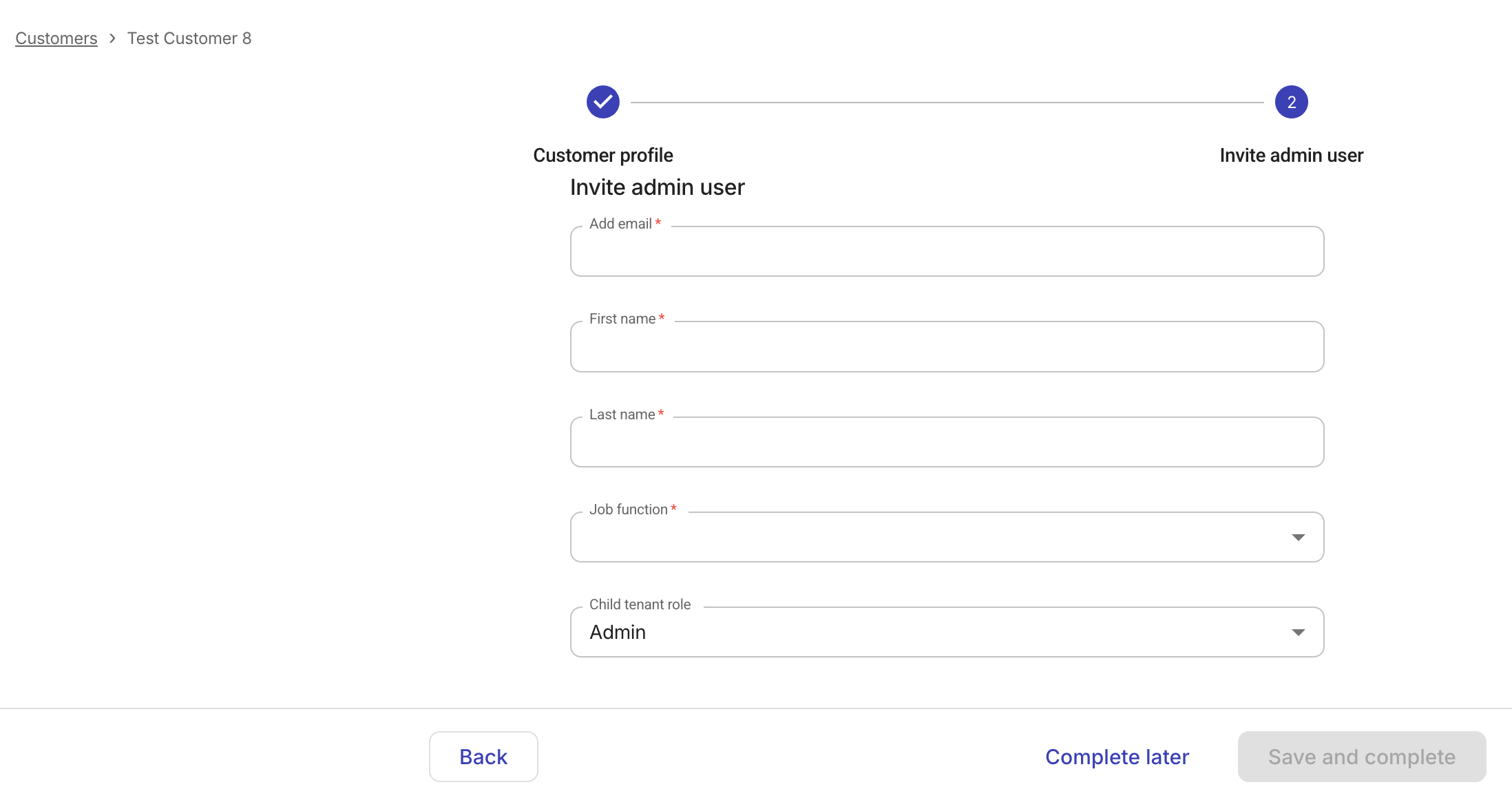
オンボーディングプロセスを完了するには、顧客ごとに少なくとも 1 人の有効な Admin ユーザーが必要です。
-
管理者ユーザーの必須情報を入力します。
-
Save and complete を選択してください。
Complete later を選択した場合は、オンボーディングプロセス内に Invite admin user タスクが追加されます。そこから設定を再開できます。
成功すると、招待されたユーザーにアクティベーションリンク付きの歓迎メールが送信されます。