Customer side panel
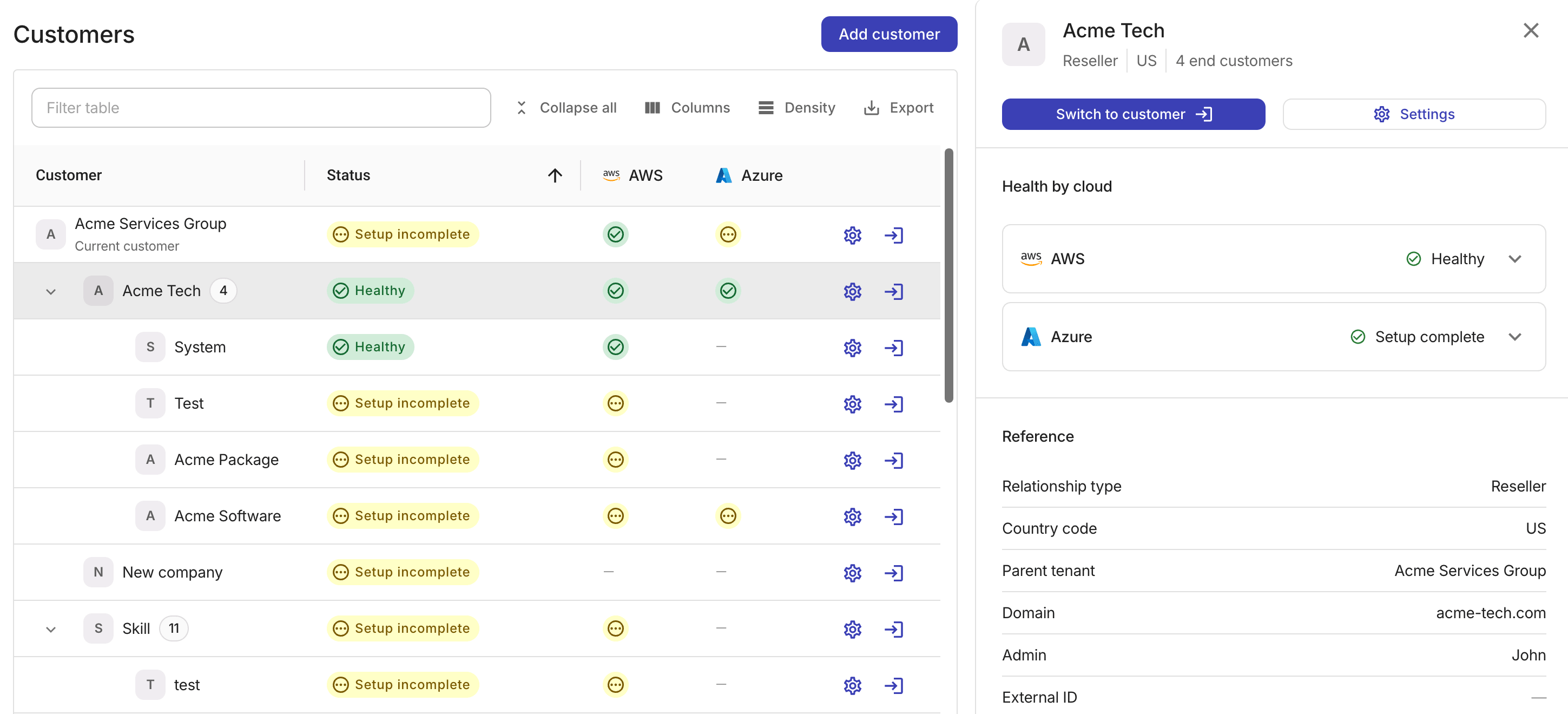
Selecting a customer row on the Customers page opens a side panel with more options.
-
The panel header displays the customer's basic information.
-
The two options of Switch to customer and Settings function the same as the columns on the customer row.
-
When a customer has actionable issues across their connected clouds, the panel displays a message for each issue with actions to take.
Health by cloud
The cloud health cards summarize the source data and onboarding status for each connected cloud.
-
The status chip on each card shows the most severe state for that cloud:
Healthy,Attention needed,Failed, orSetup incomplete.-
Point to the chip to see the full reason, which matches the AWS or Azure column.
-
On the Azure card,
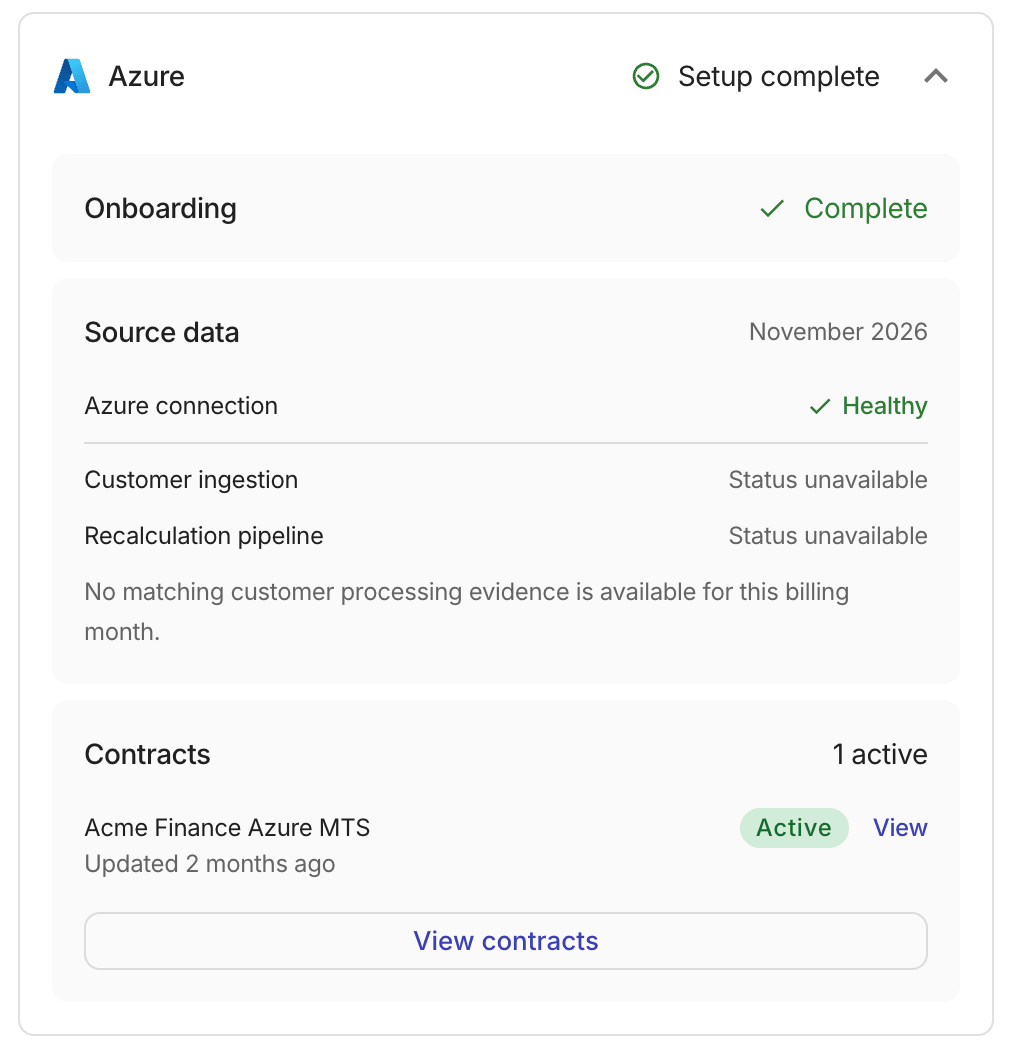
Setup completemeans setup is done and processing results are shown under Source data.
-
-
You can expand a card to see the following:
-
per-cloud onboarding progress.
-
Source data: Health of the cloud connection.
-
Contracts: The same as the Contracts column in the customer row.
-
Per-cloud onboarding
Each cloud tracks its own onboarding progress. A cloud that is still being set up displays a Setup steps section.
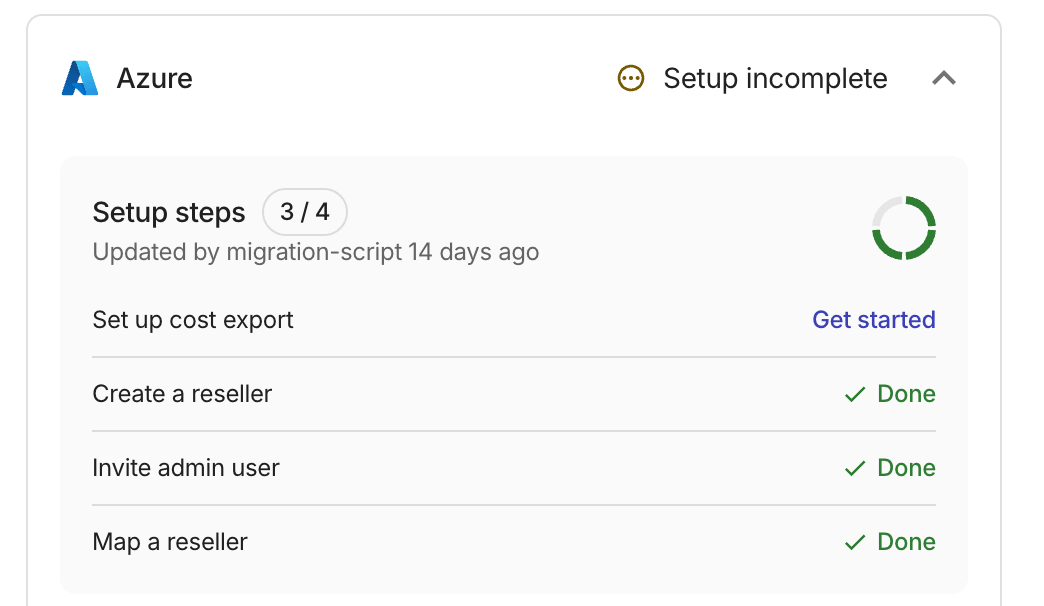
Each onboarding step can have one of the following statuses:
-
Done: The step is complete. -
Get started: The step is ready to begin. Selecting it navigates to the relevant setup page. -
To-do: The step is not yet available because a prerequisite step must be completed first.
Some onboarding steps are restricted based on your position in the partner hierarchy. Azure onboarding steps can also be affected by data readiness.
Source data
Each cloud card has a Source data block.
AWS source data
The AWS source data shows the health of the AWS connection, CUR files, and the recalculation pipeline.
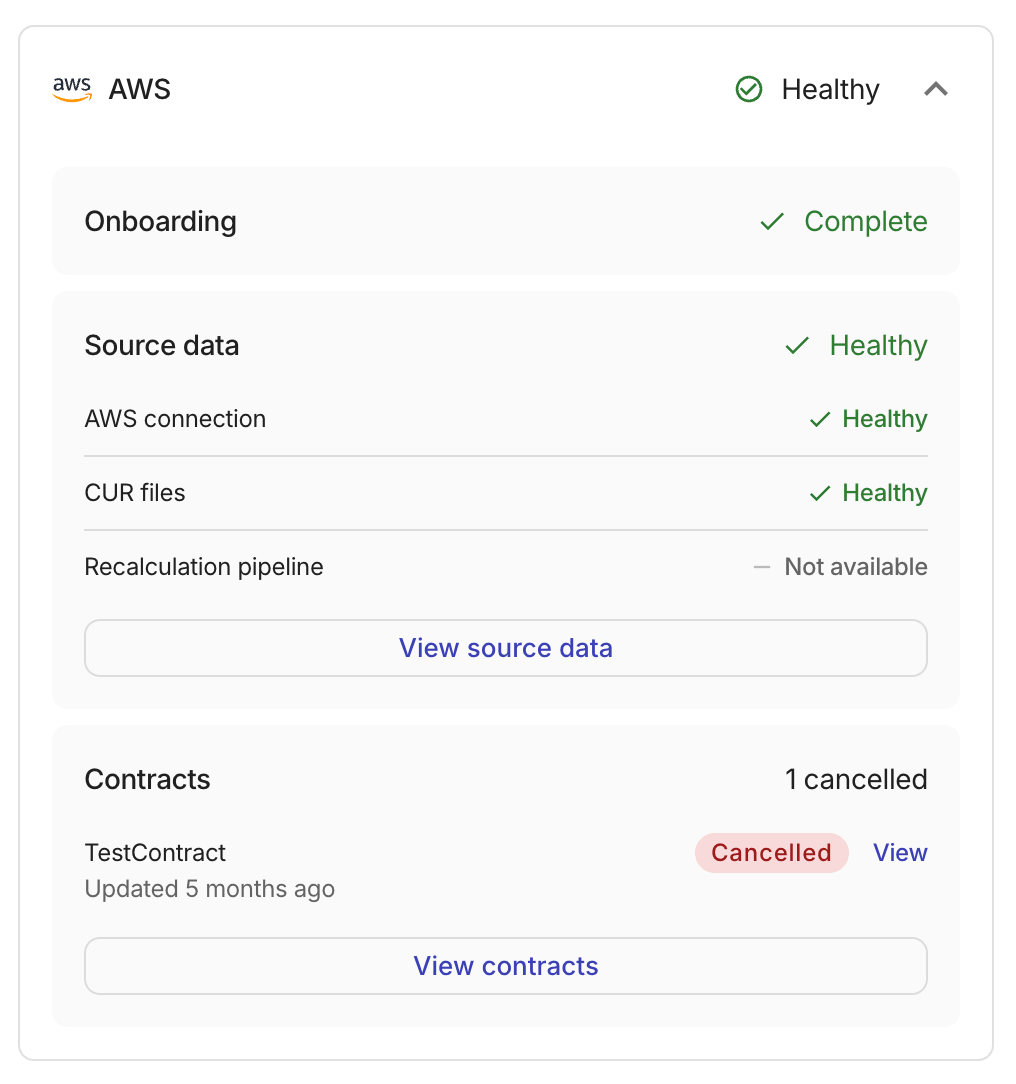
The block header shows the most severe status among the rows. A row marked Not available leaves the header unchanged when another row has a status. Each row uses these same statuses for its own signal:
-
Failed: At least one source-data row reports a failure that needs attention. -
Healthy: The available source-data signals report normal operation. -
Not available: No source-data status is available for this customer. -
Syncing: Data ingestion or recalculation is in progress. -
Warning: At least one source-data row reports a warning that may require review.
Select View source data to open the customer's linked AWS accounts page.
Azure source data
The Azure block header shows the current billing month. Azure connection and Cost management export use the same statuses as the AWS block, or Not configured and Unavailable.
-
Azure connection: For a distributor, this reflects the Map Reseller stage. For other tenants, it reflects whether an Azure tenant is mapped.
Healthymeans that step is complete.Not configuredmeans it is not. If you do not have permission to view Azure mappings, the status displaysUnavailable. The Azure cloud status column shows that condition asMapping unavailable. -
Cost management export: Available at the distributor level.
Healthymeans the cost export is set up.Not configuredmeans it is not.
The processing rows use the statuses below.
-
Customer ingestion: The ingestion status of billing data for the customer. Statuses:
Ingestion completed,Ingestion in progress,Ingestion failed,Needs attention, andStatus unavailable. -
Recalculation pipeline: The status of the billing recalculation triggered by the ingestion. Statuses:
Recalculation completed,Recalculation in progress,Recalculation failed,Needs attention, andStatus unavailable. -
Latest export run: Available at the distributor level. Shows the statuses of Export delivery and Export ingestion.
Reference
The Reference section displays identifying information about the selected customer:
-
Relationship type: The tenant's role in the partner hierarchy:
Distributor,Reseller, orResold Customer. -
Country code: The ISO 3166-1 country code associated with the tenant.
-
Parent tenant: The display name of the customer's parent tenant.
-
Domain: The primary domain associated with the tenant.
-
Admin: The name of the admin user.
-
External ID: The identifier assigned to the tenant from an external system. Mapped Azure tenant IDs are not listed in this section.
All the information is also available as table columns on the main Customers page.