Contracts
Distributors and resellers can find all contracts on the Contracts page under Billing.
Required permission
Distributor/reseller:
-
Admin role: Full access. This role allows you to view, add, and edit contracts.
-
Sales role: View-only access. This role allows you to view contracts but not add or modify contracts.
Access contracts
To view contracts, sign in to the DoiT console, select Billing > Contracts from the top navigation mega menu.
-
A distributor will see all contracts created for its resellers.
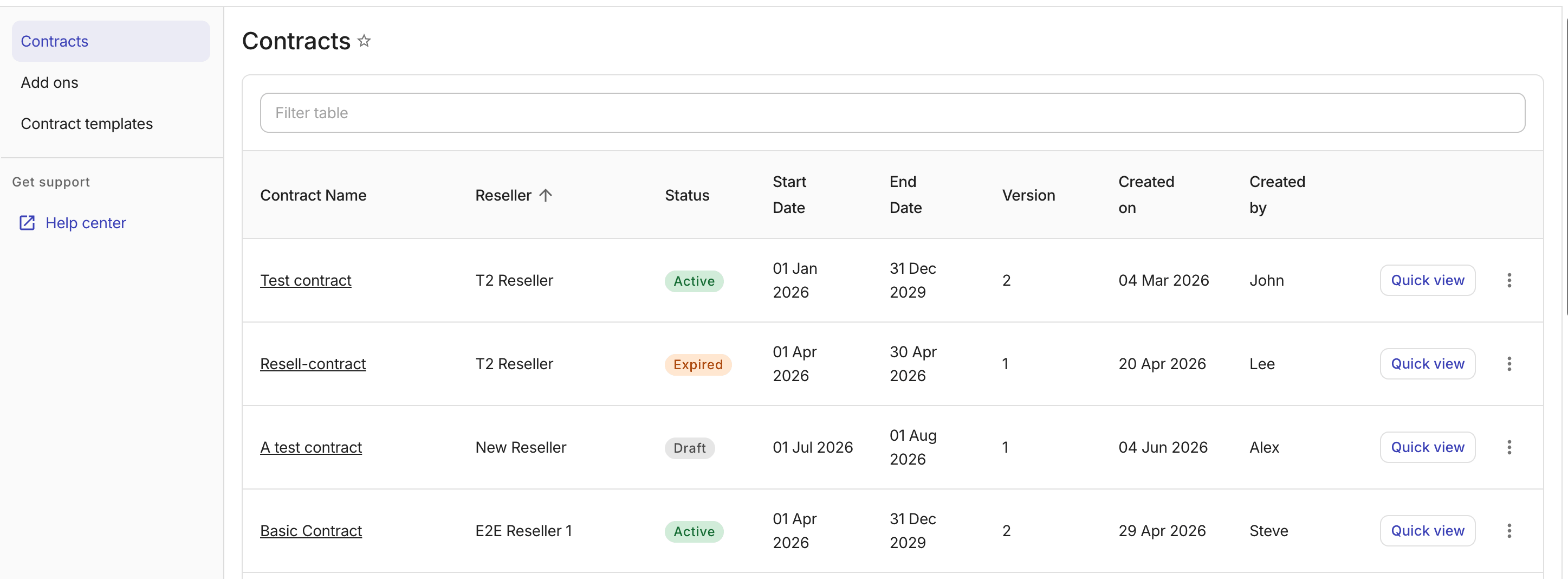
-
A reseller will see all contracts created for its end customers.
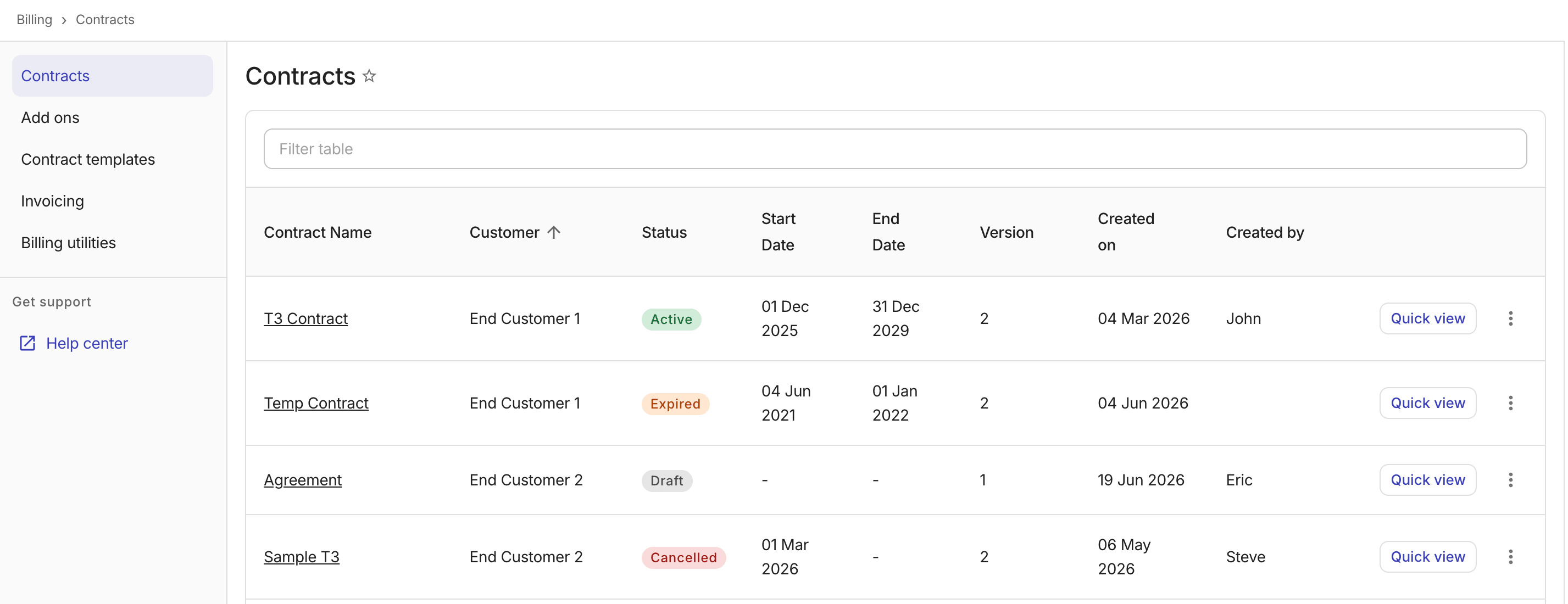
Quick view a contract
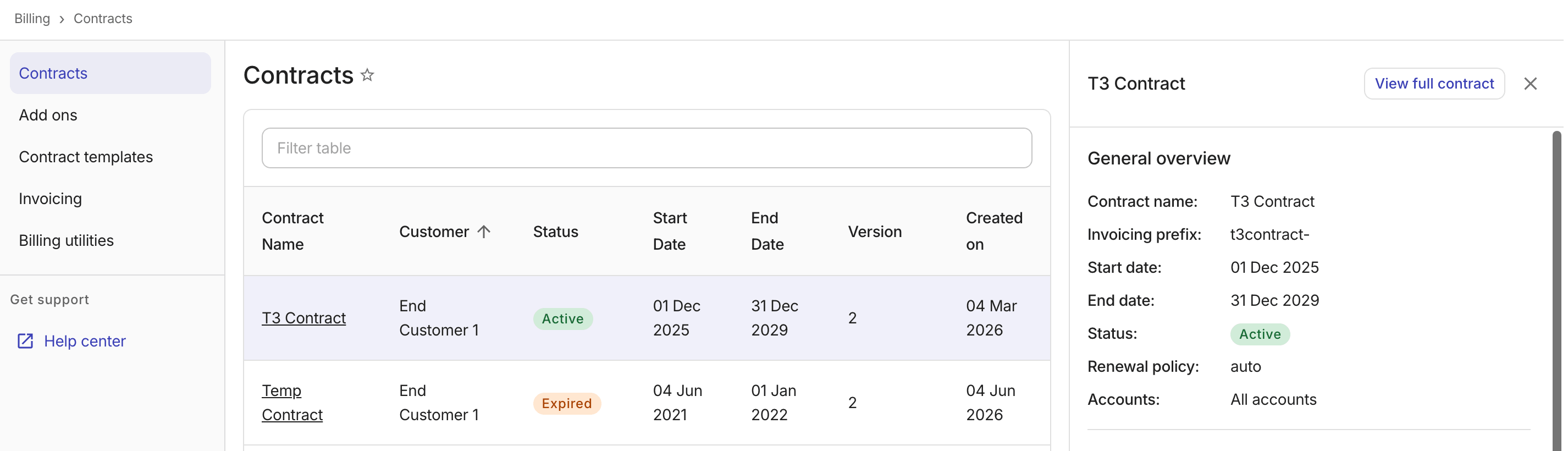
You can preview a contract's details without leaving the contracts list by selecting Quick view on the contract row.
To navigate to the full contract details page, select View full contract in the panel header.
Edit a contract
To edit a contract:
-
Navigate to the contract details page using one of the following methods:
-
Select the contract name.
-
Select View full contract from the kebab menu (⋮) on the contract row or from the quick-view panel.
-
-
Select Edit contract from the Actions dropdown.
See also
For detailed information about contract creation and contract rules, see Customers: Contracts.