契約
ディストリビューターとリセラーは、請求 配下の 契約 ページで、すべての契約を確認できます。
必要な権限
ディストリビューター/リセラー:
-
Admin ロール:フルアクセス。このロールでは、契約の表示・追加・編集が可能です。
-
Sales ロール:閲覧専用アクセス。このロールでは、契約を表示できますが、追加や変更はできません。
契約へのアクセス
契約を表示するには、DoiT コンソール にサインインし、上部ナビゲーションのメガメニューから Billing > Contracts を選択します。
-
ディストリビューターは、自社のリセラー向けに作成されたすべての契約を表示できます。
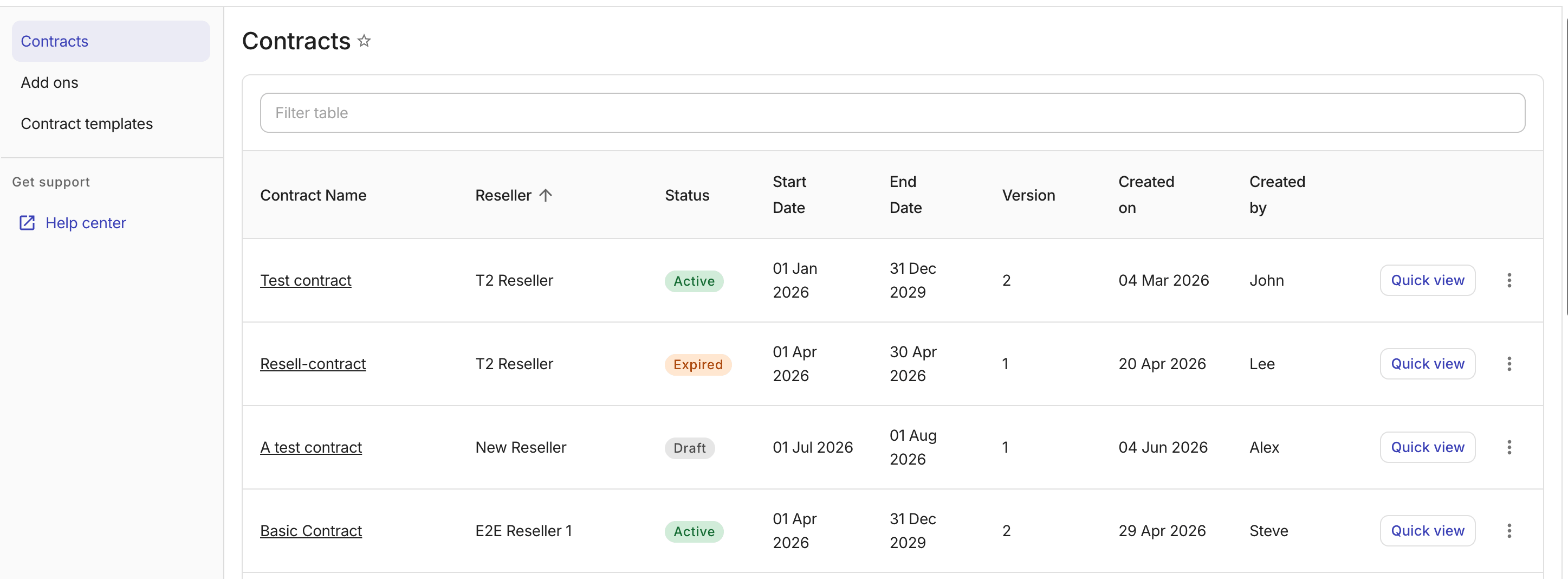
-
リセラーは、自社のエンドカスタマー向けに作成されたすべての契約を表示できます。
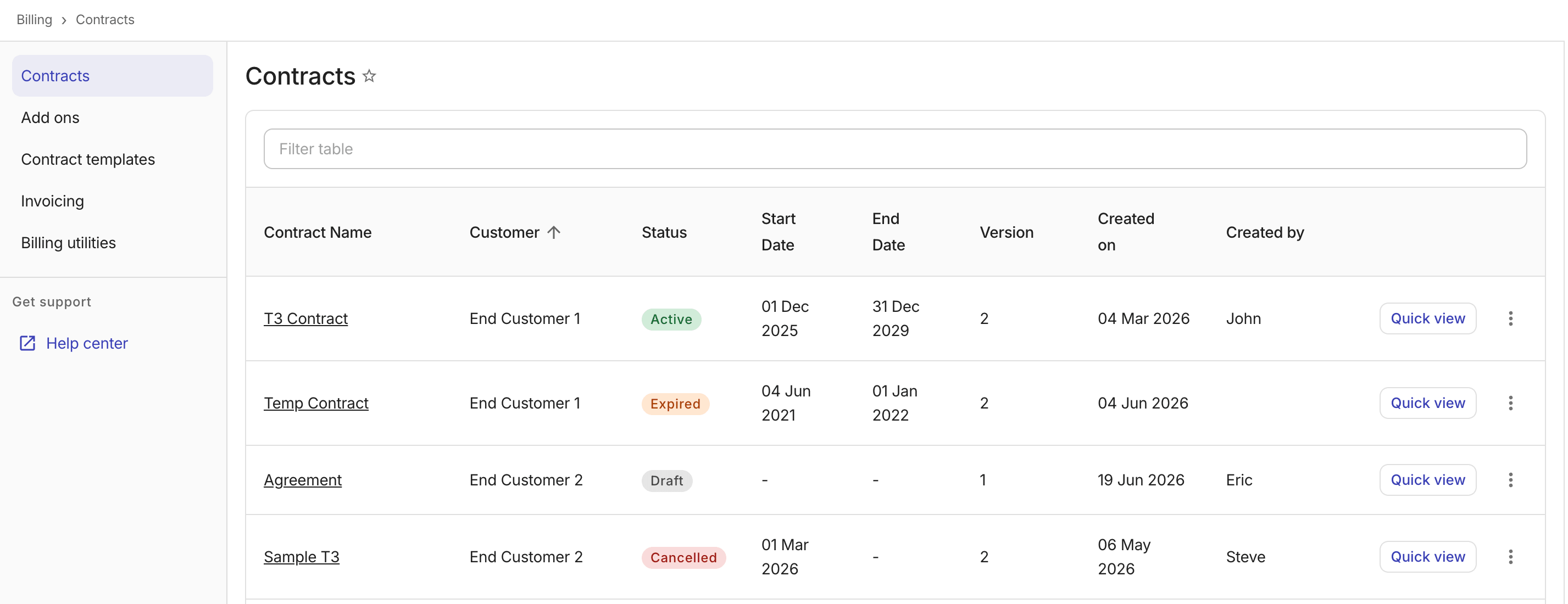
契約のクイックビュー
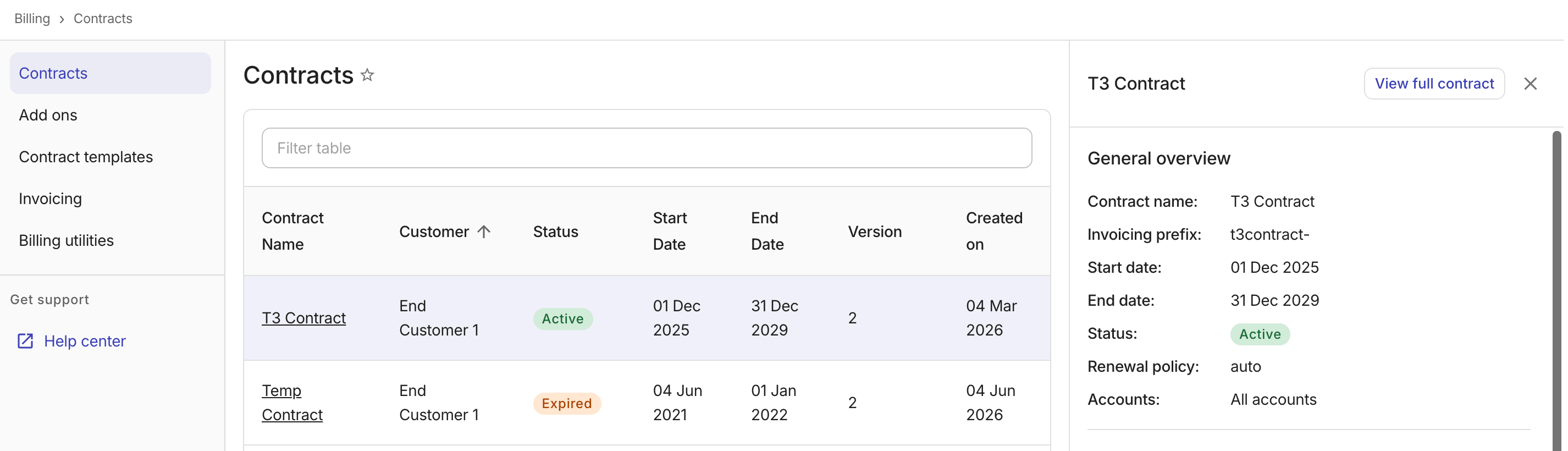
契約行の Quick view を選択すると、契約一覧から離れることなく契約の詳細をプレビューできます。
契約詳細 の完全なページにナビゲートするには、パネルヘッダーで View full contract を選択します。
契約を編集する
契約を編集するには:
-
次のいずれかの方法で 契約詳細 ページにナビゲートします。
-
契約名を選択します。
-
契約行またはクイックビューパネルのケバブメニュー(⋮)から View full contract を選択します。
-
-
Actions ドロップダウンから 契約を編集 を選択します。
関連項目
契約の作成や契約ルールの詳細については、Customers: Contracts を参照してください。