Cost splitting (report level)
The FinOps cost allocation capability deals with how cloud costs should be apportioned to those responsible for each component of that cost, whether directly or as a shared element.
Shared costs often come from support costs, networking services, or shared environments (platforms, containers, etc.). The practice of distributing shared costs is also called cost splitting. Cloud Intelligence supports configuring cost splitting at two levels: report and allocation.
This section focuses on report-level cost splitting, which is defined in a report and applies only to that report.
Distribution methods
In a report, you can split:
-
Unallocated costs: Costs that are incurred by services or resources shared among multiple organizational units and cannot be attributed directly to a single owner.
In Cloud Intelligence, unallocated costs refer to the cost that cannot be attributed to specific members in a predefined group. See Group allocations.
-
The cost of one dimension value among others of the same dimension. This option is more flexible and allows you to split costs on the fly without having to create a group allocation.
To split costs by allocation rules, see Allocation-level cost splitting: Distribute shared cost.
Cloud Intelligence supports the following distribution methods at report level:
-
Custom: Manually define the proportion of cost distributed to each target item, or distribute the cost evenly.
-
Proportional: Distribute the cost in proportion to each target item's share of the total value.
-
Driver metric: Distribute the cost in proportion to an operational metric (for example, database IOPS per team), recalculated for each time bucket.
Required permissions
-
Cloud Analytics User or Cloud Analytics Admin
-
Depending on the dimensions you choose, you may need other permissions in your DoiT account.
Split costs in a report
For report-level splits, the overall workflow is the same for all distribution methods:
-
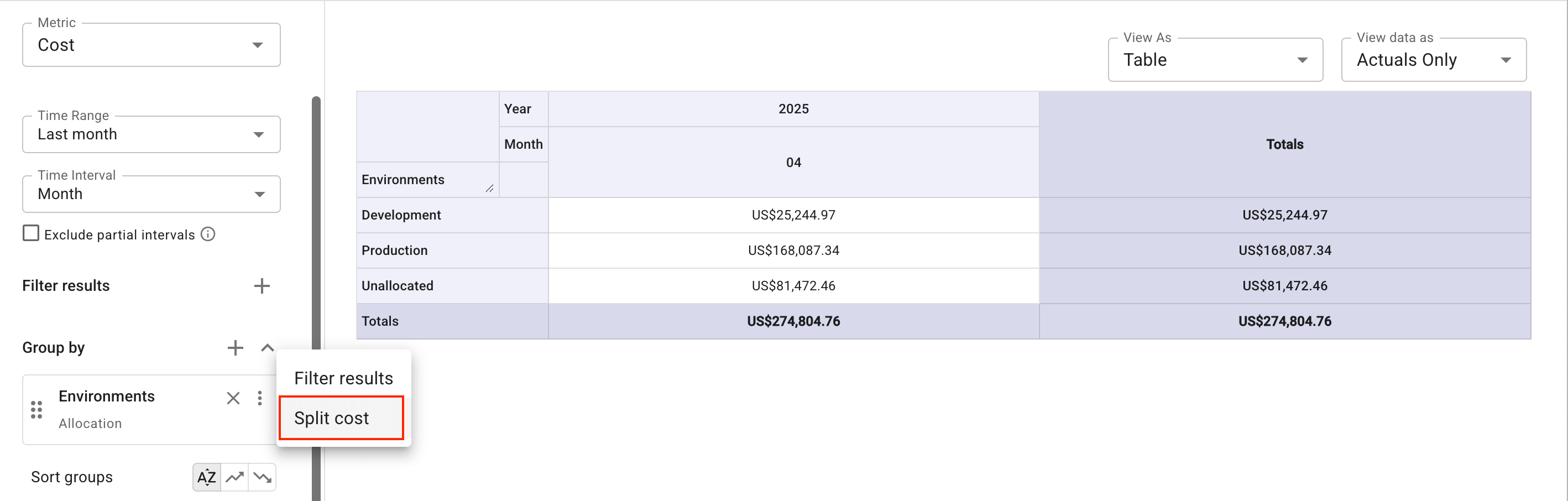
In the left-hand sidebar of the report, go to the Group by section, select the kebab menu (⋮) at the rightmost end of the dimension, and then select Split cost.
-
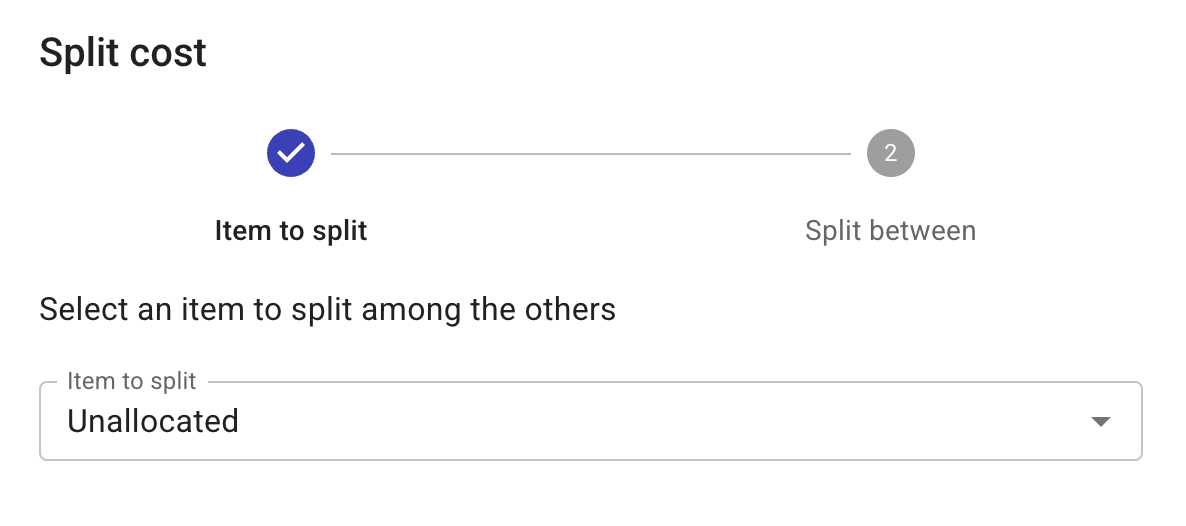
Select the source item whose cost you want to split.
-
Select the checkboxes of items among which the cost will be distributed, and specify the distribution method.
-
Select Split cost and run the report to view the results.