Compare snapshots
Snapshots represent a point-in-time copy of your diagram or global network layer. Snapshots are automatically created when a change is detected, independently of the 4 hour diagram updates. By comparing snapshots, you can monitor the changing states of your cloud infrastructure. This allows for detailed analysis of trends, visualization of element and relationship changes, and identification of cost variations.
Required permissions
To use Cloud Diagrams, your DoiT account must have the Cloud Diagram User permission.
Compare snapshots
-
From the dashboard, select a diagram or open the global network layer.
-
In the sidebar, under Details, select Snapshots, then select Compare.
-
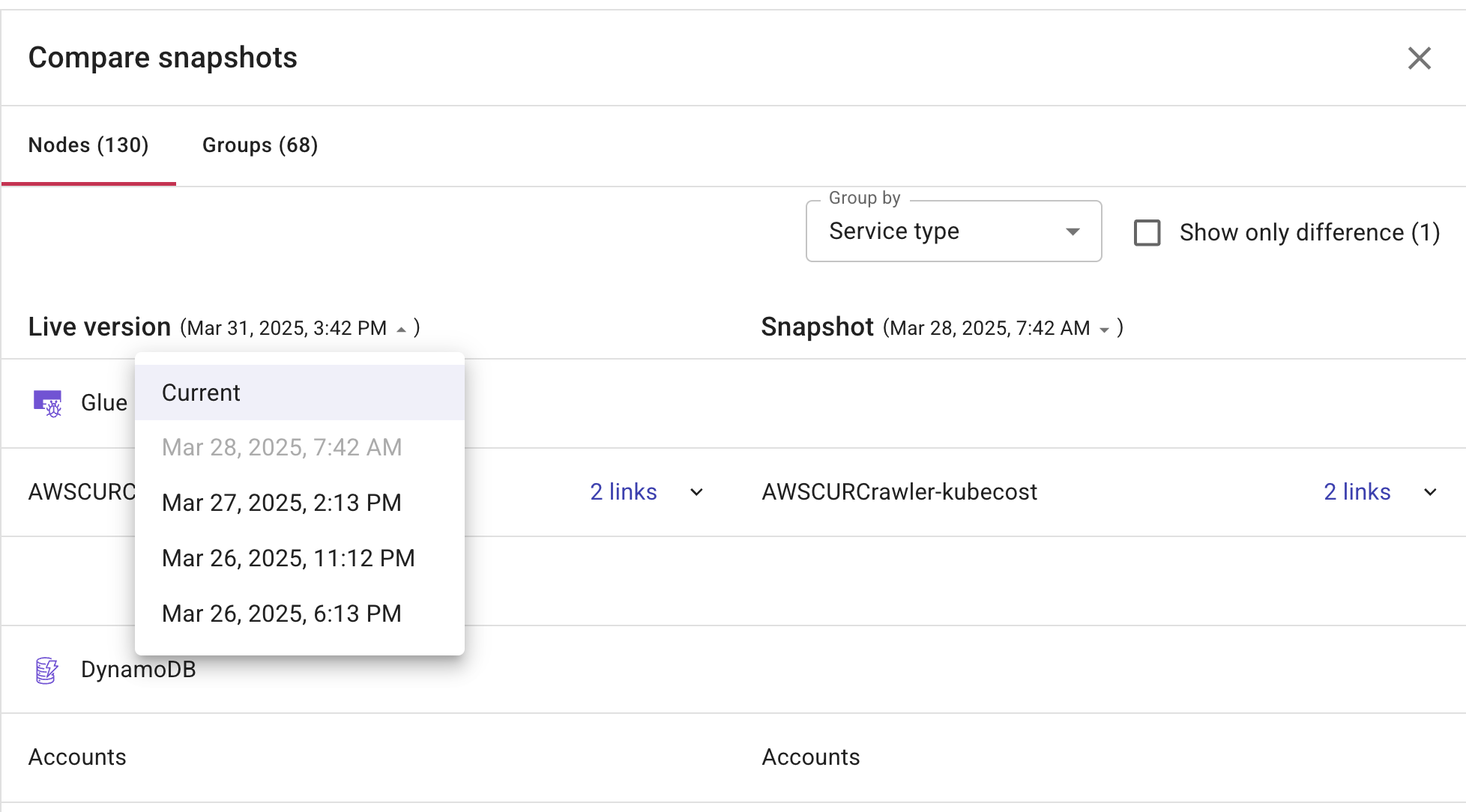
Select Nodes or Groups, depending on your requirements. By default, the left-hand pane displays the current snapshot and the right-hand pane displays the previous snapshot.
-
When comparing snapshots, change either the current snapshot, previous snapshot, or both, to create the comparison you need.
-
From the Live version and/or Snapshot list, select the date of the snapshot you want to compare.
-
(Optional) Select Show only difference to only see the changes between the two snapshots.
-
-
You can group node snapshots by various dimensions such as Service Type, AWS Account, Pod, Customer Gateway, VPC, Subnet, Subnet Public, Subnet Private, Security Group, Availability Zone, Region, ECS, and EKS. Some dimensions apply across AWS, Google Cloud, and Azure, while others are specific to a single cloud provider.
-
Select X to return to your diagram or global network layer.