View budget progress
To track and view the progress of a budget:
-
Navigate to the main Budgets screen.
-
Locate the budget of interest, select the kebab menu (⋮) at the rightmost end of the budget entry, and then select View budget to open the budget view page.
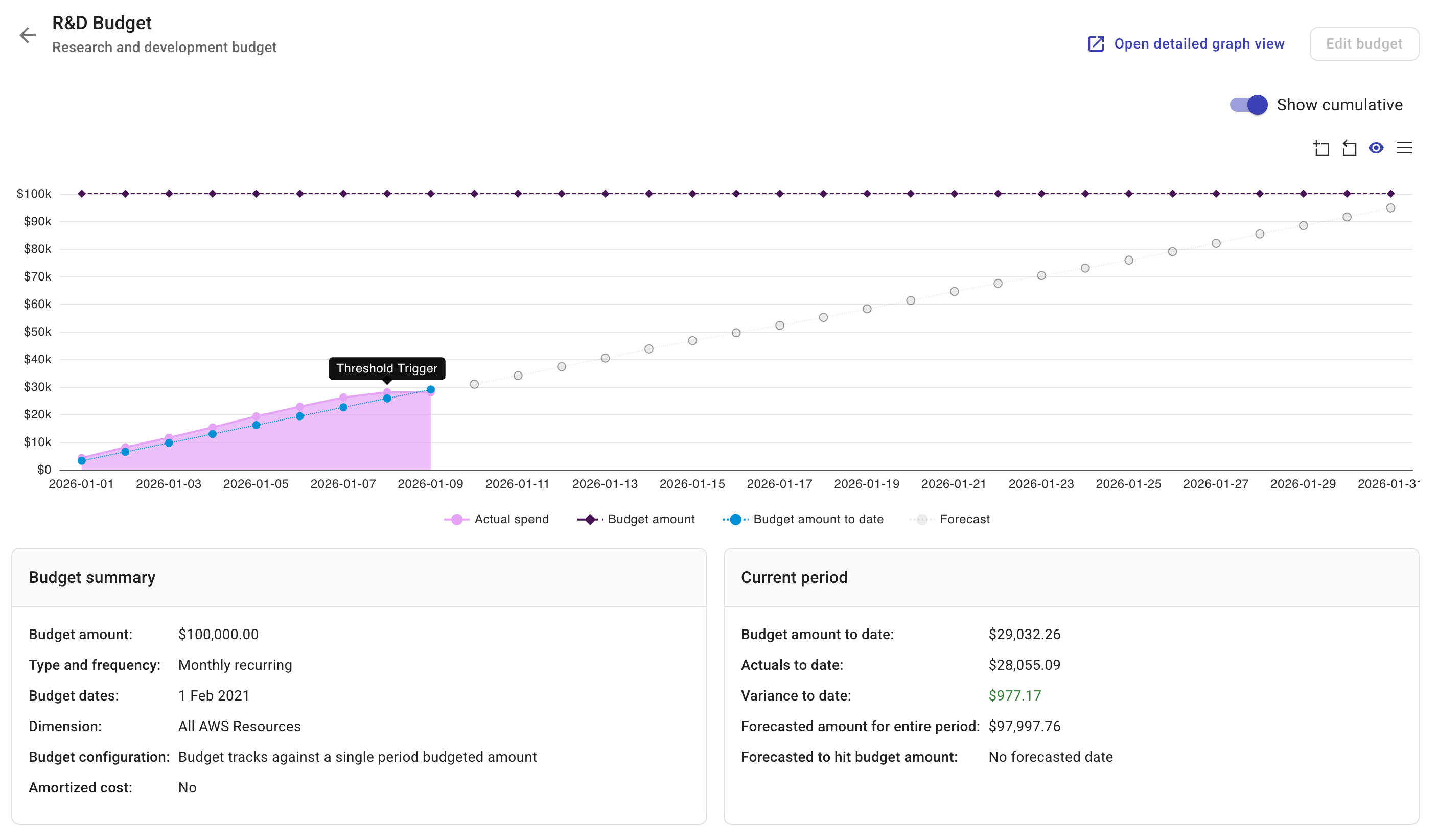
You'll find a budget chart, budget summary, and budget data for the current period. For fixed budgets, the whole budget period is shown.
On the budget chart, you can:
-
Use the Show cumulative toggle to turn on or off the view of accrued spend.
-
Hover your mouse over a day to view its data.
-
Actual spend: The actual amount of spend. If you've turned on Show cumulative, this data is the accrued spend to date.
-
Budget amount: The amount defined when creating the budget.
-
Budget amount to date: The aggregate budget amount to date.
-
Variance: The difference between the budget and the actual spend.
-
Forecast (valid for recurring budgets): The forecasted amount of spend.
-
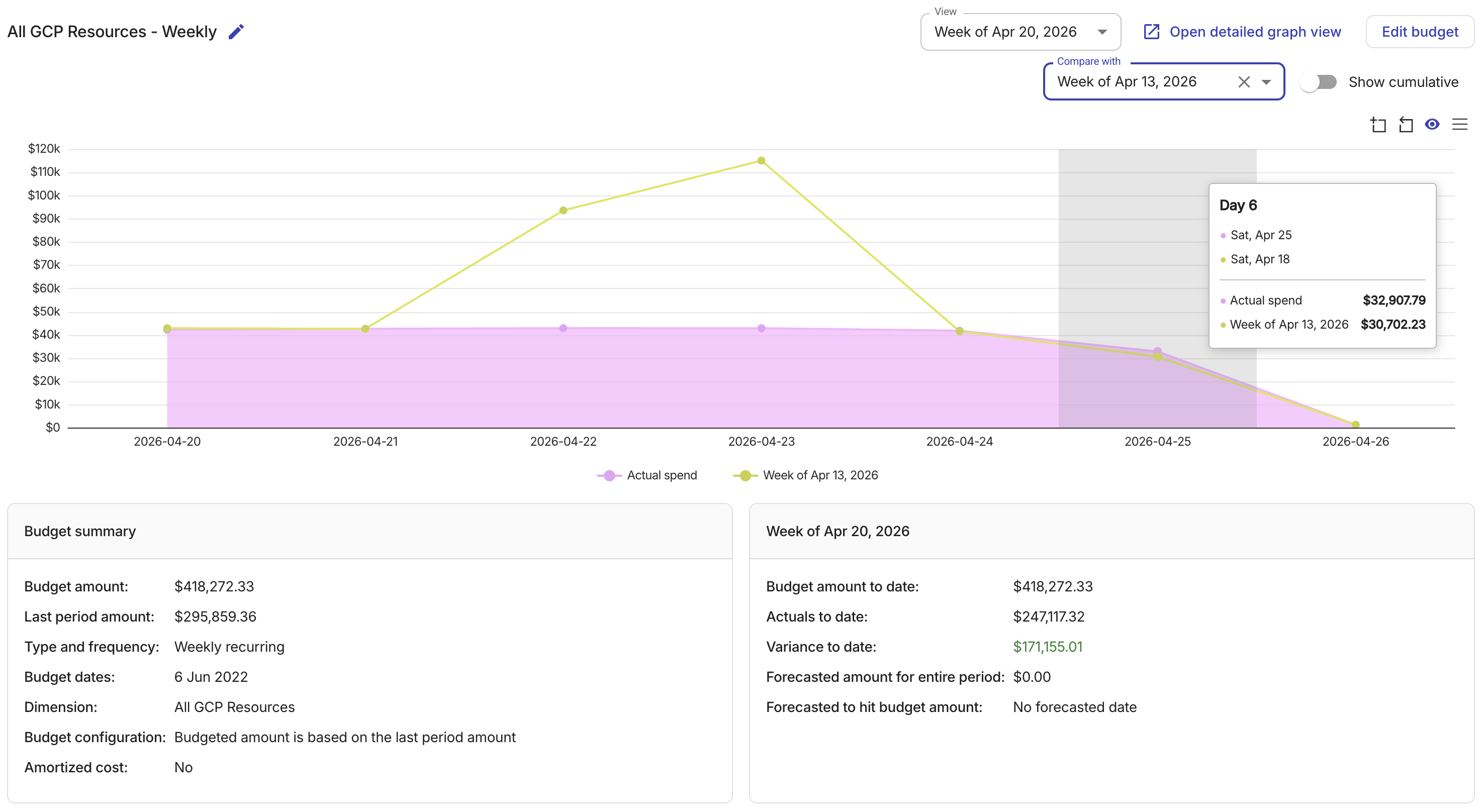
For recurring budgets, the Compare with and View dropdowns are shown when there is data available for at least two past periods. You can:
-
Select a period from the View dropdown to view historical data.
-
Select a period from the Compare with dropdown to overlay that period's actual spend with the period selected in the View dropdown. Hover over any day to see both values in the tooltip. To remove the comparison, select X in the dropdown.