Dashboard and widgets
For each AI model provider supported by DoiT, the GenAI Intelligence helps you identify and track your AI cost and usage in a single dashboard, and make decisions about how and when to optimize costs, monitor performance, and more.
Required permission
To access GenAI Intelligence, your DoiT account needs the Cloud Analytics Read Only, Cloud Analytics User, or Cloud Analytics Admin permission.
GenAI Intelligence dashboard
The GenAI Intelligence dashboard consists of some preset report widgets that highlight various aspects of your generative AI spend and usage. It's automatically populated when your generative AI data has been imported into the console.
The dashboard shows as many of the preset widgets as are meaningful for your data, and automatically hides the rest. A widget is hidden when its report has no data at all, or when a breakdown widget (for example, by API key or user) would only contain a single item and wouldn't add any insight. Time-based widgets, such as Spend history by GenAI provider, stay visible even if you use only one provider, since the spend trend over time is still useful.
Some widgets rely on a dimension – such as API key or user attribution – that not every GenAI provider reports. See Limitations for provider-specific gaps.
-
Supported GenAI providers: Find the links to the respective integration instructions.
To access the GenAI Intelligence dashboard, select Dashboards from the top navigation mega menu, and then select GenAI Intelligence.
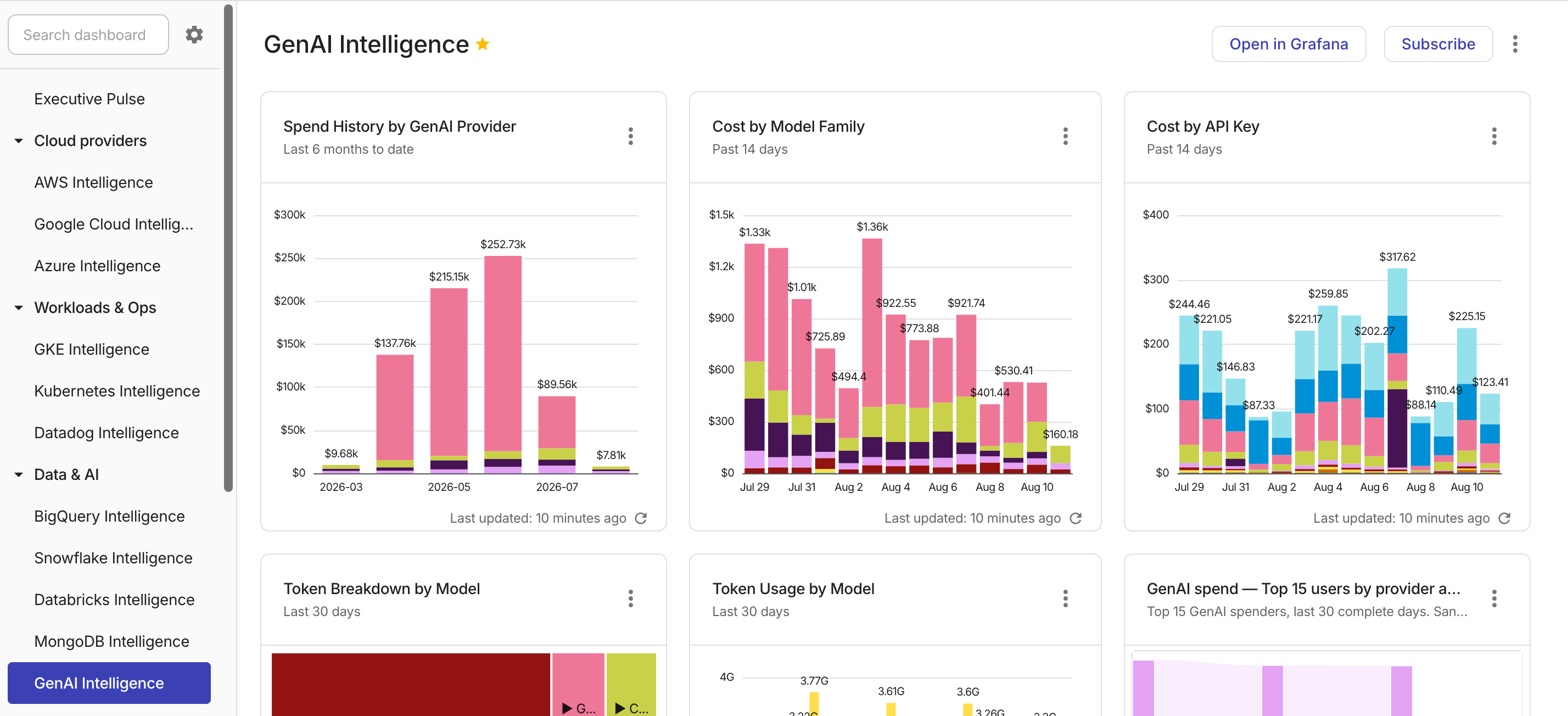
Widgets on the dashboard are updated independently of each other. See Refresh report data for more information.
You can Open full report to check the report configuration, or customize the preset report to create your own one.
Widget annotations
Report annotations are hidden by default on GenAI Intelligence widgets. To show or hide annotations on a widget, open the widget card menu and select Show annotations or Hide annotations. Your preference is saved per widget and persists across sessions.
Spend history by GenAI provider
Shows your total monthly AI expenditure by provider. This is useful for managing costs, optimizing usage, and making informed decisions about your applications and projects.
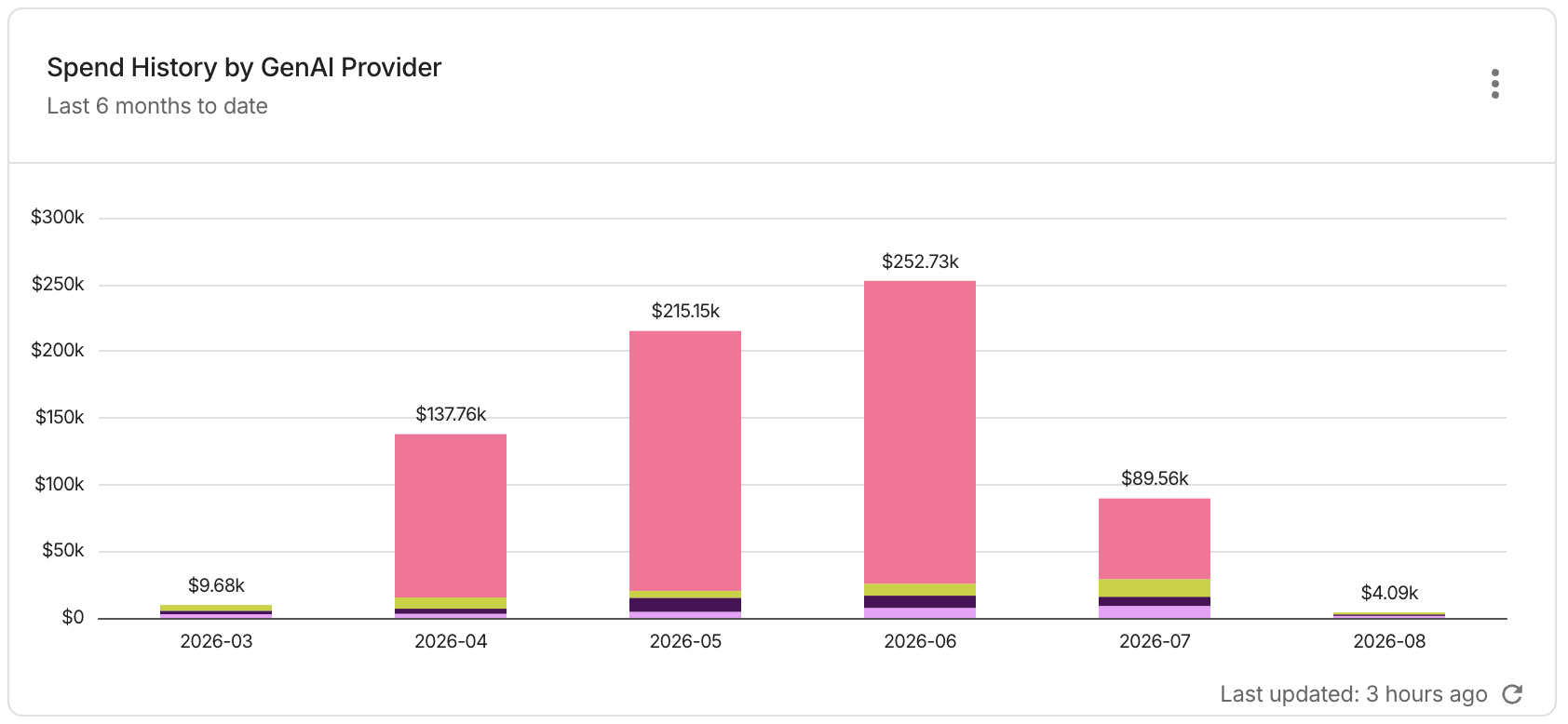
Report configuration:
- Metrics: Cost
- Time Range: Last 6 months (include current month)
- Time Interval: Month
- Group by: Provider
- Filter results: GenAI Spend is not
[Label N/A]
Cost by model family
Shows your total cost by AI model for the last 14 days. This allows you to spot any unexpected cost spikes or changes in spending patterns, helping you identify issues before they escalate. In addition, it provides immediate feedback on the financial impact of recent model usage or configuration changes.
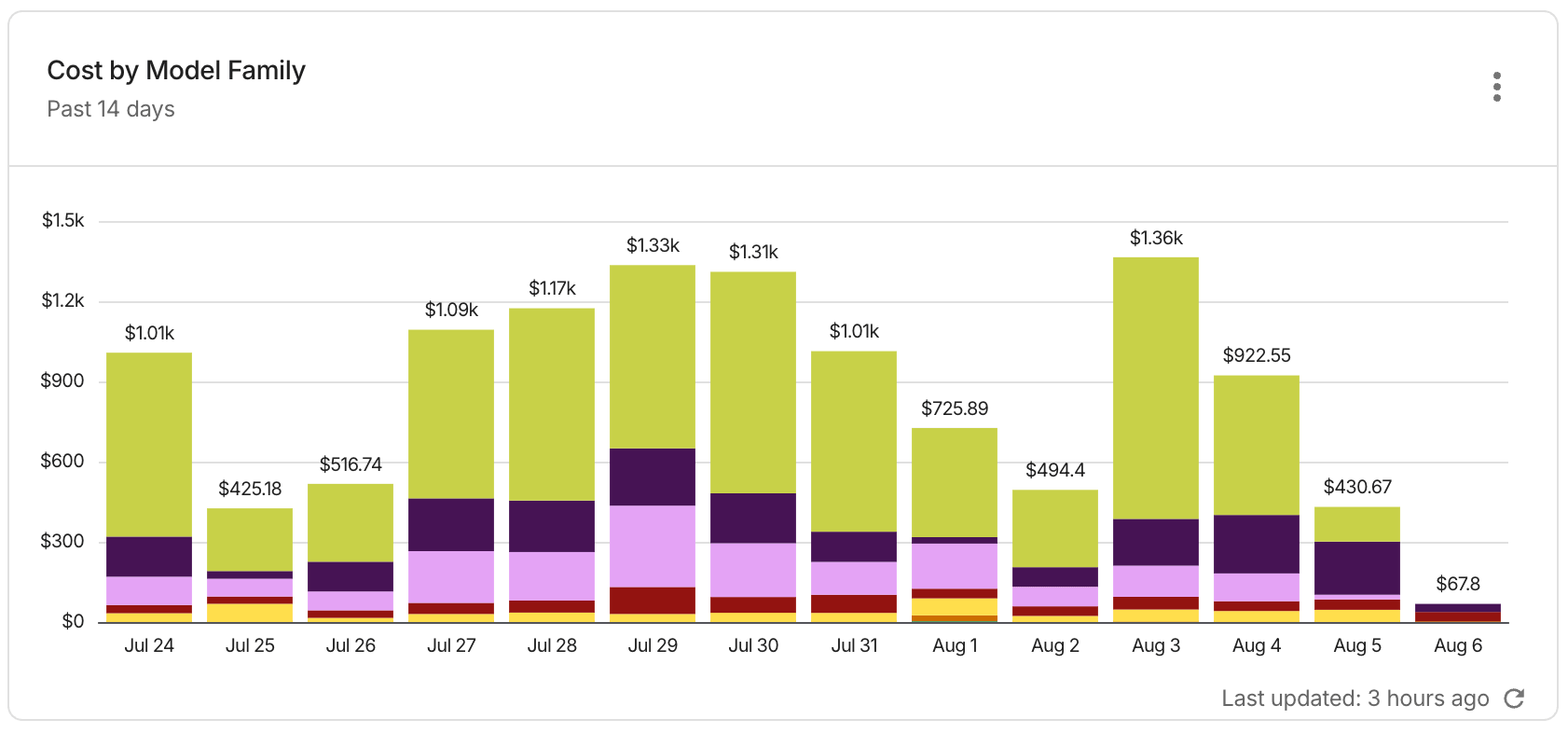
Report configuration:
- Metrics: Cost
- Time Range: Last 14 days (include current day)
- Time Interval: days
- Group by: Model Family
- Filter results:
- GenAI Spend is not
[Label N/A] - Model Family is not
[Label N/A]
- GenAI Spend is not
Cost by API key
Shows your total cost by AI API key for the last 14 days. This highlights which APIs are driving your recent spend, helping you detect cost anomalies and make informed decisions about which APIs to optimize.
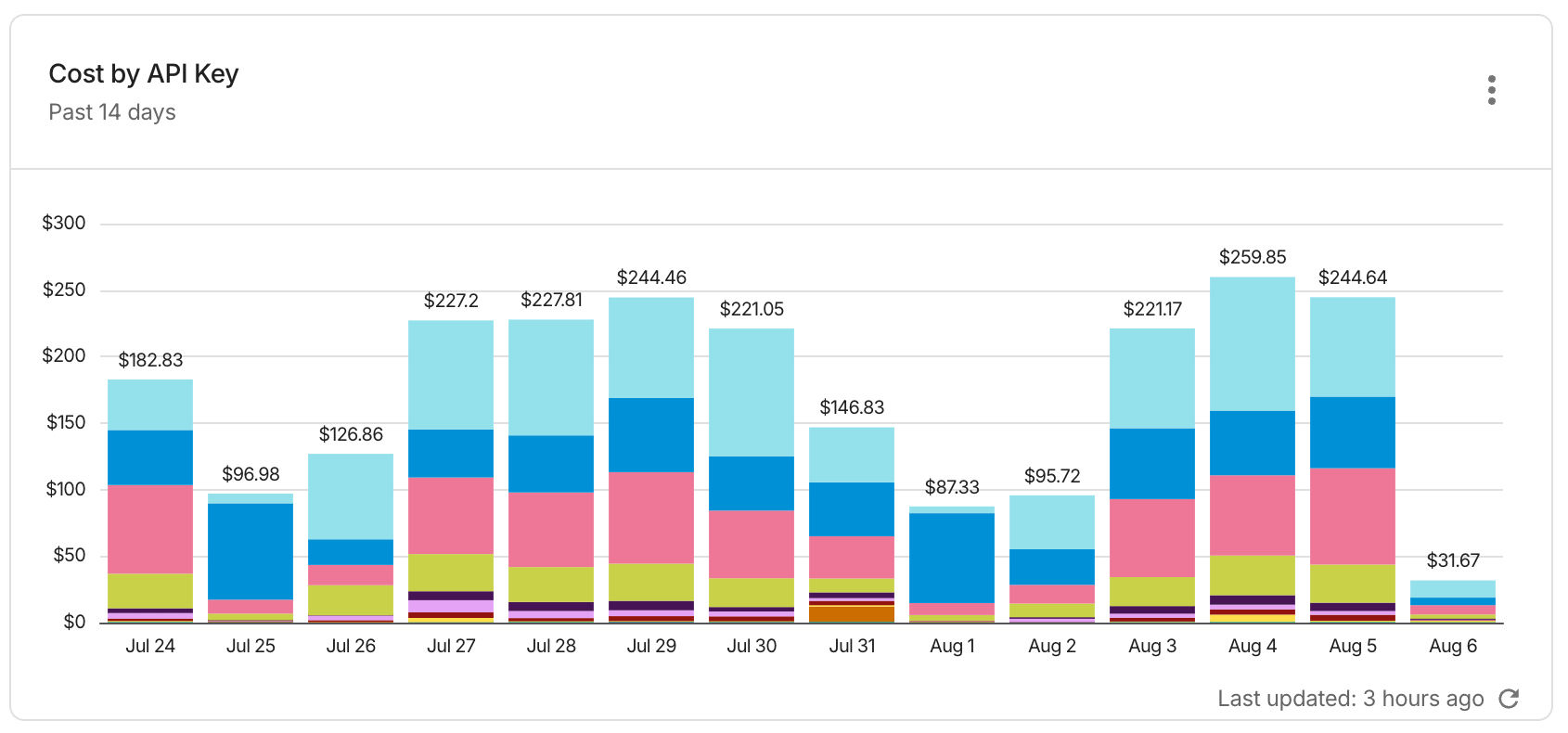
Report configuration:
- Metrics: Cost
- Time Range: Last 14 days (include current day)
- Time Interval: Day
- Group by: Api Key Name
- Filter results:
- GenAI Spend is not
[Label N/A] - Api Key Name is not
[Label N/A]
- GenAI Spend is not
Token breakdown by model
Shows your total token usage by AI model for the last 30 days. Token usage is the primary driver of AI API costs, so this report allows you to identify trends and justify spending. It also helps you identify opportunities to optimize prompts and model outputs to reduce token count and reduce costs.
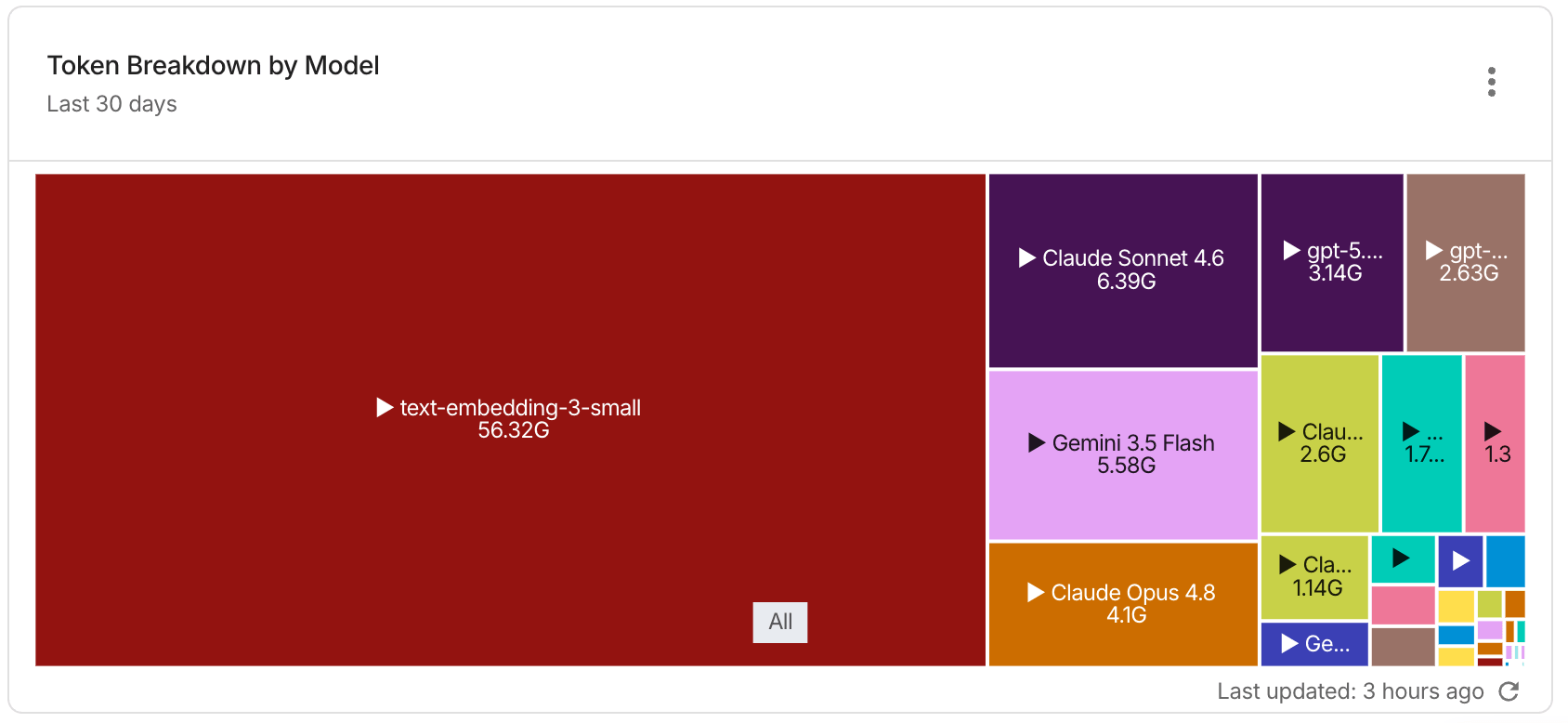
Report configuration:
- Metrics: Usage
- Time Range: Last 30 days
- Time Interval: Day
- Group by: Model, Provider, Project/Account ID, Operation
- Filter results:
- GenAI Spend is not
[Label N/A]
- GenAI Spend is not
Token usage by model
Shows your daily AI token usage by model. This allows you to see the models that are driving your current spending, helping you make decisions about using the most cost-effective model for each task. It also helps identify your consumption trends within the current billing cycle.
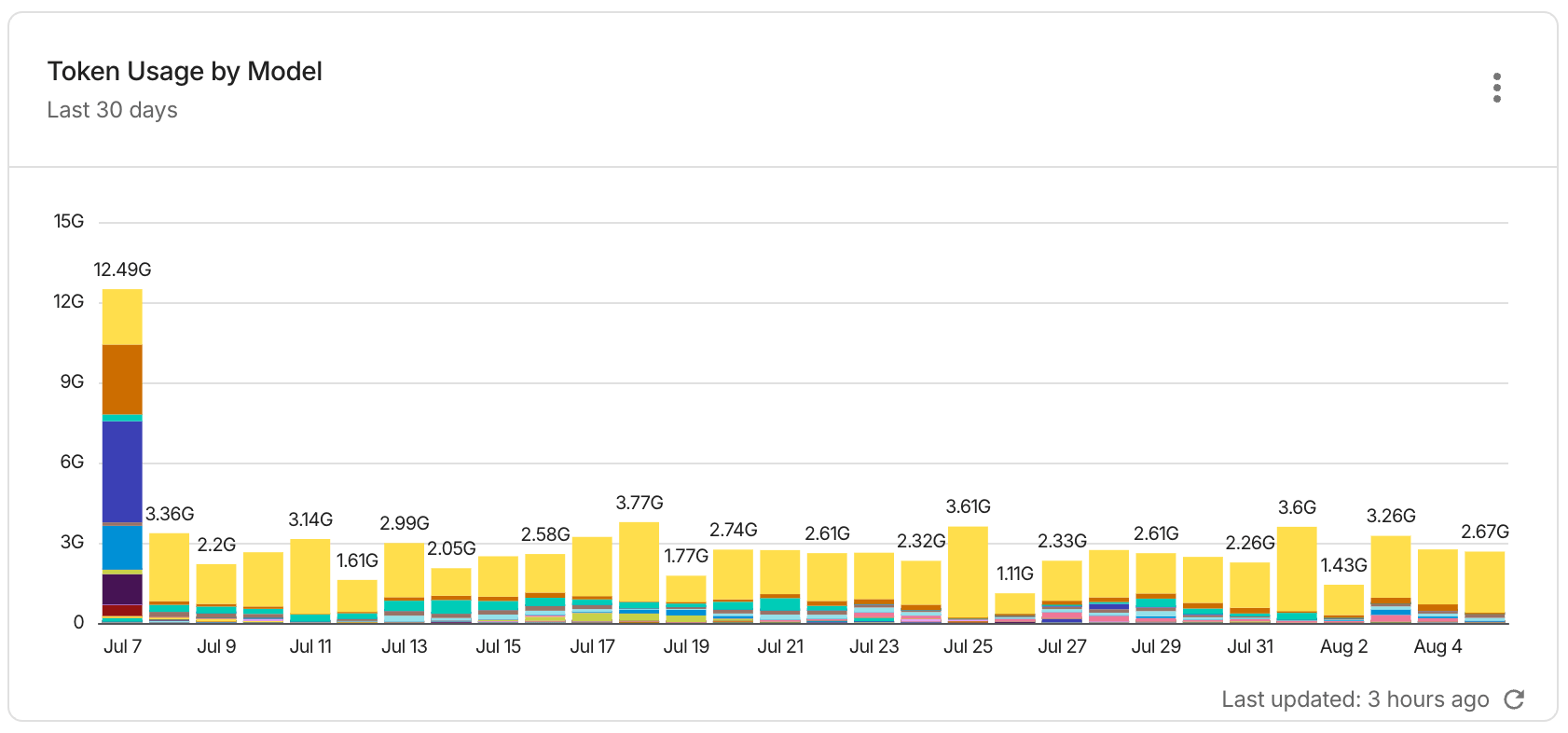
Report configuration:
- Metrics: Usage
- Time Range: Current month
- Time Interval: Day
- Group by: Model
- Filter results:
- GenAI Spend is not
[Label N/A] - Model is not
[Label N/A]
- GenAI Spend is not
GenAI spend - Top 15 users by provider and model
Shows your GenAI spend for the top 15 users, broken down by provider and model. This helps you understand which users are driving the most AI expenditure and which providers and models they are using.
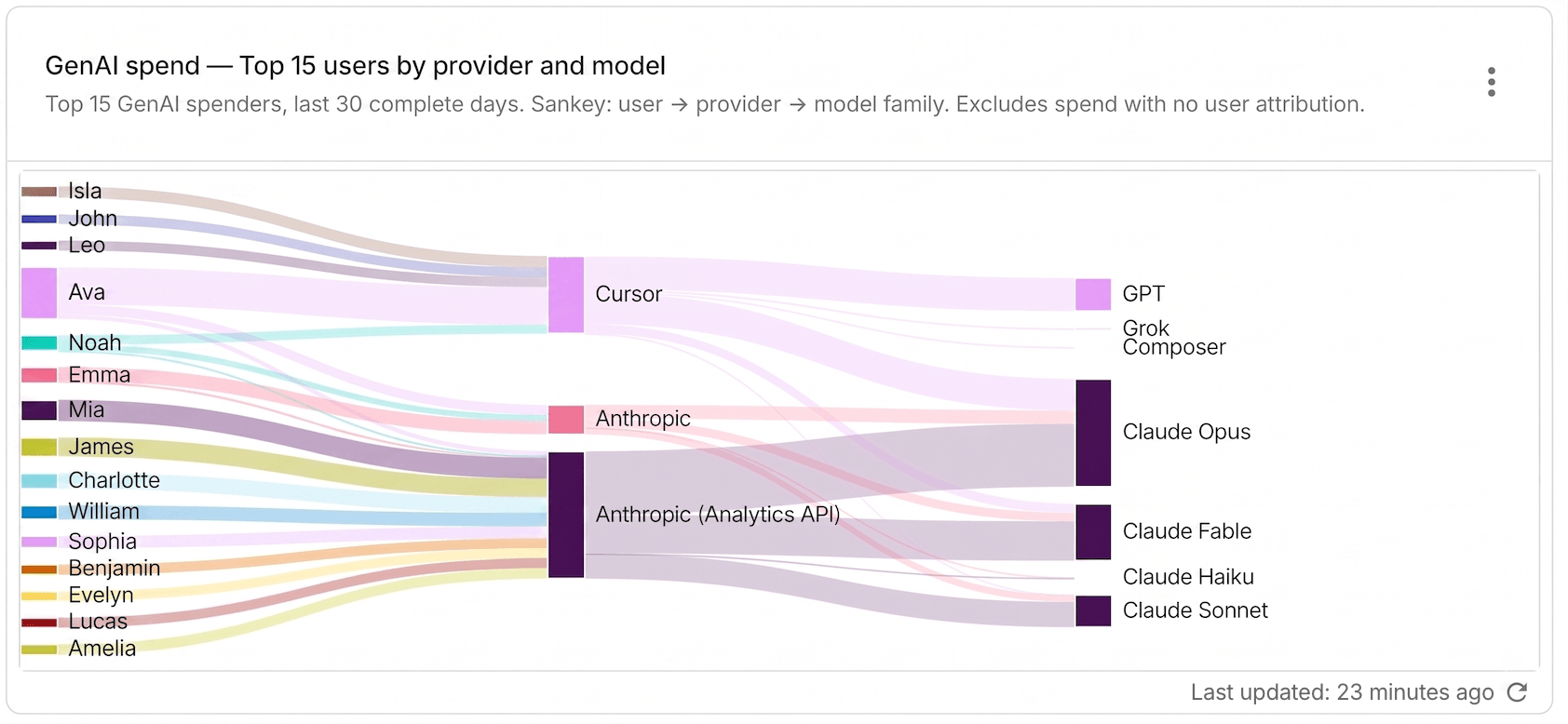
Report configuration:
- Metrics: Cost
- Time Range: Last 30 days
- Time Interval: Day
- Group by: User Name, Provider
- Filter results:
- GenAI Spend is not
[Label N/A] - User Name is not
[Value N/A]or[Label N/A]
- GenAI Spend is not
- Limit results:
- Limit by rank: Top 15
genai/user_nameby cost
- Limit by rank: Top 15