メインコンテンツへスキップ

Eligibility screener

The eligibility screener helps you evaluate your organization's readiness for MSP certification. It scores your responses to a series of questions and generates an eligibility verdict, based on your workspace's cloud provider.

Complete the screener

To run the eligibility screener:

  1. In the DoiT console, navigate to the MSP Workspace.

  2. Under Evidence workspace in the sidebar, select Eligibility screener.

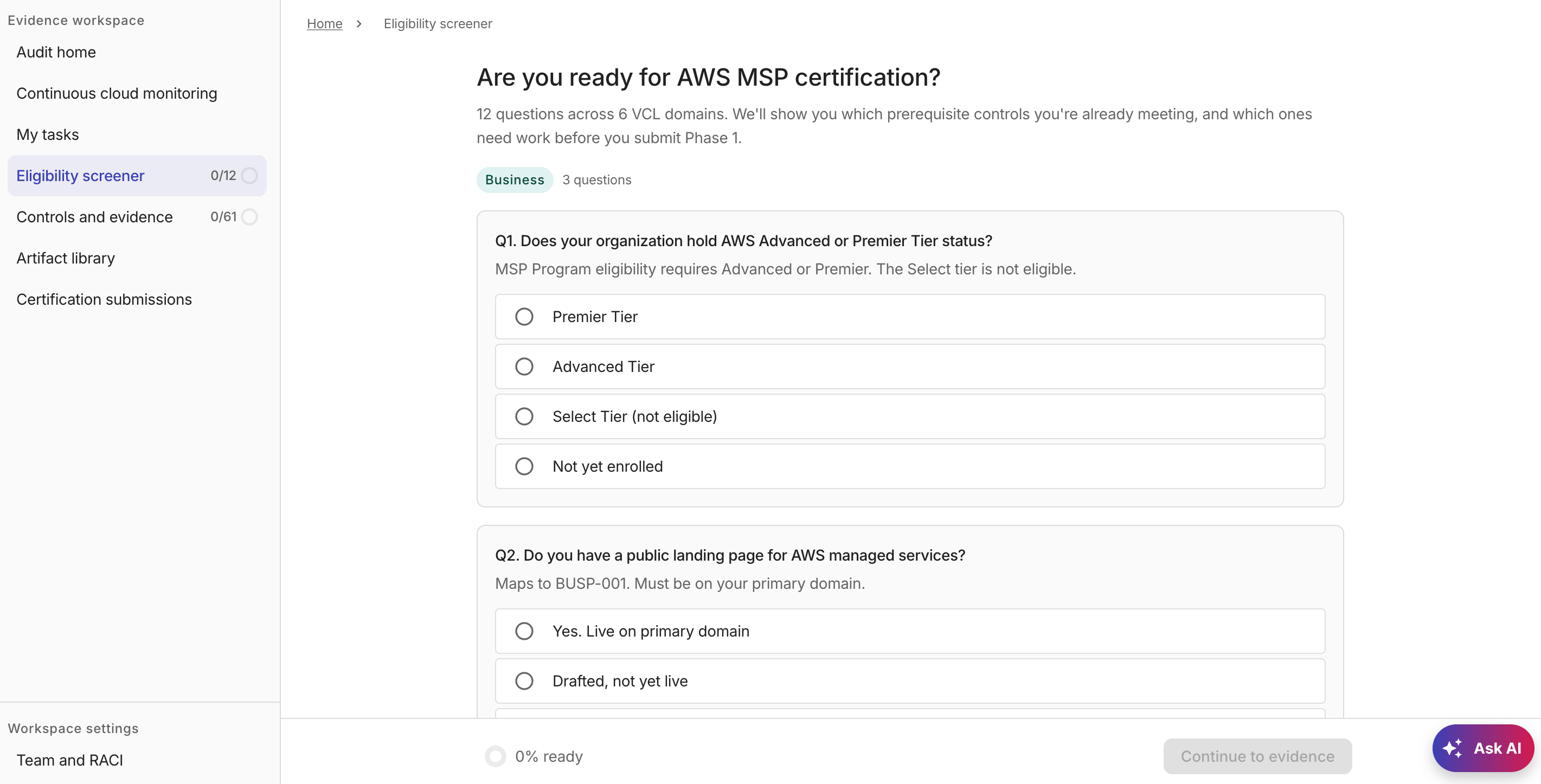
    The screener contains questions organized by domain, each covering a specific area of the certification requirements.

    MSP Eligibility screener

  3. Select your response to each question.

  4. Continue until all questions are answered.

Your answers are saved automatically as you work through the questionnaire, and your responses are evaluated as you proceed.

You can close the browser and return later; your progress is preserved across sessions.

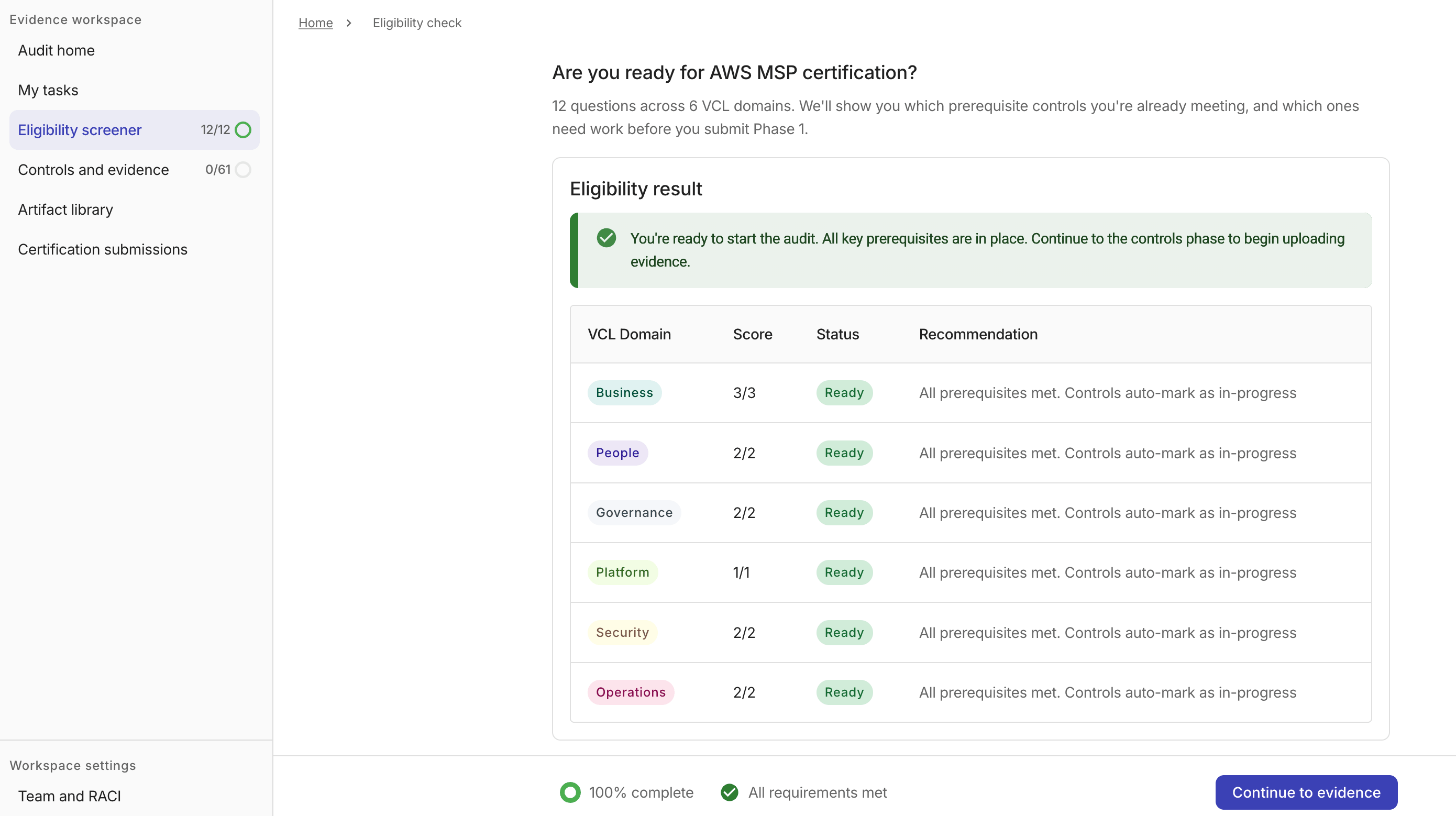
Eligibility result

The evaluation results include your overall eligibility verdict, a score for each certification domain, and a Recommendation column with specific actions for each unmet prerequisite in a domain.

MSP Eligibility result

Once all questions are answered, the footer displays a requirements summary.

To proceed to the next step, select Continue to evidence. This button is enabled as soon as all questions are answered, regardless of the eligibility verdict.

You can change answers after receiving a verdict; results are reassessed automatically.