Billing rules
Billing rules are used to exclude specific costs from billing. Other commercial adjustments such as margin, discounts, or upcharges should be specified in Price books or Custom line items.
Add billing rules
A distributor or reseller Admin user can add billing rules when adding a new contract or editing an existing one.
-
Select Add billing rule.
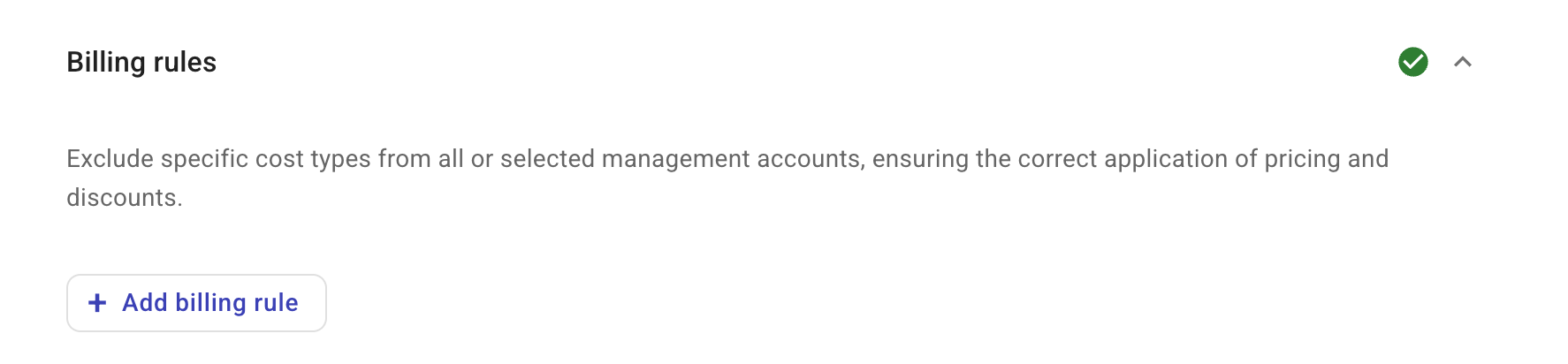
-
Configure the first rule.
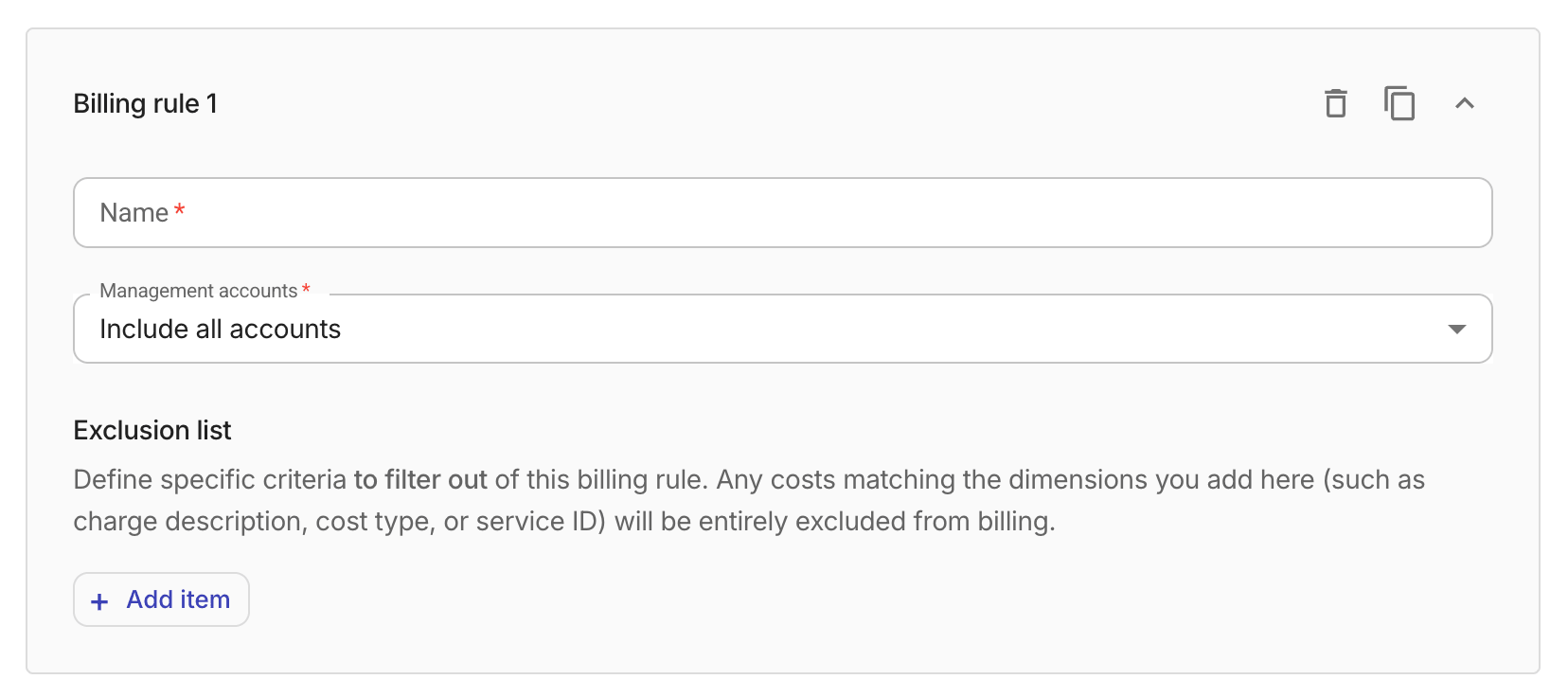
-
Name: Name of the billing rule.
-
Management accounts: The management accounts to which the rule applies.
-
Tier-1, Tier-2 contracts: Not configurable. Always set to
Include all accounts. -
Tier-3 contracts: If you choose
Include only selected accounts, you need to specify at least one management account.
-
-
-
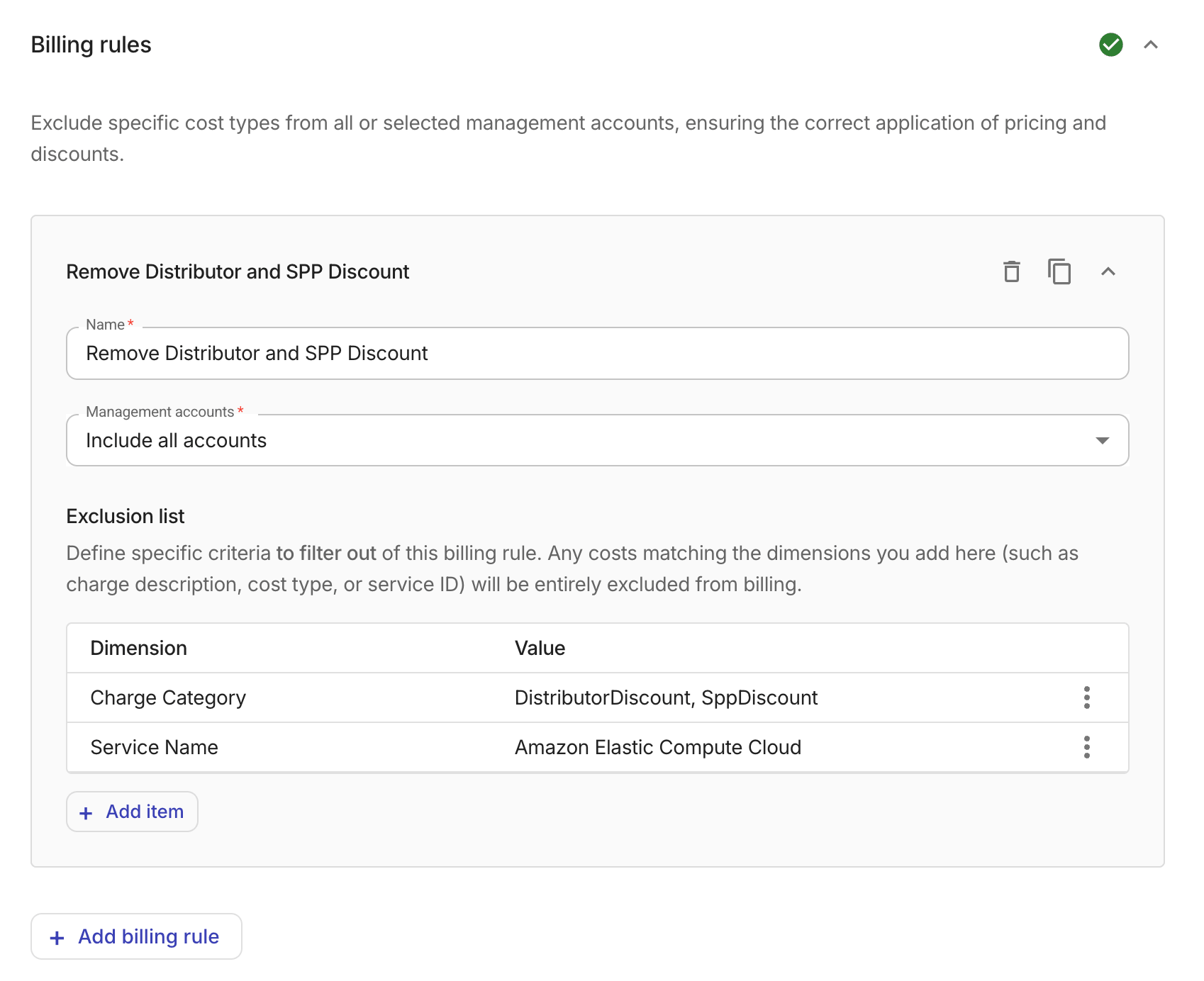
Configure the Exclusion list of the billing rule. Any costs matching the defined conditions will be excluded from billing.
-
Select Add item.
-
In the Add exclusion item dialog, select a Dimension and the Values to define the condition. The available dimensions vary with the tier of the contract.
The example below excludes
DistributorDiscountandSppDiscountfrom billing.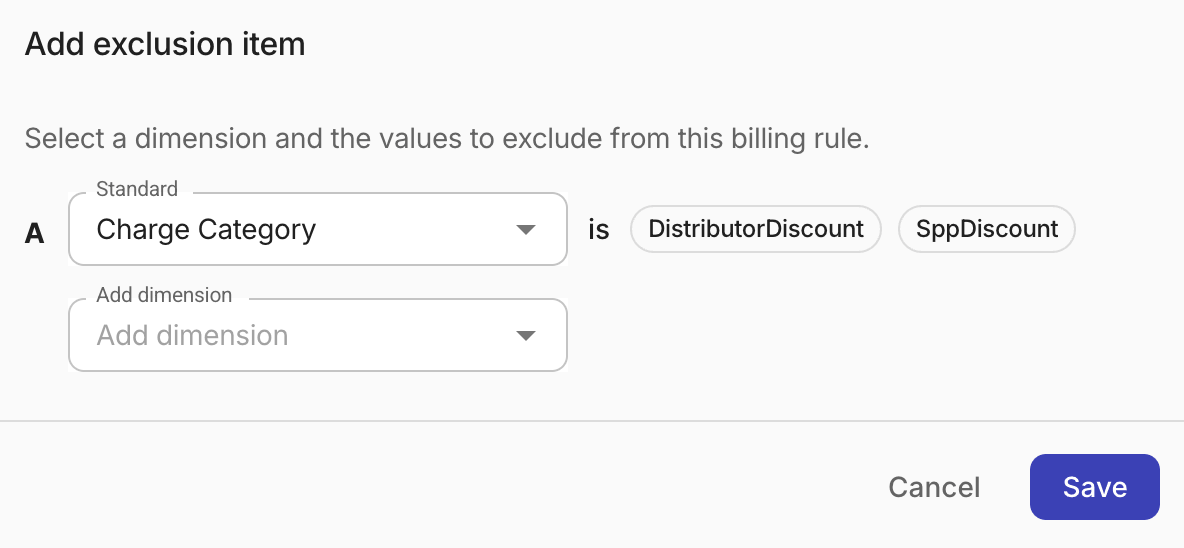
-
Add more exclusion items if needed.
When a rule has two or more items, review and update the Formula that combines them using
AND,OR, and parentheses, referencing each item by its letter (for example,A AND BorA OR (B AND C)).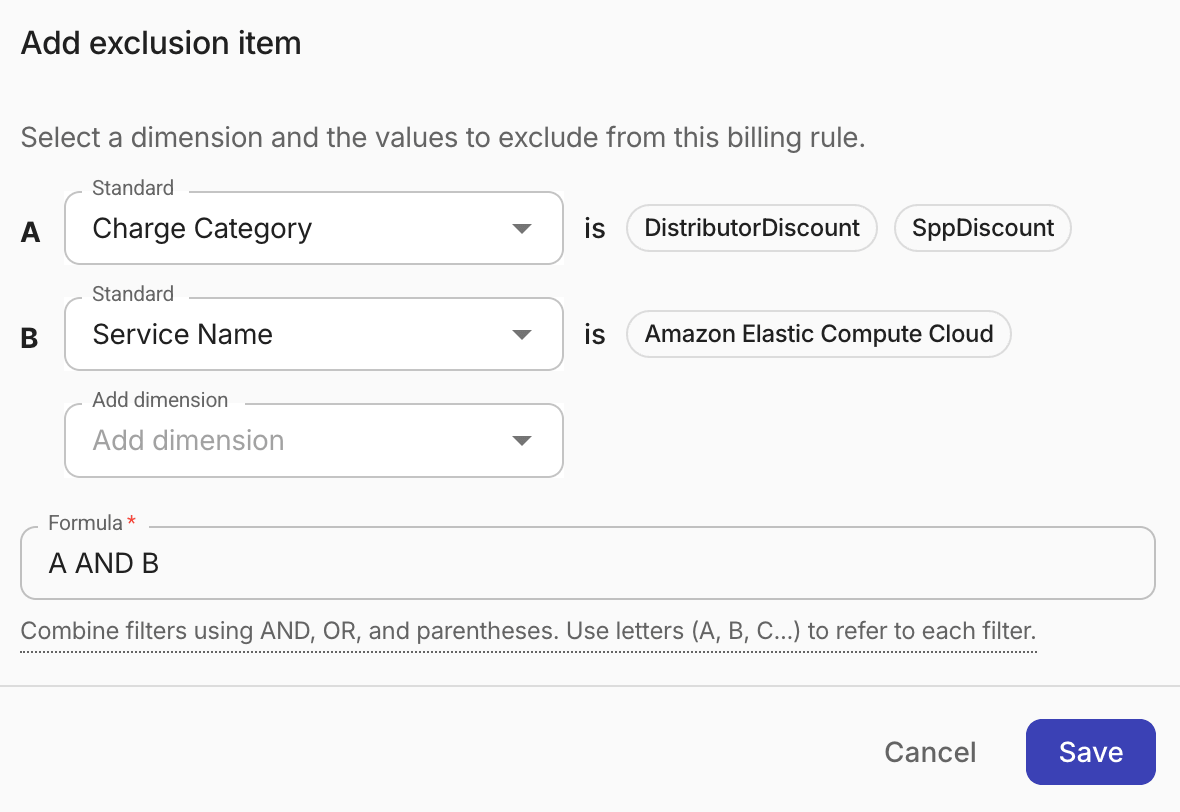
-
-
Add more billing rules if needed.
You can select the content copy icon to duplicate an existing rule or select Add billing rule to add an empty one.
Application order
End customers inherit billing rules from their reseller as well as the distributor.
For example, if the distributor has a billing rule that excludes SppDiscount and the reseller has a rule that excludes EdpDiscount, when running recalculation for an end customer, first the SppCredit is removed from the billing data and then the EdpDiscount.