Slack Integration
Introduction
The Attribute platform can be integrated with various notification channels in order to provide productive integration with our customers' regular business notification workflows.
The Attribute platform currently supports two options for Slack integration: Slack Webhooks, or the full Attribute for Slack app.
Triggering actions from Slack is only available with the Attribute for Slack app.
Integration Using Attribute for Slack
The following steps complete the Slack integration using Attribute for Slack:
-
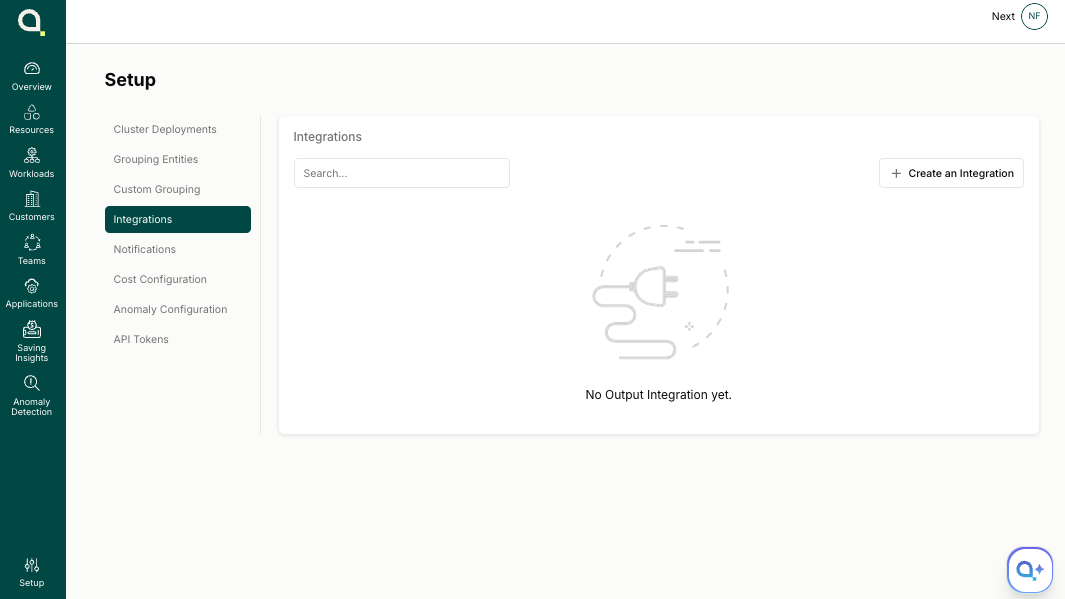
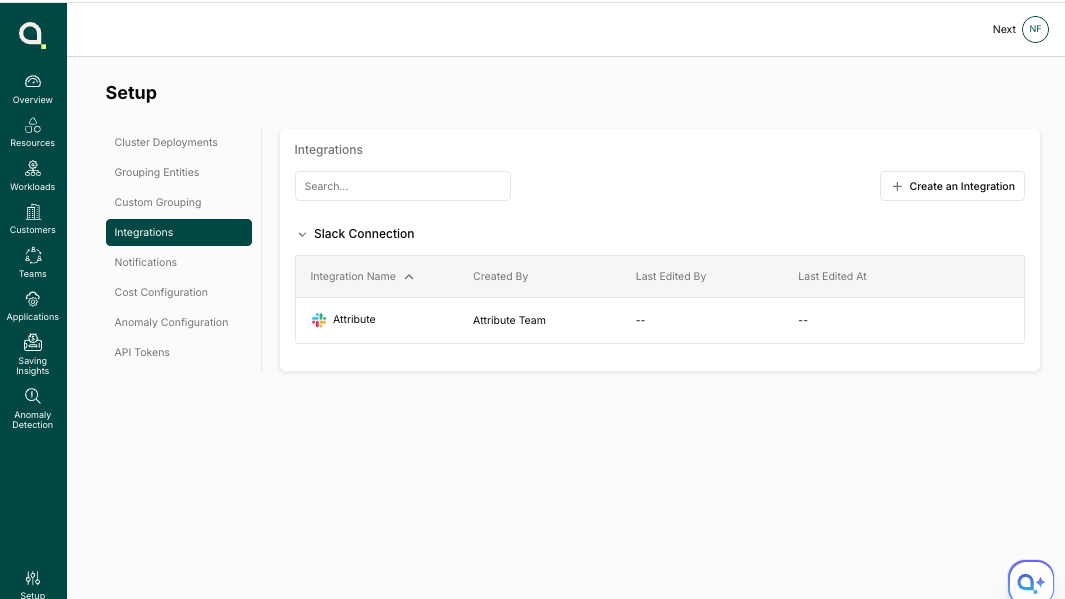
Navigate to the Setup section in the Attribute Dashboard and click Integrations in the left sidebar.
-
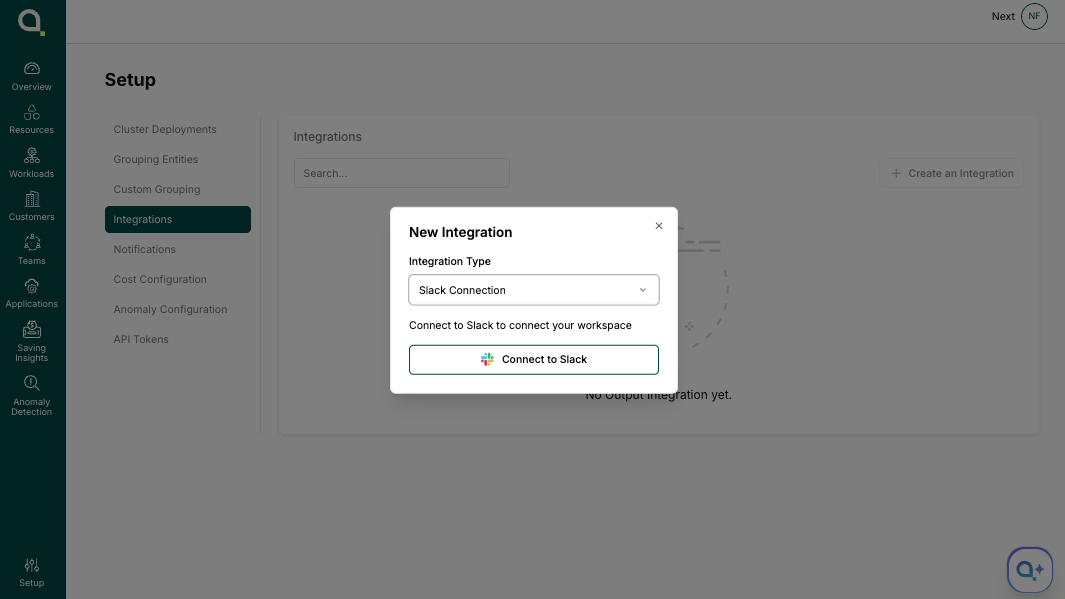
Click Create an Integration, choose Slack Connection as the integration type, then click Connect to Slack.
-
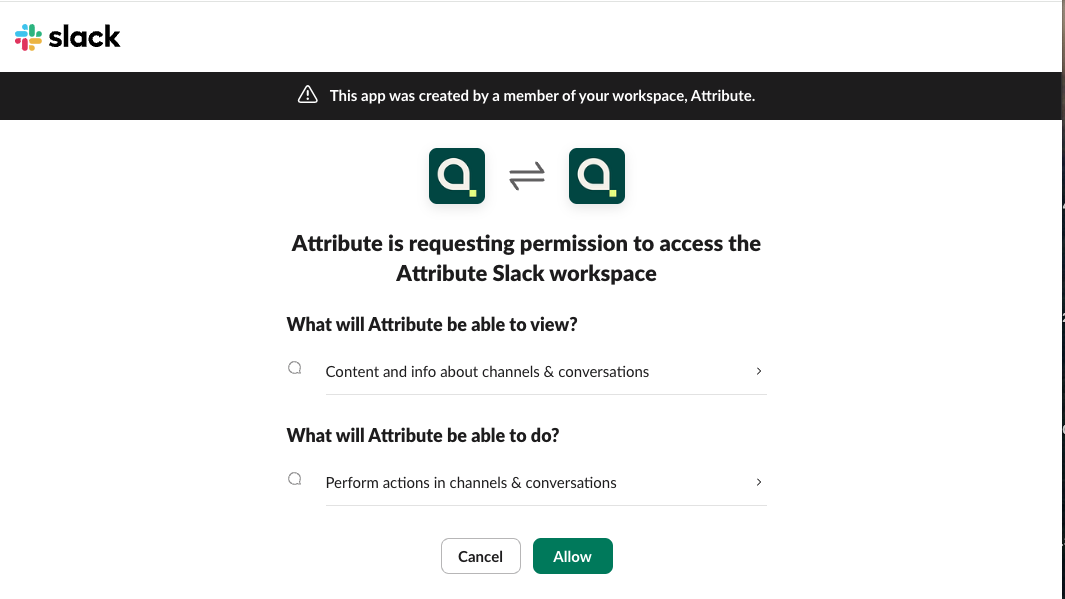
You will be redirected to the Slack integration page to grant Attribute permission to access channels and conversations and perform actions in them. Click Allow.
-
If you don't have permission to authorize the application, send the link
https://slack.app.attrb.io/slack/installto an admin who can complete the integration: -
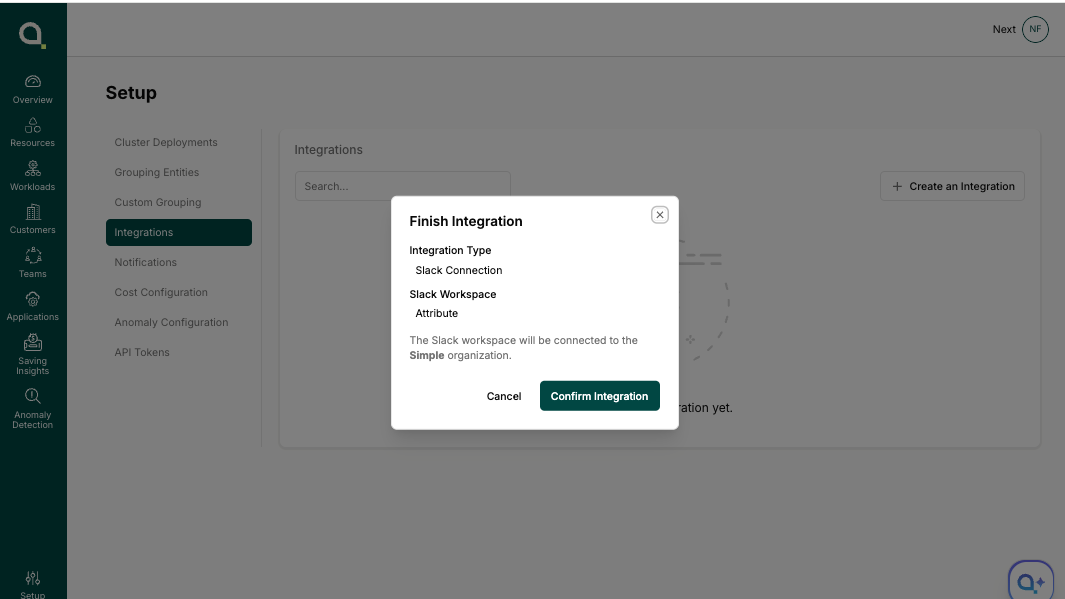
Click Confirm Integration to finish.
-
The new integration now appears in your Slack connections list.
Integration Using Slack Webhook
The following steps complete the Slack integration using a Slack Webhook:
-
Navigate to the Setup section in the Attribute Dashboard and click Integrations in the left sidebar.
-
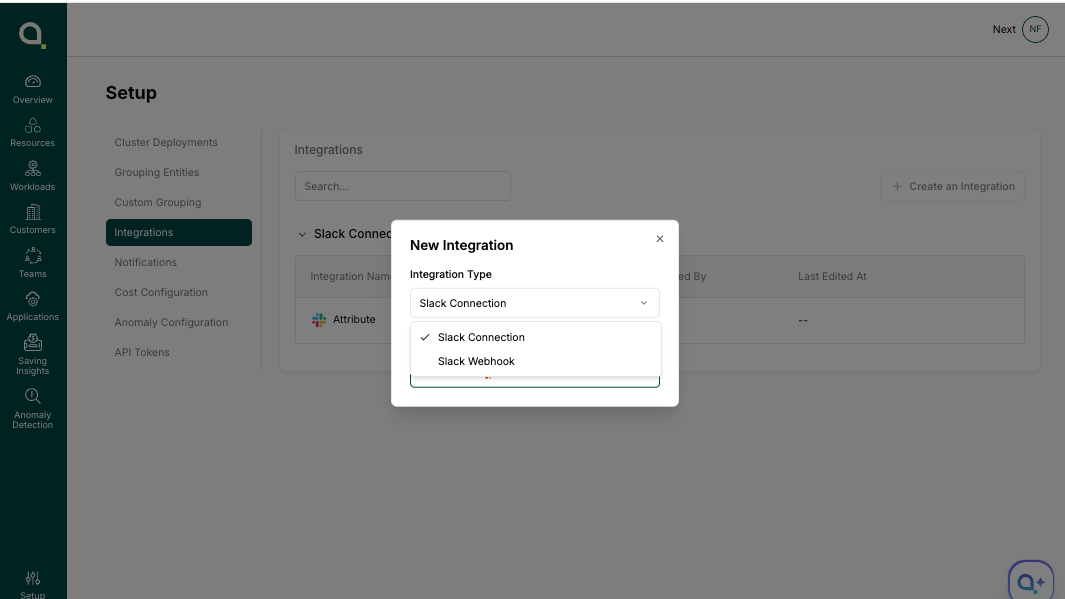
Click Create an Integration and choose Slack Webhook as the integration type.
-
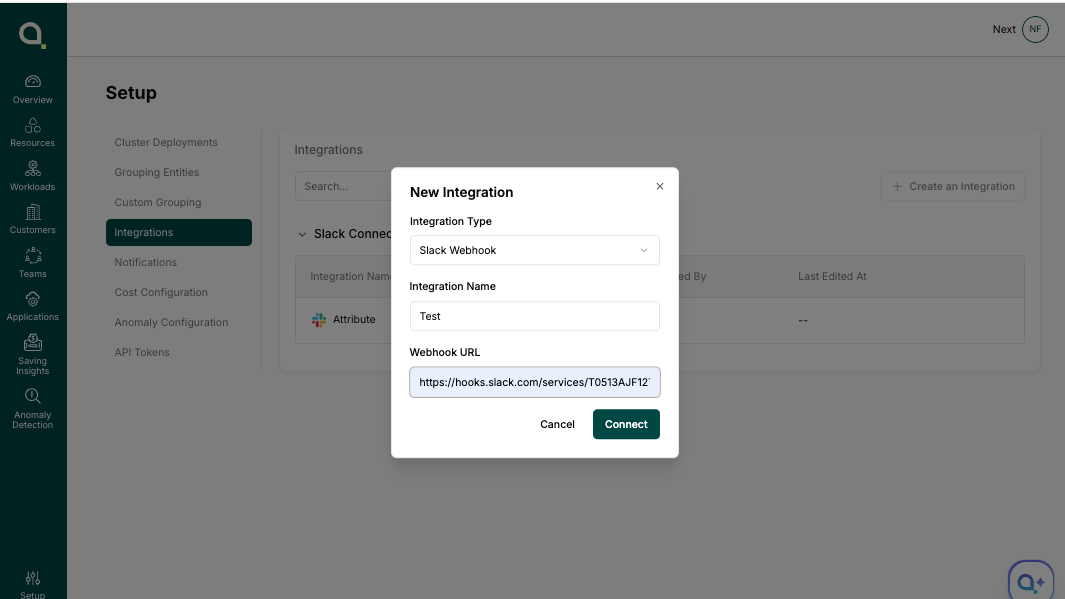
Enter an Integration Name of your choosing and the Webhook URL from Slack, then click Connect.
-
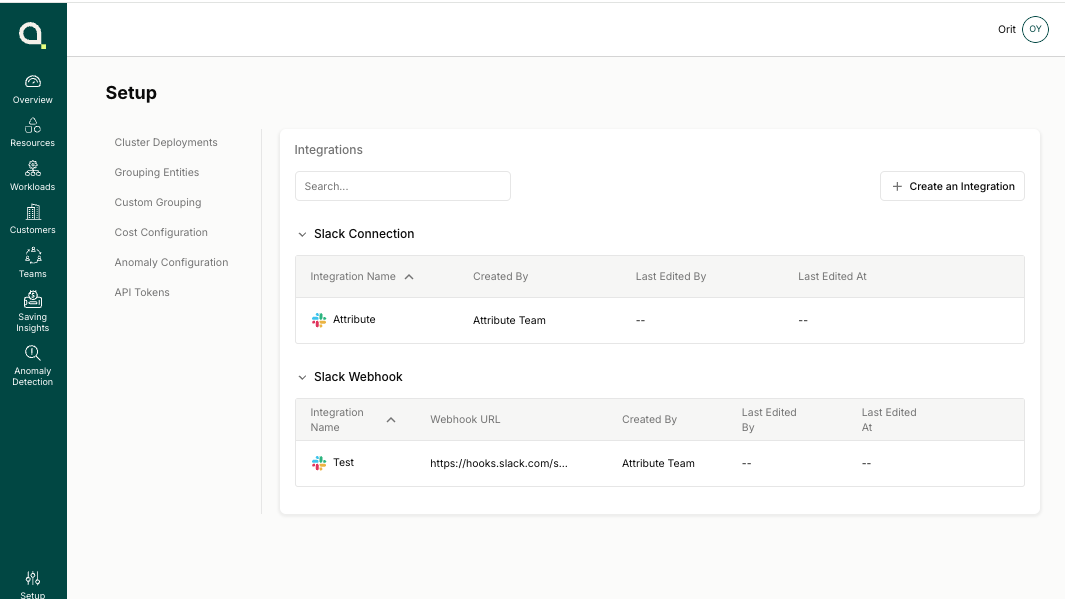
The new integration now appears in your Slack connections list.
Create a Notification
Now that the integration is set up, you can start creating notifications.
-
Navigate to Setup → Notifications.
-
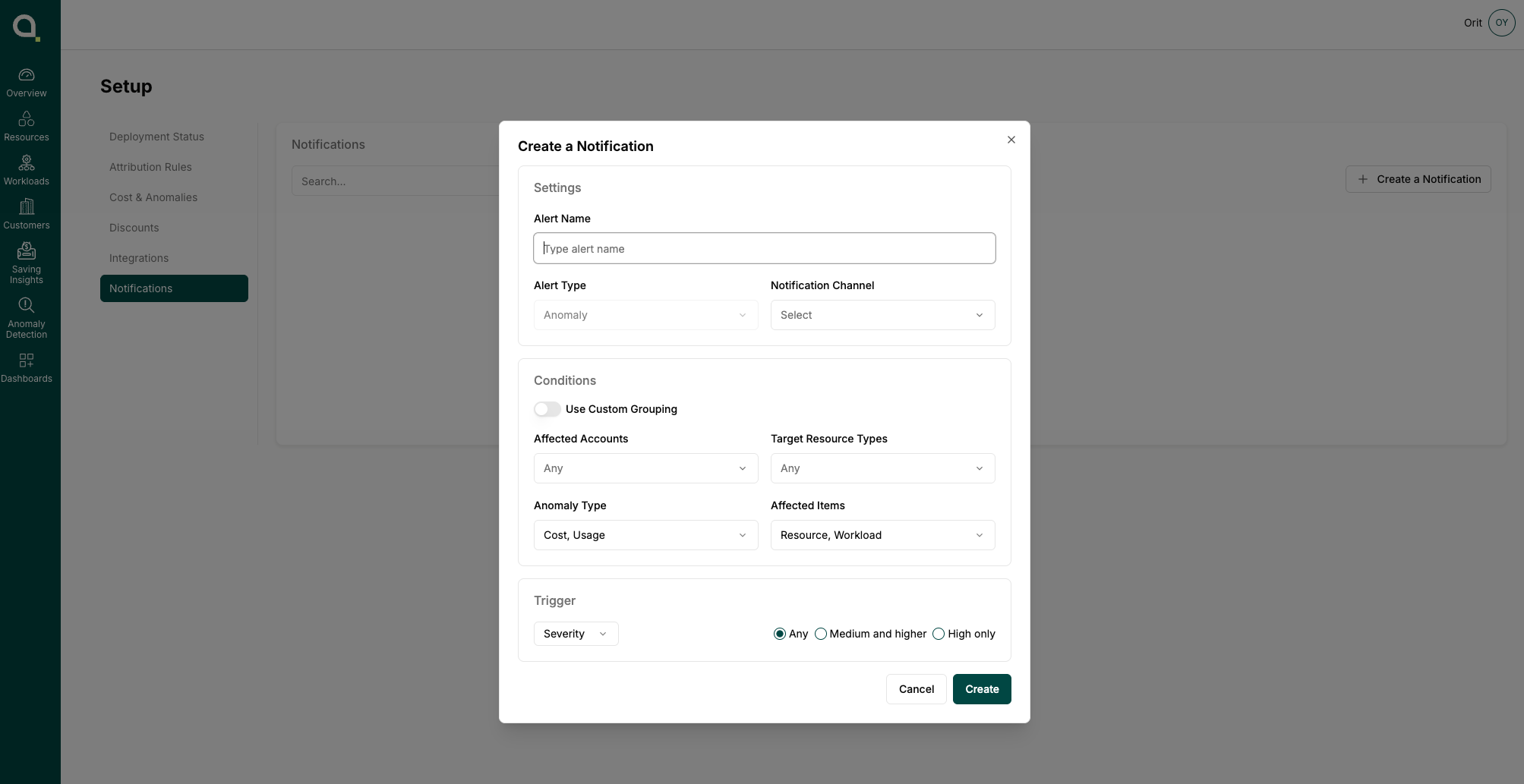
Click Create a Notification. From here, you can create a new alert, choose the notification channel, set conditions, and configure the trigger.
Contact
If you require any additional assistance, please contact Attribute's support at [email protected].
Alternatively, you can request to join a shared Slack channel for support. To request access, email [email protected] with your details.
Trademarks: Slack is a trademark of Slack Technologies, LLC, a Salesforce company. All other trademarks are the property of their respective owners.