OpenAI Integration
Introduction
The Attribute platform can be integrated with various third-party cloud services to provide a consolidated cost view and complete cost attribution. This document describes the steps required to complete the integration with OpenAI billing.
Requirements
To obtain secure access to OpenAI billing information, Attribute needs an Admin API key with Usage API scope permissions.
Follow the steps below to generate this key and securely share it with Attribute.
Generating a New Admin API Key
-
Sign in to your OpenAI account.
NoteYou'll need billing permissions for your organization — typically the Admin role.
-
Click the settings (gear) icon in the top-right corner, then navigate to Admin keys.
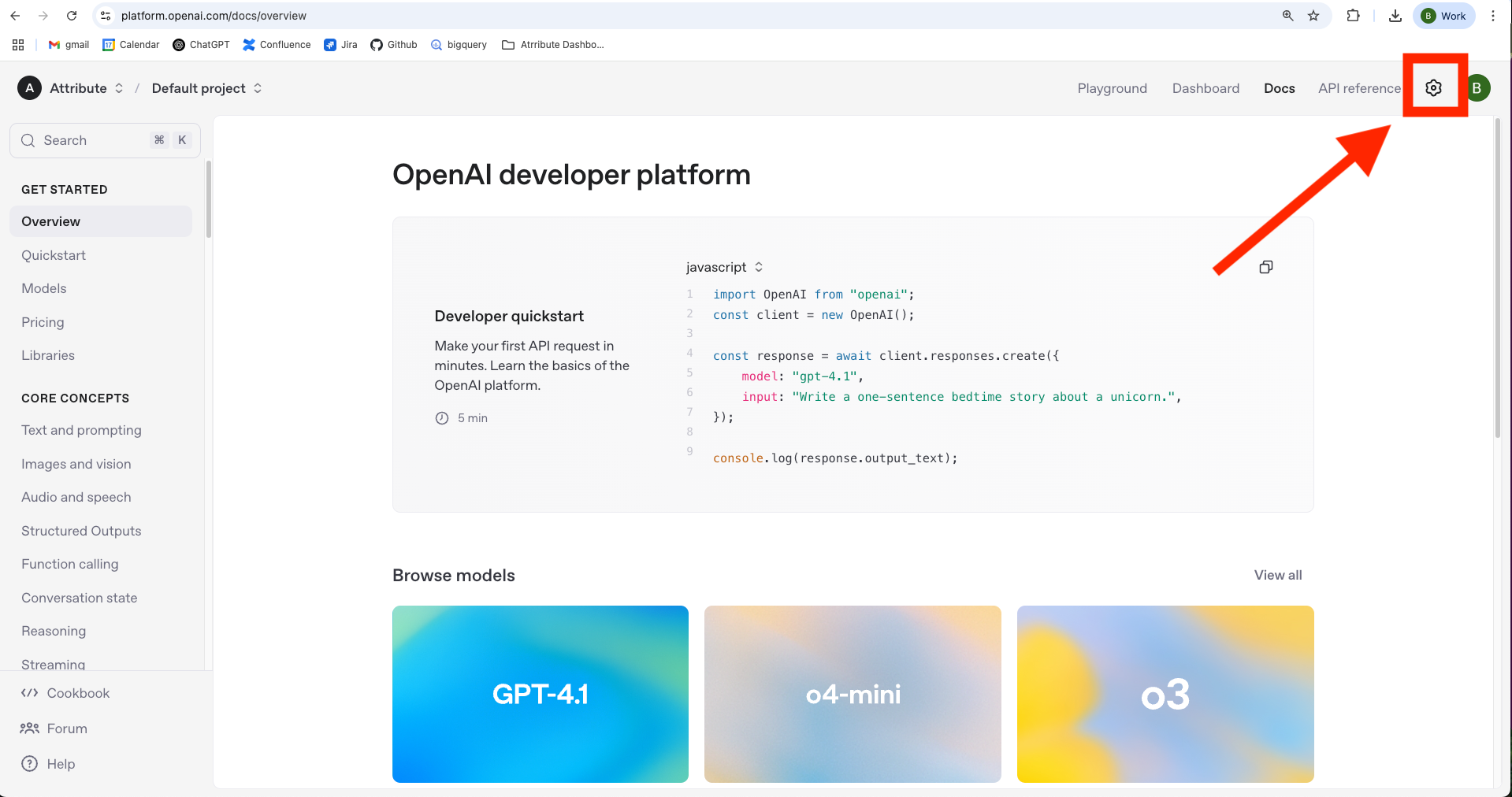
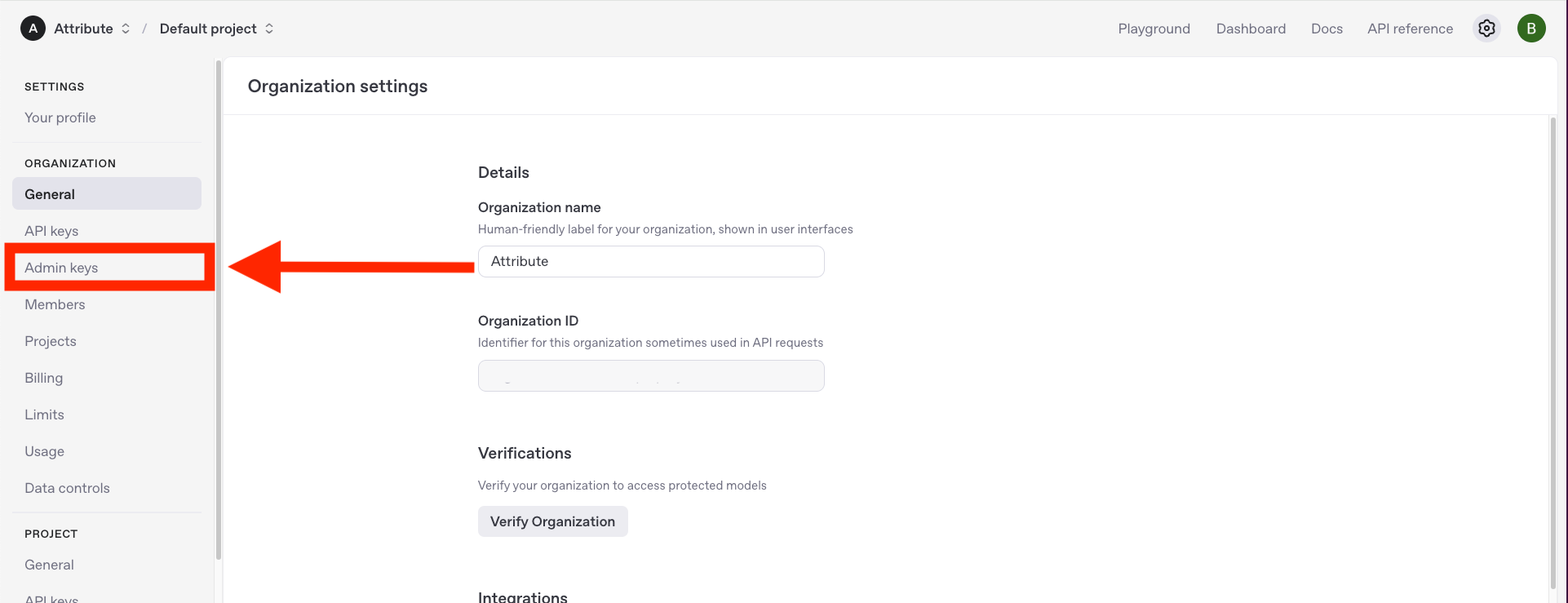
-
Click Create new Admin key and configure the key:
- Choose Restricted permissions.
- Change Usage API Scope to Read.
- Click Create admin key.
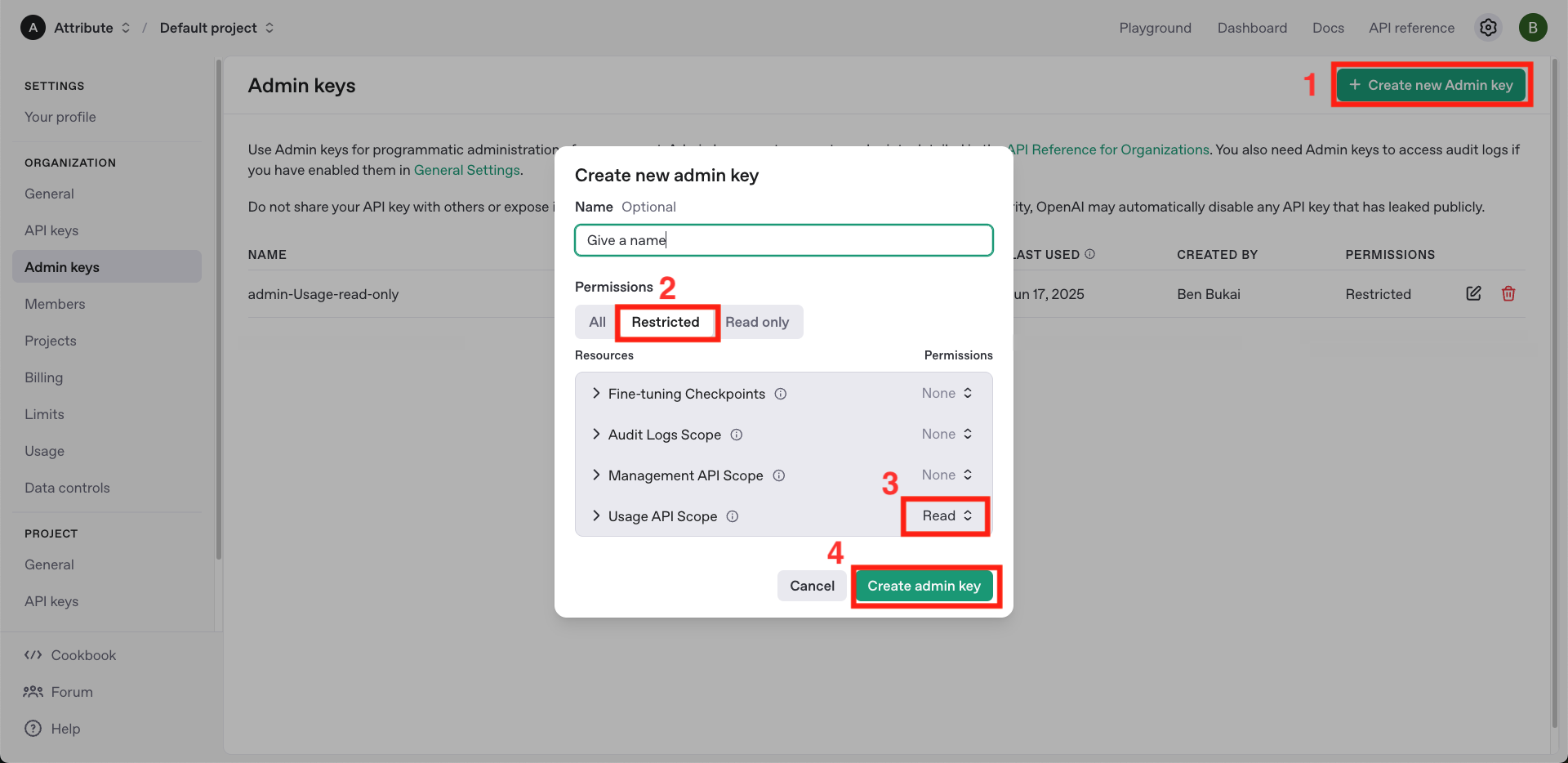
-
Save your secret key in a safe place — you won't be able to view it again.
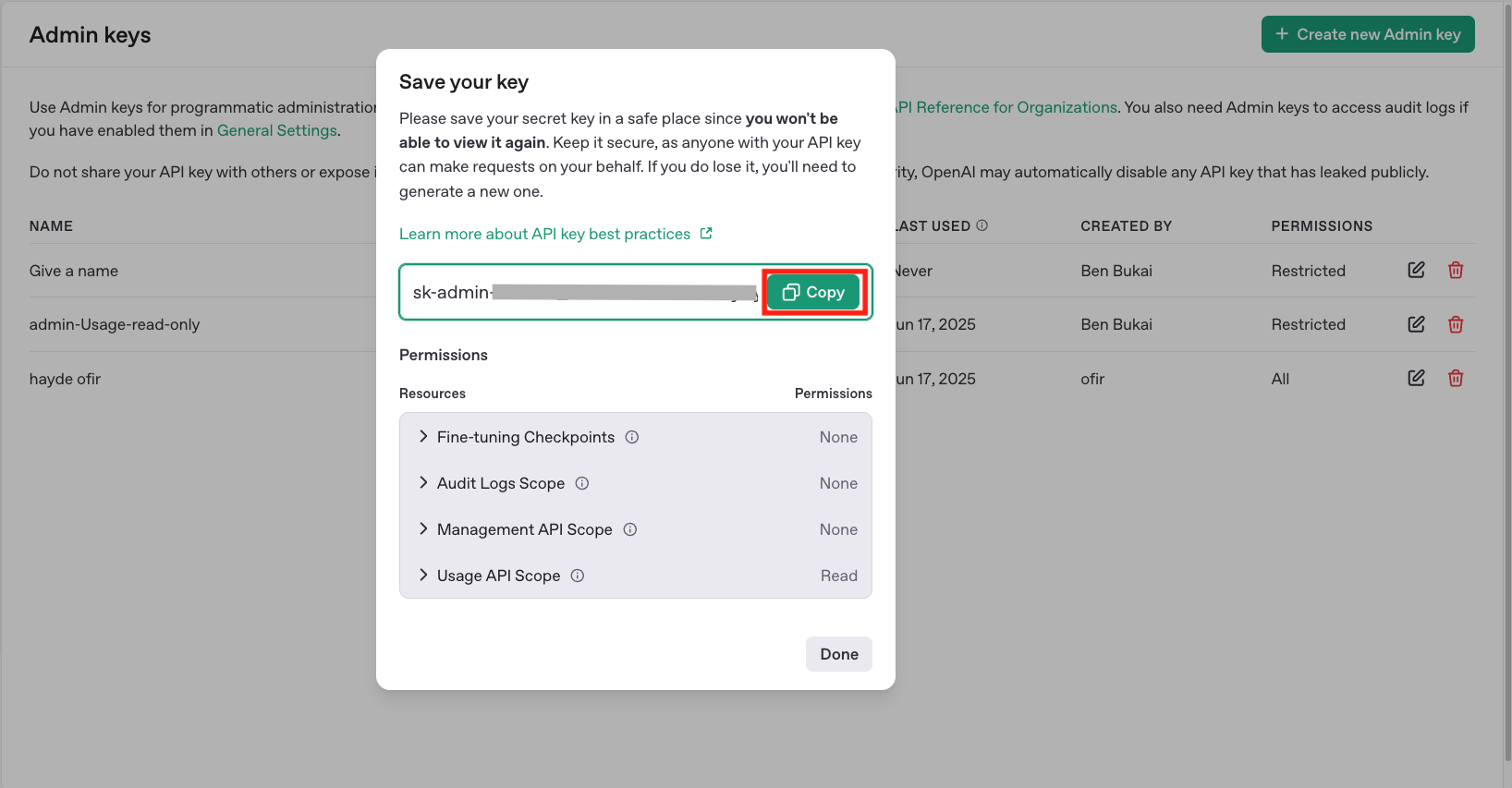
-
Verify the key has the correct permissions using the following command (replace
YOUR_API_KEYwith the key you just generated):curl --location 'https://api.openai.com/v1/usage?date=2025-06-22' \--header 'Authorization: Bearer YOUR_API_KEY' -
Securely share the key with Attribute.
Contact
If you require any additional assistance, please contact Attribute's support at [email protected].
Alternatively, you can request to join a shared Slack channel for support. To request access, email [email protected] with your details.
Trademarks: OpenAI is a trademark of OpenAI. All other trademarks are the property of their respective owners.