Deal registration
You can register a deal when your organization is active and enabled for a deal type.
Register a deal
To register a new deal, launch the registration wizard using one of the following methods:
-
Select Deals > Register a deal from the top navigation mega menu.
-
Select Register a deal from the Home page or the Deals overview page.
Configure the deal
Provide the required information before you select Next to proceed.
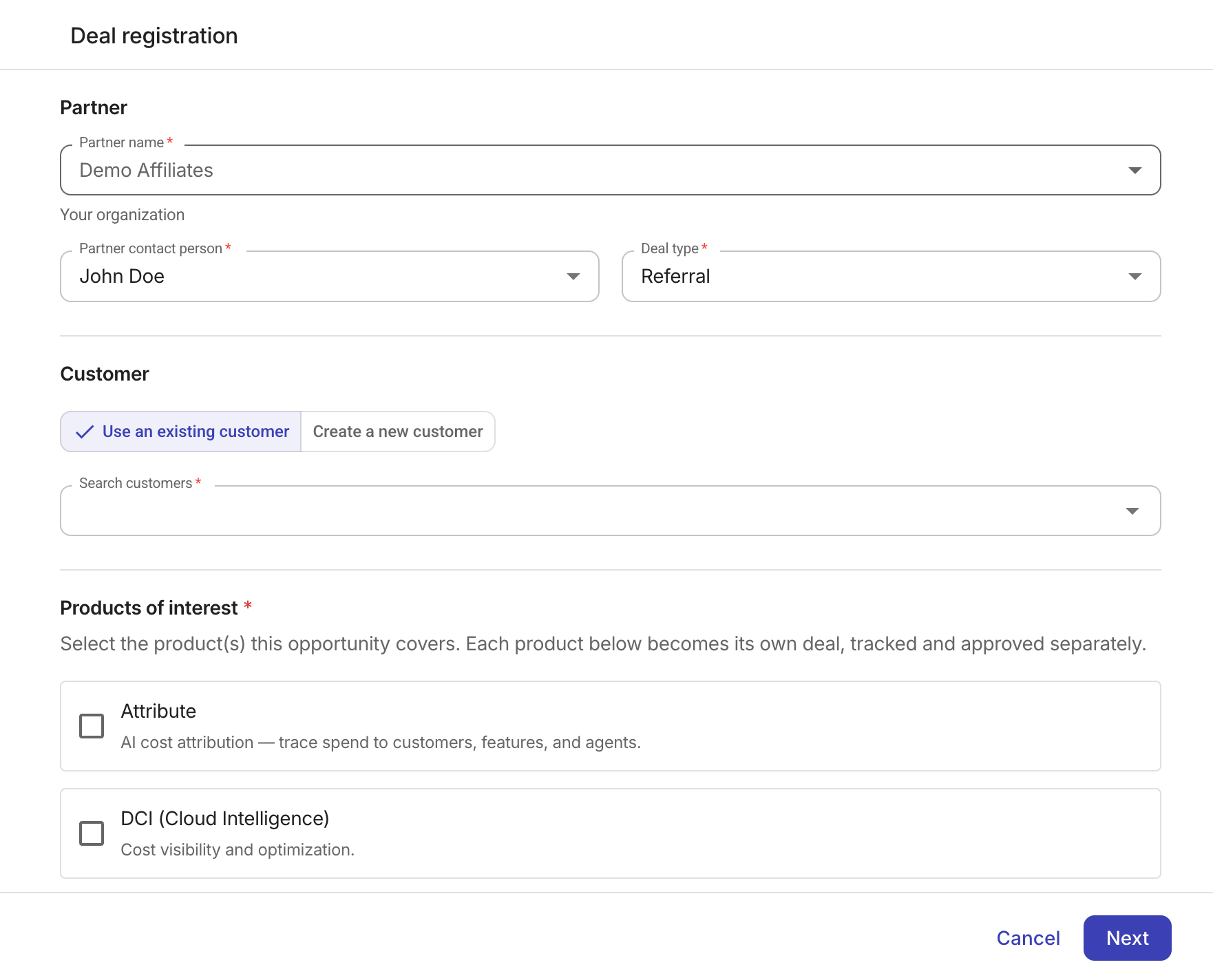
Deal type
If your organization has only one deal type, the wizard fills Deal Type from your contract.
-
Affiliate, TSD, and Trusted Advisor registrations are Referral deals.
-
Reseller registrations are Resell deals.
If your organization has more than one deal type, choose the type under which the current opportunity will be registered. Changing the deal type later clears the entries you already made.
Customer
-
Use an existing customer: Available if the organization has at least one customer.
-
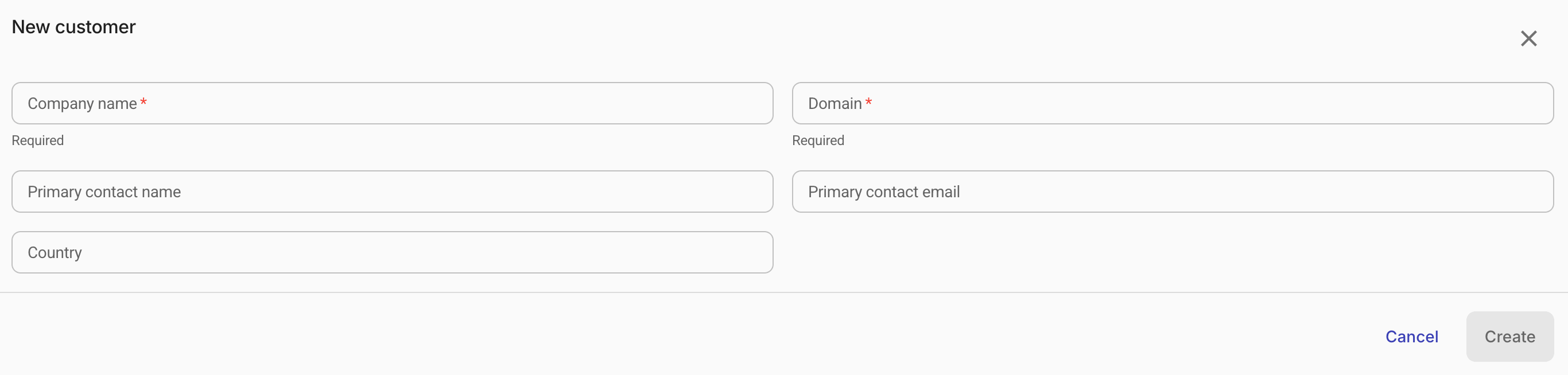
Create a new customer: Create a new customer.
-
Enter the customer information as required.
-
Select Create.
If the specified domain already exists in your organization, select Create separate customer anyway when you need another record for the same domain, or select Use existing customer to open the current record.
-
Products of interest
Select all the products covered in the present opportunity. Each product gets a dedicated deal and is managed separately.
Review and submit
Review the deal information.
Select Back to edit if anything is missing, or select both checkboxes under Acknowledgement and then select Register deals to complete the registration.
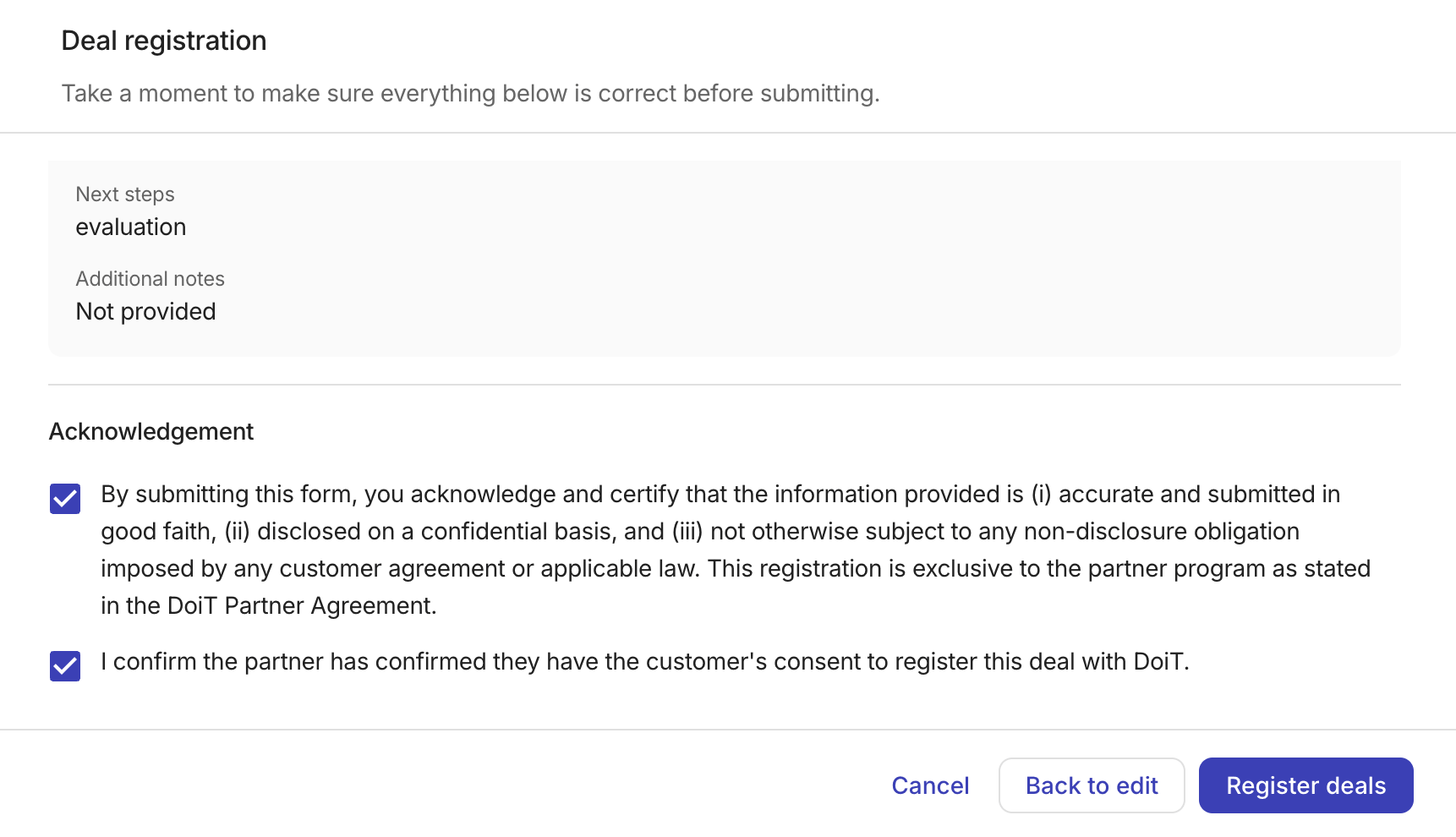
Submitting a registration sends it for review. Protection starts when DoiT approves the deal.