Overview
The deals overview page lists all registered deals.
Dashboard
To access the list of registered deals, select Deals > Overview from the top navigation mega menu. Deals are grouped into several categories:
-
Needs review: Submitted and waiting on DoiT, or waiting on more information from you. A deal with a protection extension request also stays here until that request is resolved.
-
Active: All deals that DoiT is actively working on, including approved or accepted deals.
-
Closed: Won, lost, rejected, expired, or revoked.
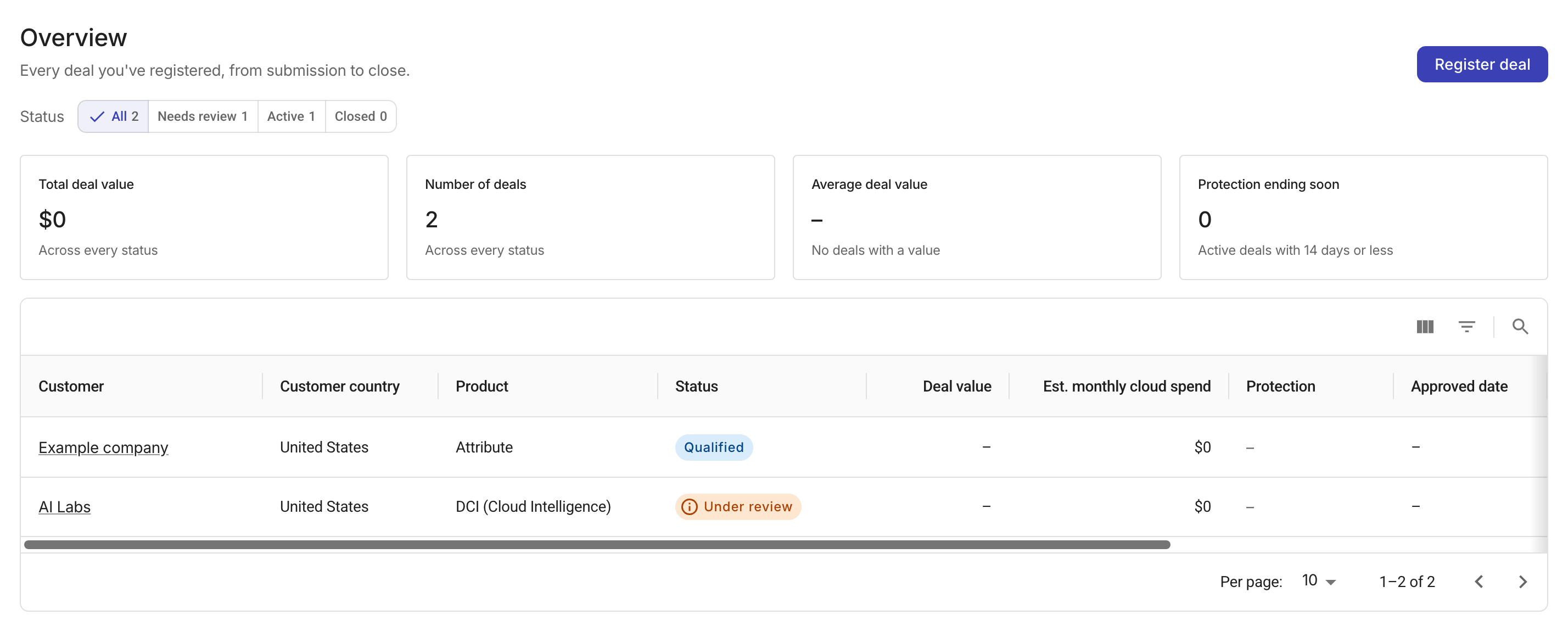
The deals table shows the following columns:
-
Customer: Customer name. Select it to open the deal. See also Create a new customer during deal registration.
-
Customer country: Country on the customer record.
-
Product: Products on the registration.
-
Status: Review state or sales stage.
-
Deal value: Deal value.
-
Est. monthly cloud spend: Monthly cloud spend recorded on the registration, in USD.
-
Protection: Days left in the protection window,
Not started, or a dash (–) when the deal is closed. Protection starts when DoiT approves the deal. See Deal protection for more about the protection window and extension. -
Approved date: Date DoiT approved the deal.
-
Expected close: Estimated close date.
-
Actual close date: Date the deal was won or lost.
-
Assigned AE: DoiT account executive. This column shows N/A in the current list.
View a deal
Select a customer from the deals list to view the deal details.
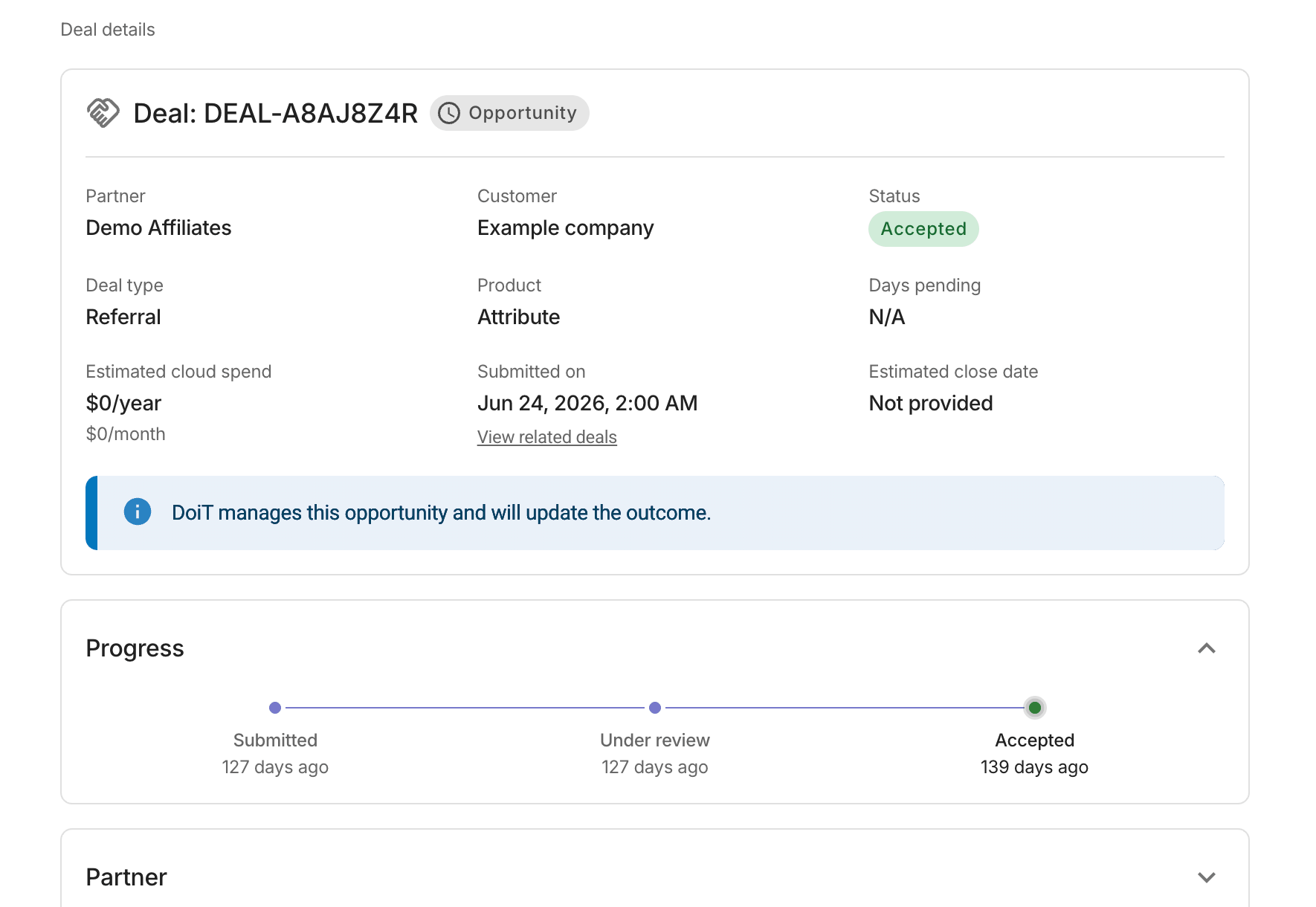
If the deal status is Information needed, select Respond to request to provide the necessary information.