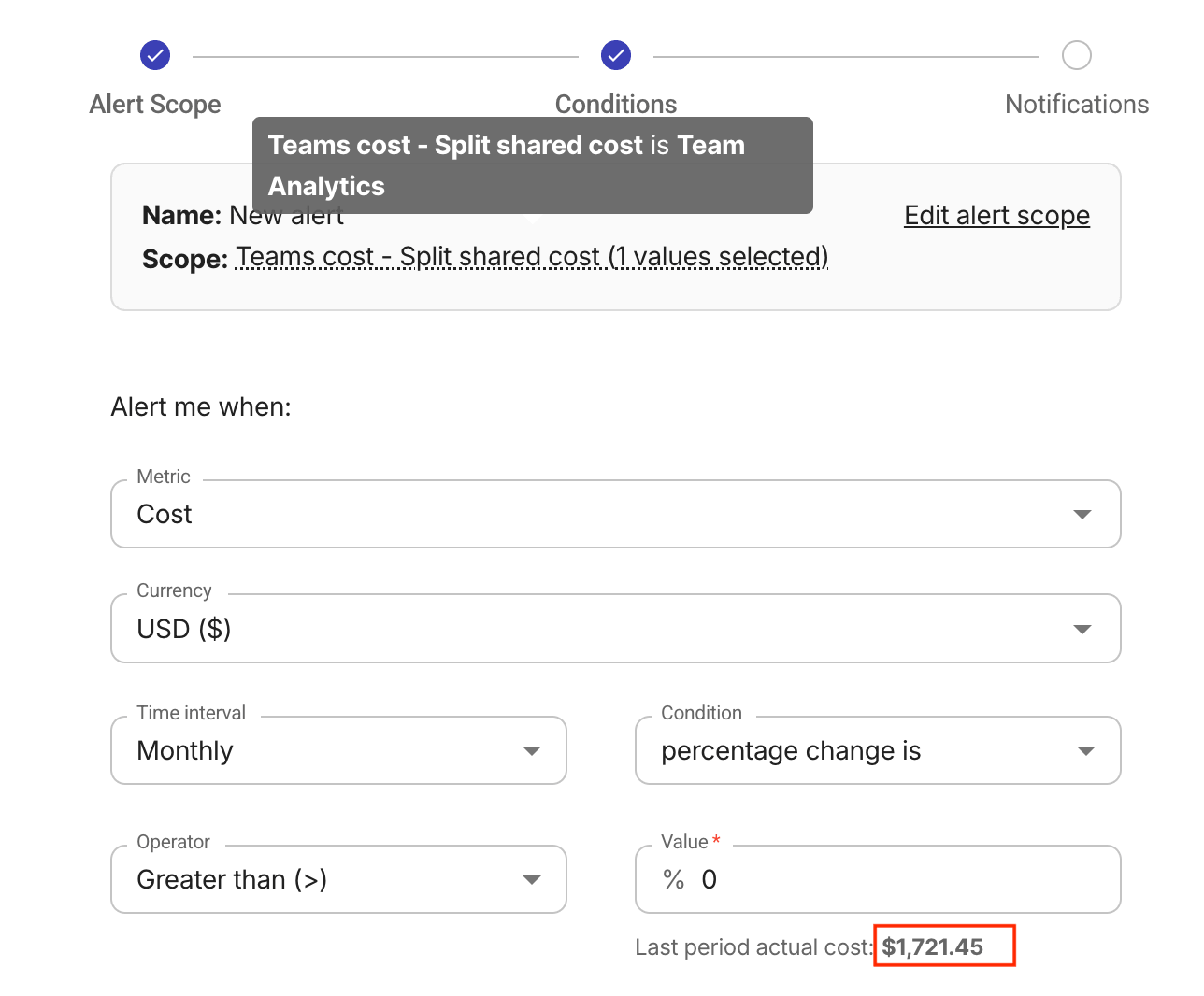
Example allocations
Value extraction
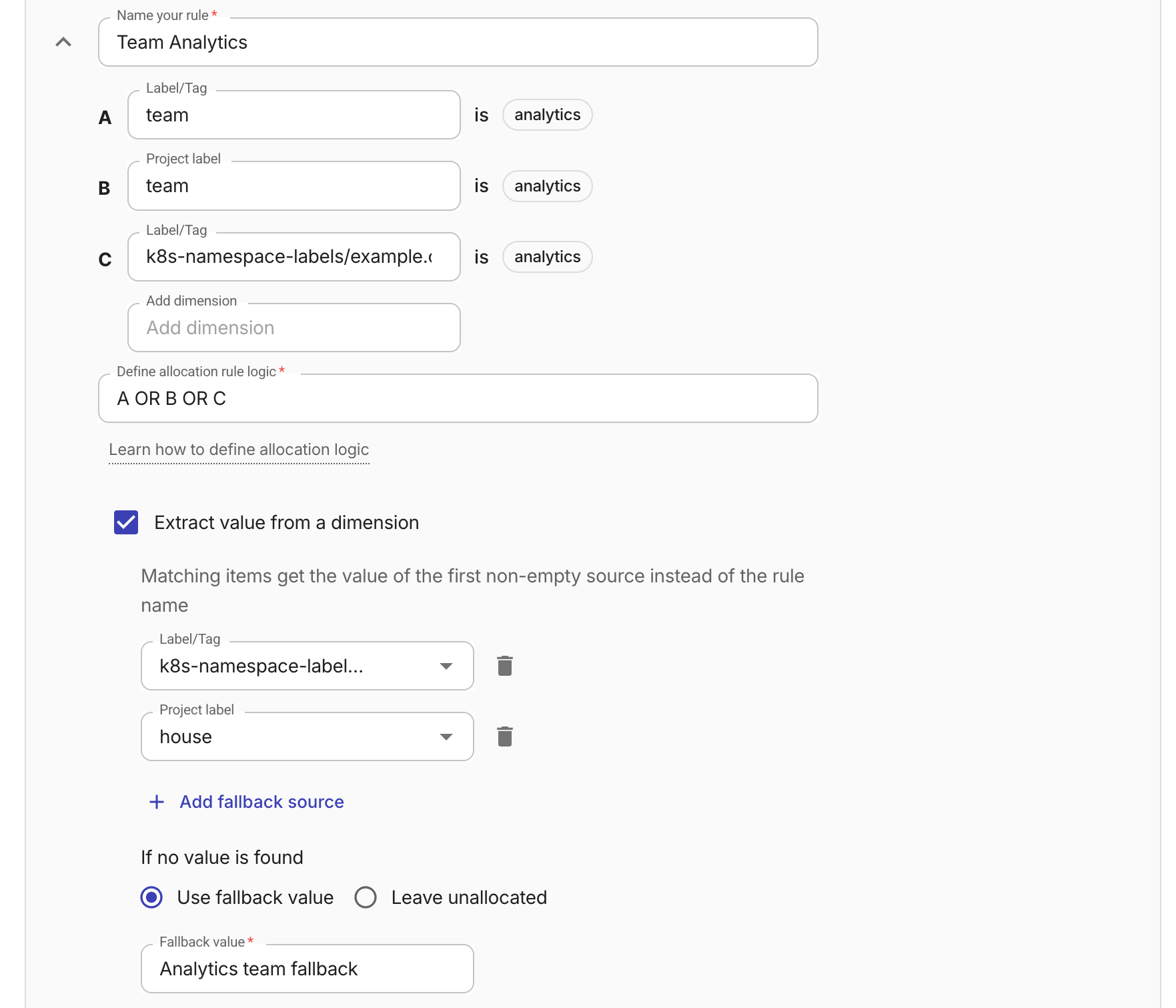
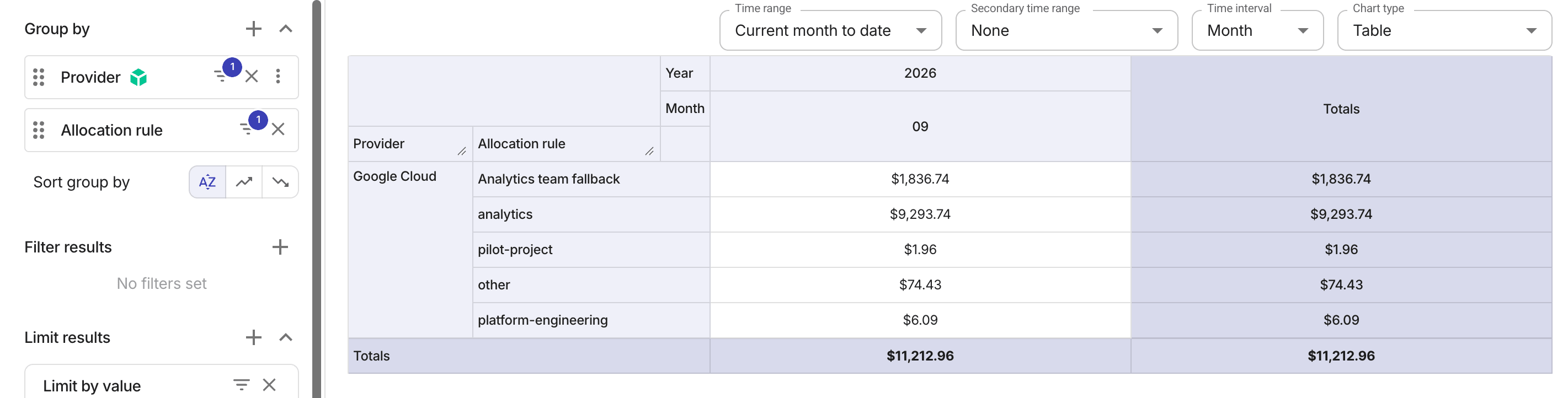
The example allocation rule below defines two source dimensions for extracting the grouping name for matching items, plus a fallback value.
When grouped by the allocation rule, the report rows show the extracted dimension value instead of the static rule name.
Cost splits
The following examples demonstrate the results when applying an allocation-level cost split to reports, budgets, and alerts.
Reports
In the first screenshot below, the report groups by an allocation with no cost splits:
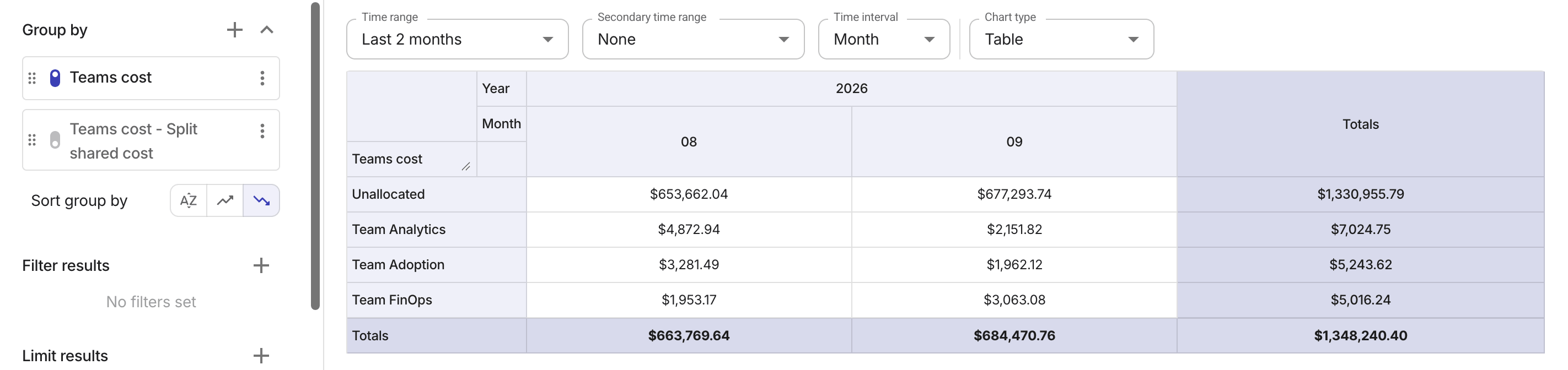
The costs changed when grouped by an allocation that redistributes shared and unallocated costs.
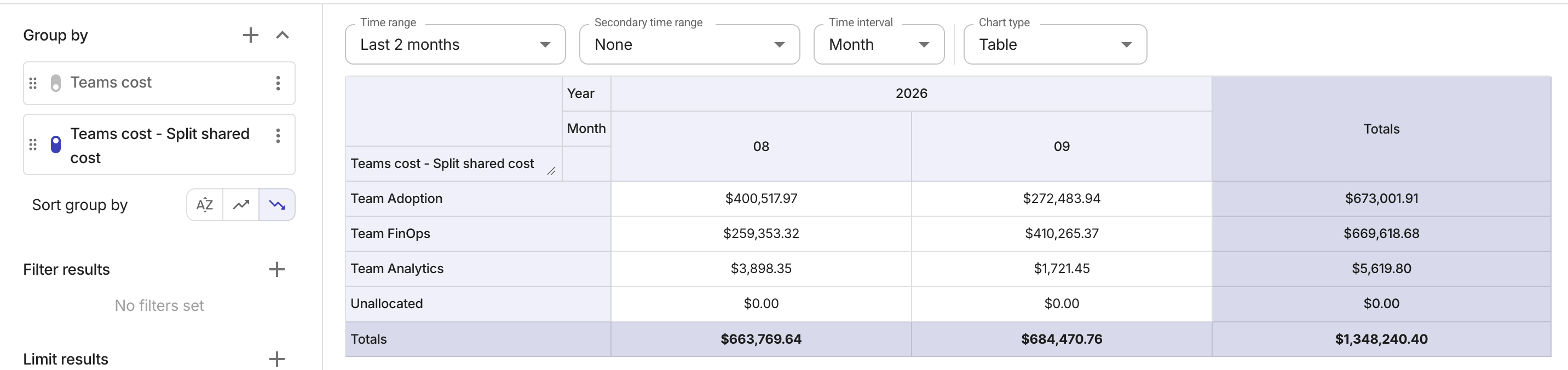
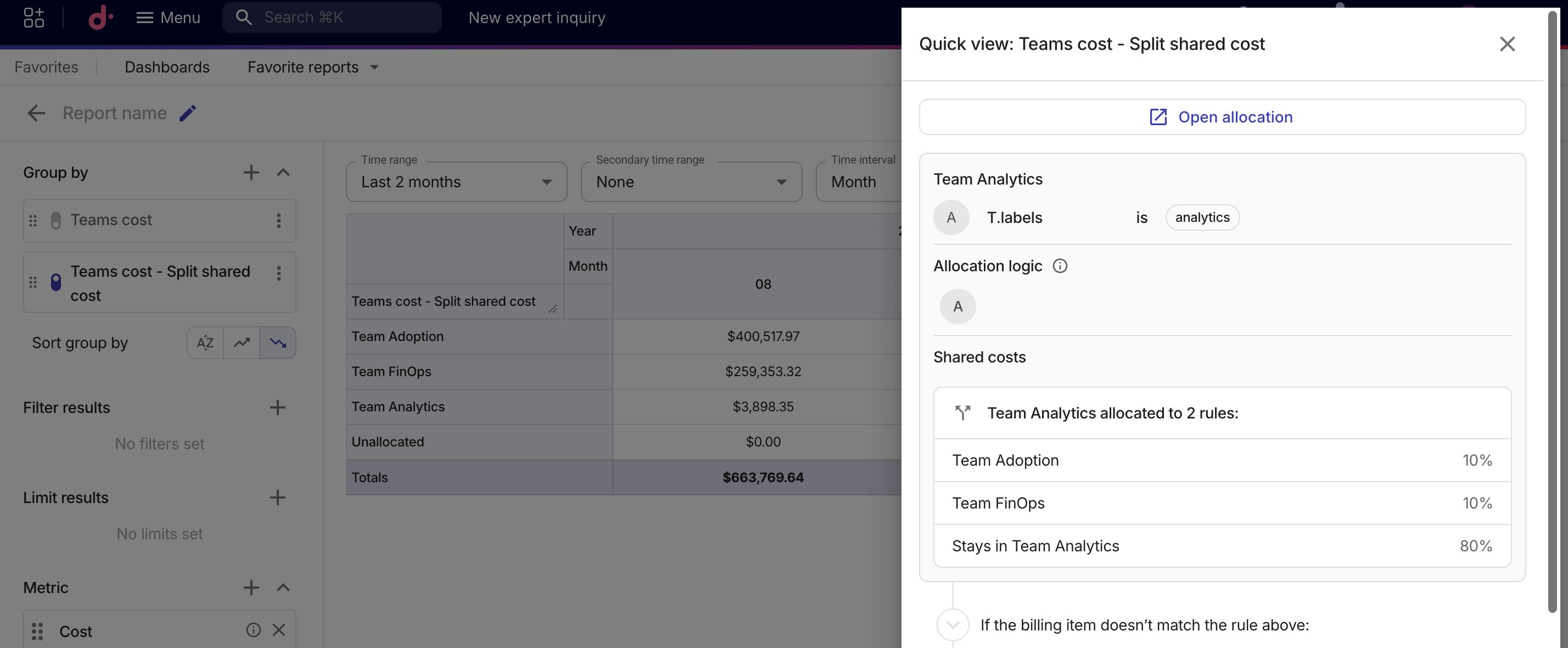
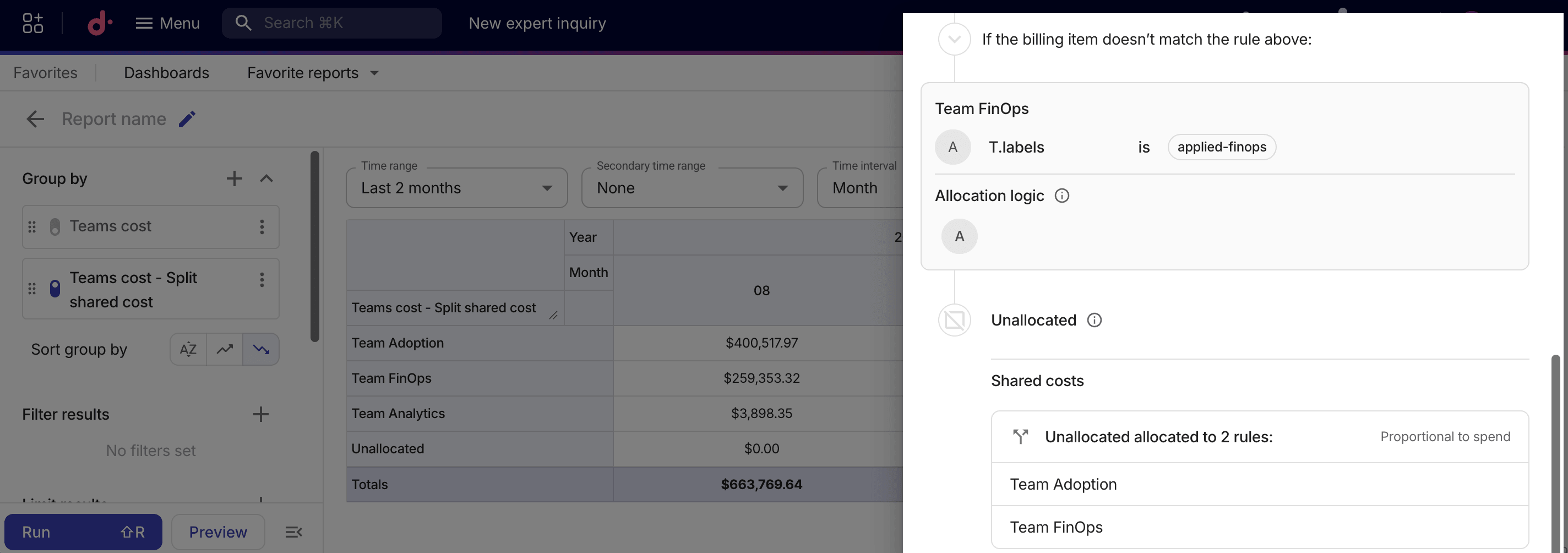
You can select the kebab menu (⋮) on the allocation group and then select Quick view. Each cost split is displayed in read-only mode below its source rule:
-
Fixed-percentage splits show each target rule and its percentage share.
-
Proportional splits show the target rule names.
Budgets and alerts
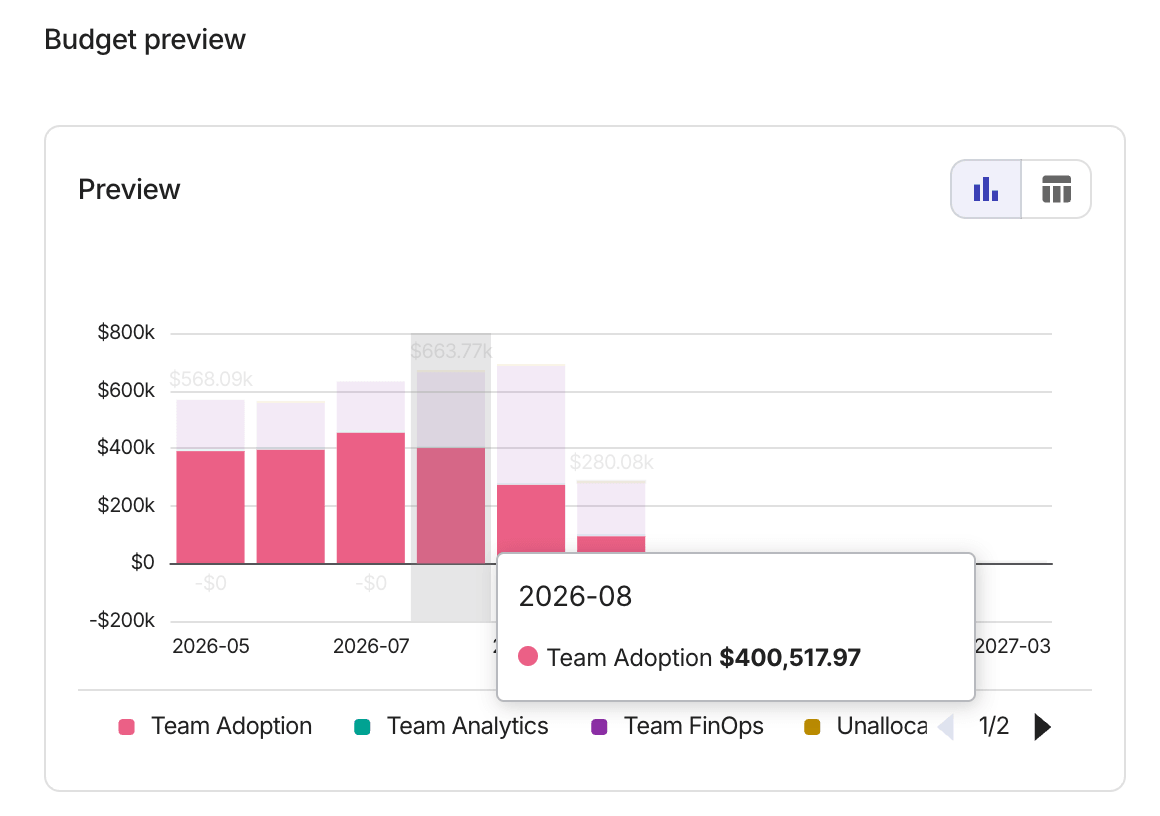
Below is the preview chart of a budget scoped to the same allocation group used in the reports above:
The following screenshot shows an alert filtered to a single rule within the allocation group: