セルフマネージドクラスターを接続する
セルフマネージド Kubernetes クラスタ(たとえば、RAW な EC2 インスタンス上で動作しているクラスタ)は、プラットフォームのデイリースキャンでは検出されません。セルフマネージドクラスタを使用している場合は、エージェントをインストールする前に、コンソールで手動で追加してください。
-
DoiT コンソール のトップナビゲーションのメガメニューから データ取り込みとインテグレーション > インテグレーション を選択します。
-
Kubernetes インテグレーションカード で 管理(または 接続 +)を選択します。
-
セルフマネージドクラスターを接続 を選択します。
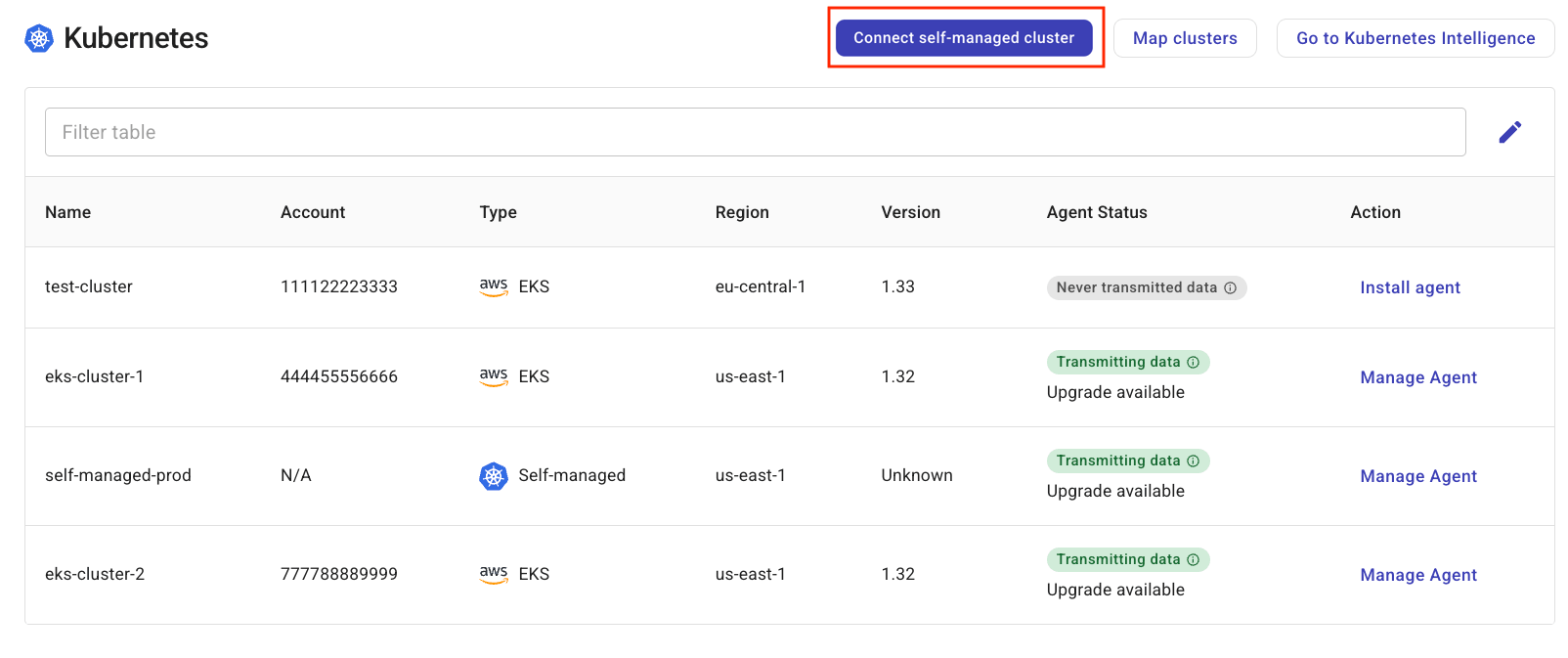
-
Add self-managed k8s cluster フォームの Name フィールドに、セルフマネージドクラスタの一意の識別子を入力します。
-
クラスタへの接続をテストするには、接続テスト を選択します。
-
保存 を選択します。
これで、クラスタは Self-Managed タイプとして Assets の一覧に表示されます。今すぐ始める の手順に従って、このクラスタをオンボードできます。
注意
DoiT は、AWS EC2 インスタンス上でホストされているセルフマネージドクラスタのコストのみをトラッキングできます。コストトラッキングを有効にするには、EC2 インスタンスに eks:cluster-name という形式のユーザー定義アロケーションタグを付与してください。詳細については、Enable cost tracking for clusters hosted on AWS EC2 を参照してください。