Confluent Cloud Integration
Confluent Cloud is a fully managed, cloud-native data streaming platform built on Apache Kafka. The Confluent Cloud integration imports your billing and cost data into the Attribute platform for a consolidated cost view and complete cost attribution.
Permissions
- You need a Confluent Cloud account with BillingAdmin role on the organization.
Create a Cloud API key
-
Sign in to Confluent Cloud.
-
Navigate to Administration > Cloud API keys.
-
Select Add key.
-
Create or select a service account and assign the BillingAdmin role to it.
-
Copy the Key and Secret, and combine them as
key:secret.
Connect a Confluent Cloud account
To connect a Confluent Cloud account:
-
Sign in to the Attribute platform.
-
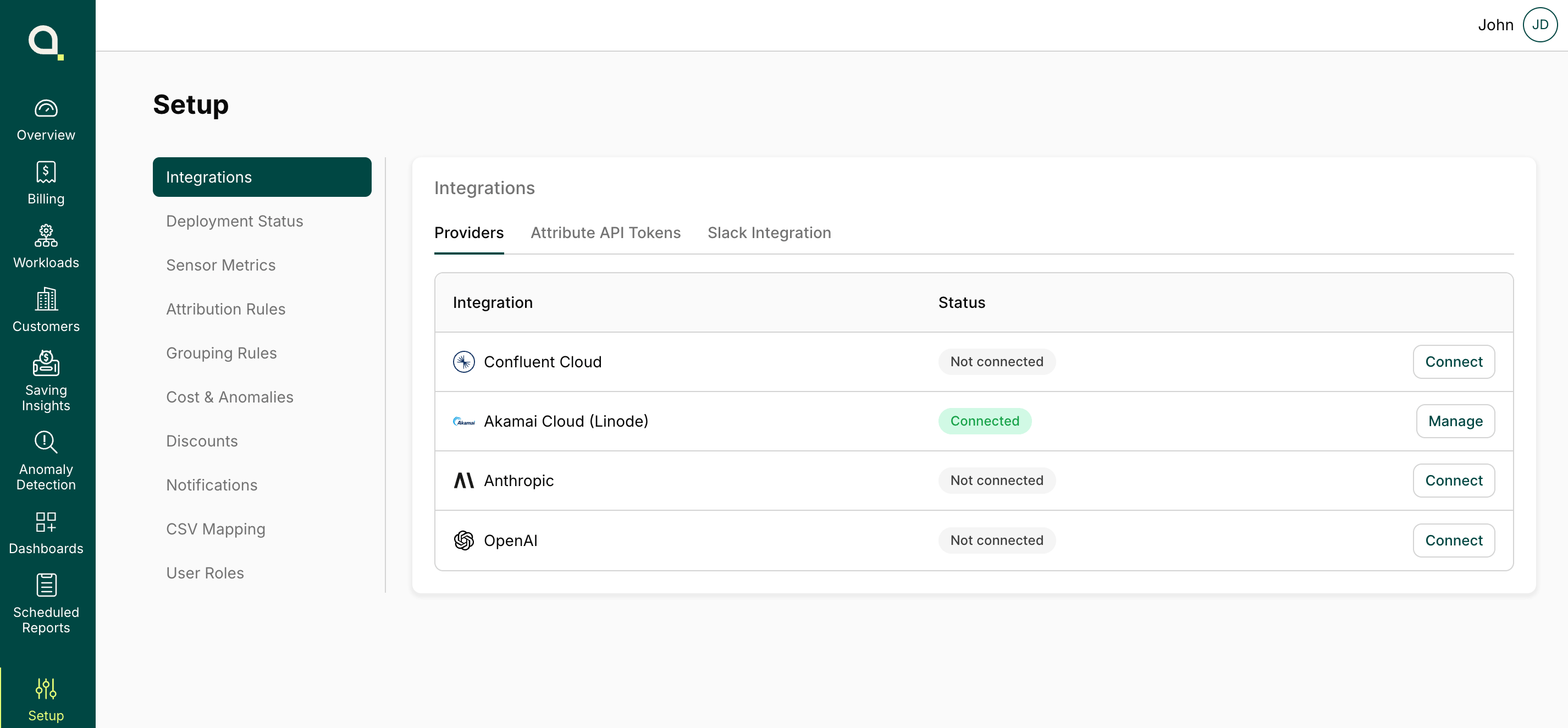
Select Setup at the bottom of the navigation pane, then select Integrations.
-
On the Providers tab, find Confluent Cloud, select Connect, or select Manage then select Create new.
-
Enter a label to identify the account, or leave it empty to use the organization ID.
-
Enter your Confluent Cloud organization ID.
-
Enter your Cloud API key created in the previous step.
-
Select Validate and connect to complete the setup.
Contact
If you require any additional assistance, please contact Attribute's support at [email protected].
Alternatively, you can request to join a shared Slack channel for support. To request access, email [email protected] with your details.
Trademarks: Confluent and associated marks, including Confluent Cloud, are trademarks or registered trademarks of Confluent, Inc.. All other trademarks are the property of their respective owners.