Okta SSO への接続
前提条件
OIDC 連携には、以下が必要です。
- Attribute プラットフォームへのアクセスと、有効なエンタープライズ契約
- Okta Admin ダッシュボードへのアクセス権およびアプリケーションを追加するために必要な権限
連携を設定するには、Configuration セクションに従ってください。
サポートされている機能
現在、Okta 連携は SP 起点の SSO および IdP 起点の SSO (Single Sign-On) をサポートしています。
設定
Okta のセットアップ
-
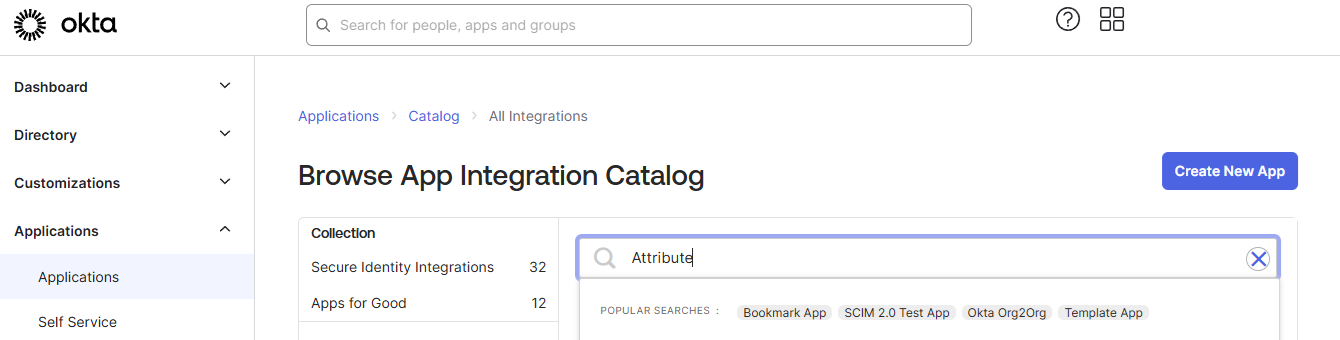
Okta Admin ダッシュボードの Applications セクションに移動し、Browse App Catalog をクリックします。
-
検索ボックスに「Attribute Dashboard」と入力し、単に「Attribute Dashboard」と表示される結果を選択して Add Integration をクリックします。
-
アプリケーションを設定し、Done をクリックして設定を完了します。
-
Okta Admin ダッシュボードの Applications セクションに移動し、「Attribute Dashboard」をクリックしてから Sign On をクリックします。
-
OpenID Connect の下にある Client ID と Client secret の値をコピーします。
Attribute プラットフォーム
- 件名を「Okta Integration Request」として、[email protected] にメールを送信し、サポートチケットを作成します。
- メール本文に、次の情報を記載してください。
- 組織のドメイン名
- 組織の Okta Issuer (例:
acme.okta.com) - Client ID と Client secret を含むセキュアなファイル共有へのリンク
- リクエストの処理後、連携が確認された返信メールが送信されます。
- 連携が完了すると、ユーザーは Okta を使用して直接サインインするか、ダッシュボードのログインページでメールアドレスを入力した後にサインインできます。
SP 起点の SSO ログイン
-
オンボーディング時に提供されたログインリンクを使用して Attribute Dashboard に移動します。
-
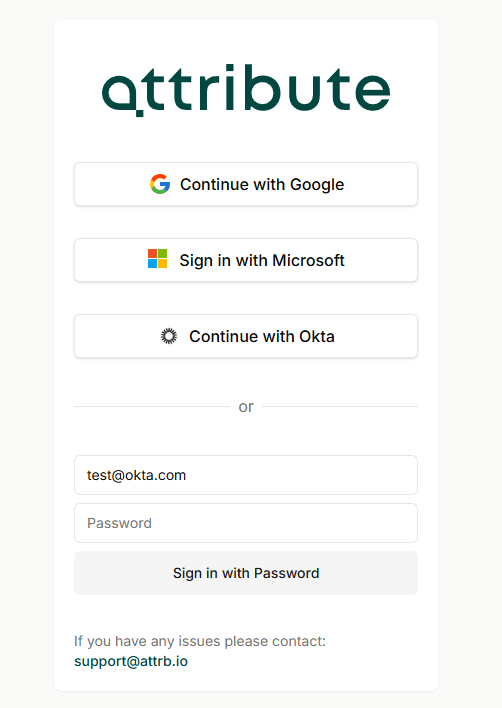
ユーザーのメールアドレスを入力します。組織に対して Okta が設定されている場合、「Continue with Okta」ボタンが有効になります。
-
「Continue with Okta」をクリックし、ログインプロセスを完了します。
-
成功すると、アプリケーションにリダイレクトされます。
お問い合わせ
追加のサポートが必要な場合は、[email protected] から Attribute のサポートまでお問い合わせください。
また、サポート用の共有 Slack チャンネルへの参加をリクエストすることもできます。アクセスをリクエストするには、[email protected] 宛てに詳細情報を記載してメールを送信してください。
商標: Okta は Okta, Inc. の商標です。その他すべての商標は、それぞれの所有者に帰属します。