CloudFormation and StackSet
Attribute は、リソースレベルから機能・アプリケーション・チーム・顧客レベルまで、コストのアトリビューションと責任範囲を把握できる、クラウドコストの包括的なプラットフォームを提供します。
これを実現するために、Attribute には複数レベルでのアクセスが必要です。
- 請求情報へのアクセス
- リソースの利用情報を取得するための Attribute センサーの実装
詳細な権限は、Attribute によって提供される CloudFormation テンプレート内で定義されています。
注意
クラウド環境の実装によっては、特定のリソースに対して追加の権限が必要になる場合があります。
CloudFormation Using StackSet
円滑な実装を行うために、CloudFormation を利用して請求情報の作成と必要なセットアップを実施します。CloudFormation テンプレートは Attribute から提供されます。
Important
すべてのスタックは、us-east-1 リージョンで適用する必要があります。
Management Account Setup
管理アカウントで、次の操作を実行してください。
- CloudFormation → Stacks → Create stack → With new resources (standard) に移動します。
- Choose an existing template を選択します。
- Attribute から提供されたテンプレートをアップロードします。
- 必要なスタックの詳細を追加します。
- Stack name: 任意の名前を指定します。
AttributeRegistrationは使用しないでください。この名前は子スタックで使用されます。 - Account name: 必要に応じて自動的に追加されます。必要であれば上書きできます。
- Account type:
managementを指定します。
- Stack name: 任意の名前を指定します。
- スタックをデプロイします。
Subaccount Deployments
-
CloudFormation → StackSets → Create StackSet に移動します。
-
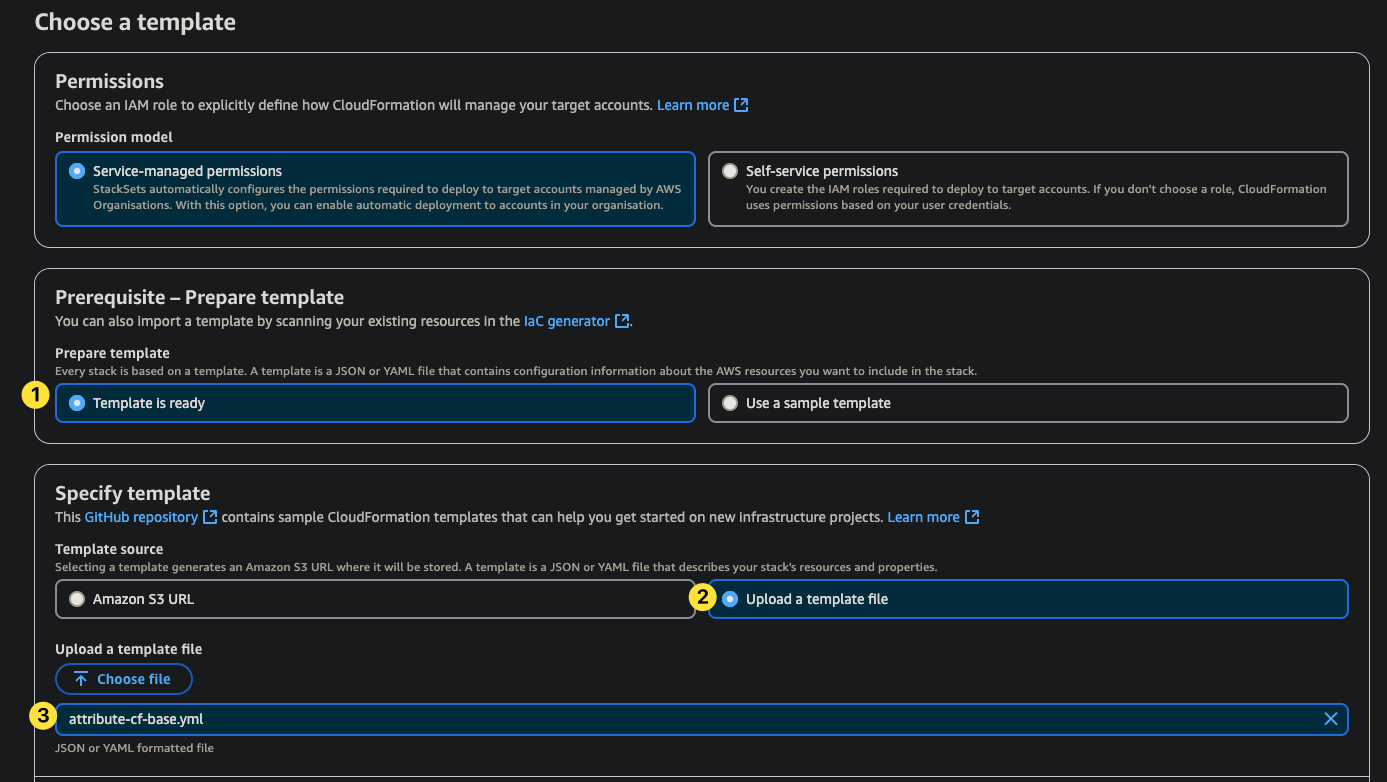
Choose a template ページで、次の操作を行います。
- Service-managed permissions を選択します。
- Template is ready を選択します。
- Upload a template file を選択し、Attribute から提供されたテンプレートをアップロードします(管理アカウントのセットアップで使用したものと同じファイルを、サブアカウントに適用します)。
- Next をクリックします。
-
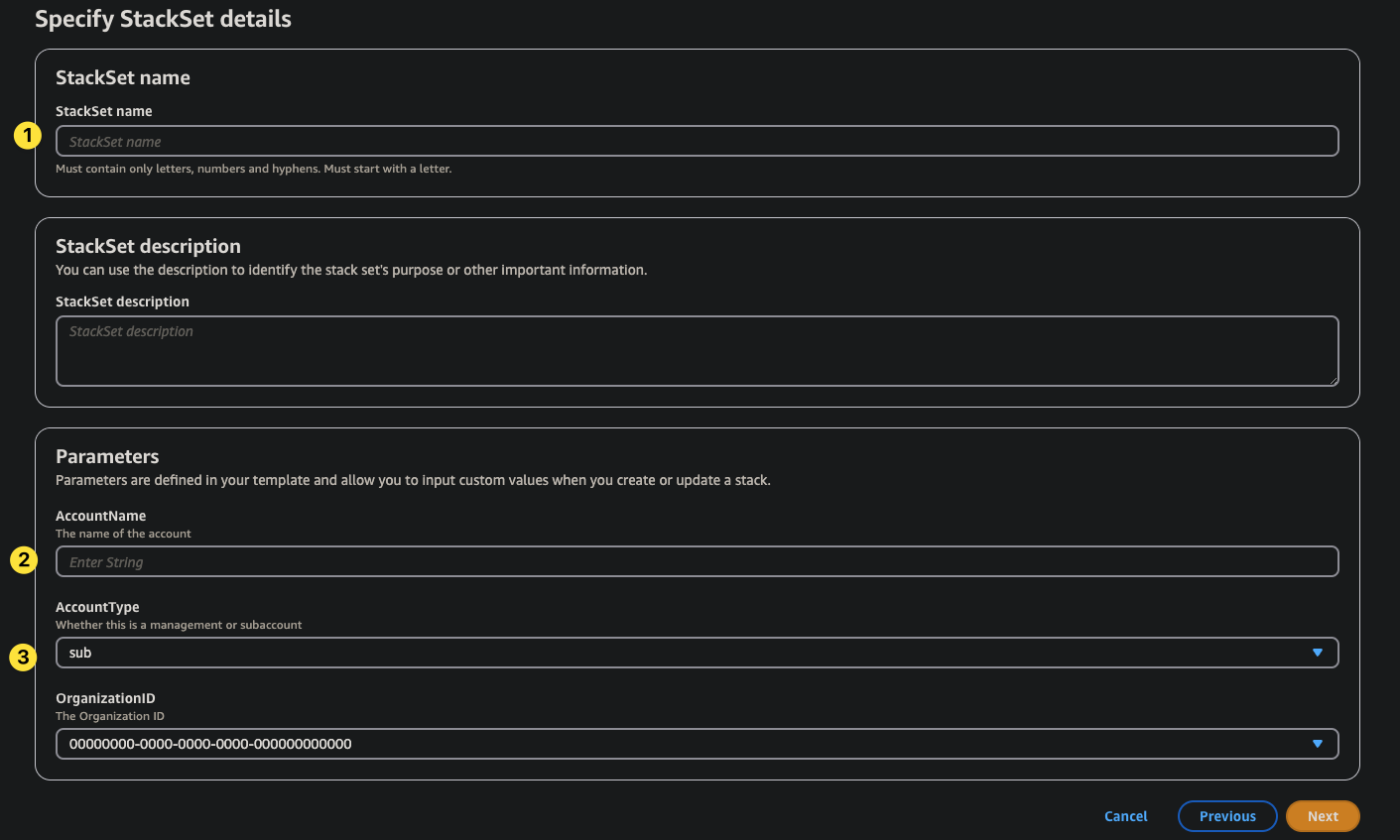
Specify StackSet details ページで、次の操作を行います。
- StackSet name を入力します。
- サブアカウント名を自動検出するため、AccountName は空のままにします。
- AccountType を
subに設定します。 - Next をクリックします。
-
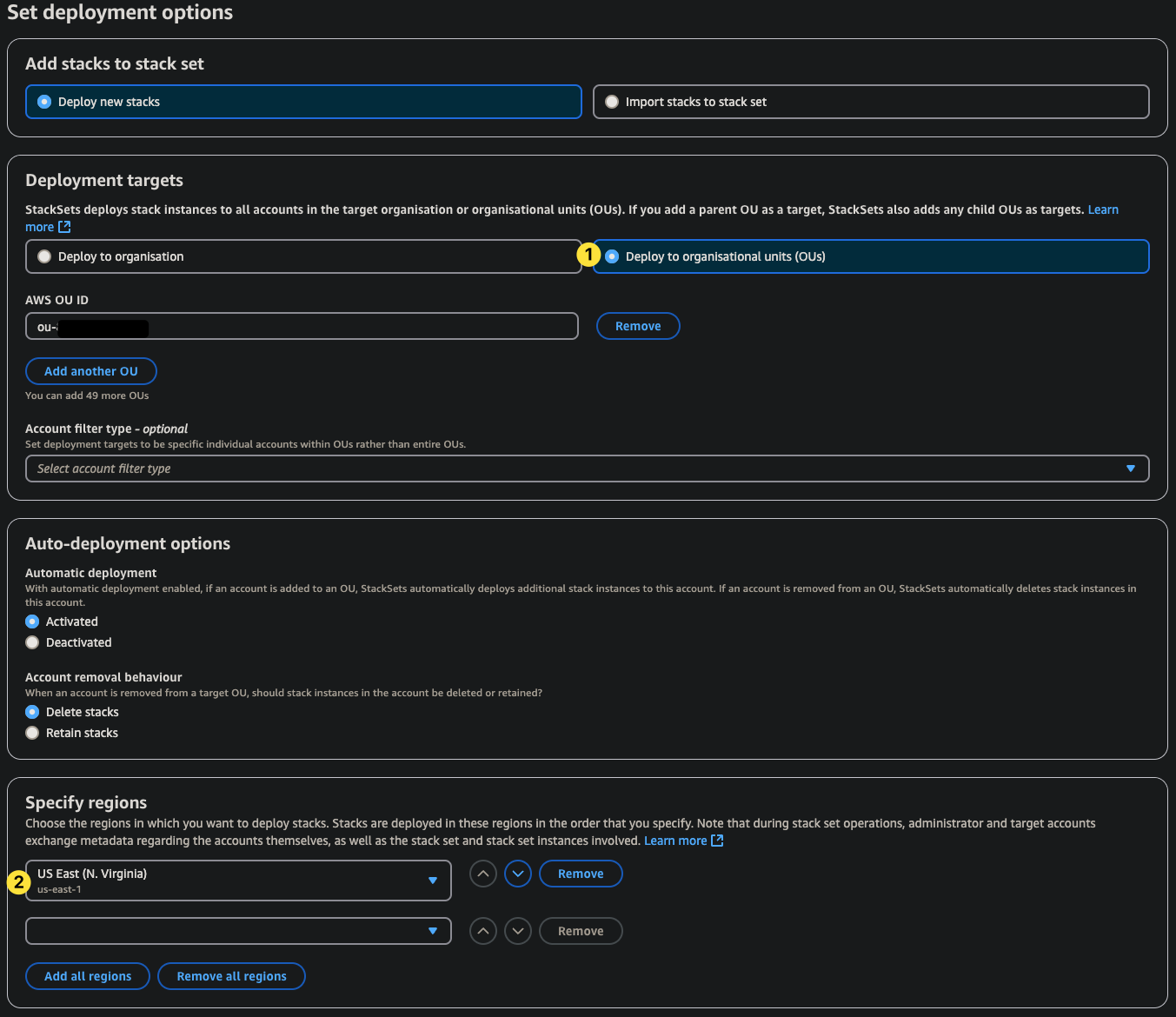
Set deployment options ページで、次の操作を行います。
- Deployment targets: Deploy to organizational units (OUs) を選択します。
- 必要に応じてアカウントフィルターを適用します。
- Specify regions:
us-east-1を指定します。 - StackSet を作成します。
商標: AWS は Amazon.com, Inc. またはその関連会社の商標です。その他のすべての商標は、それぞれの所有者に帰属します。