MFA — SaaS
PerfectScale provides multiple authentication steps to increase the security of your account.
MFA is a premium feature available only with our EXPERT package for PerfectScale’s paying customers. Contact [email protected] to learn more about how to gain access to this feature.
Setting up Multi-Factor Authentication (MFA) for your account is an easy process and can be done in a few simple steps.
-
Access
Organization Settingsby clicking on theProfilebutton and selecting it from the list. -
Go to the
Privacy & Securitytab. -
Click the
Set upbutton located under the Multi-Factor Authentication section.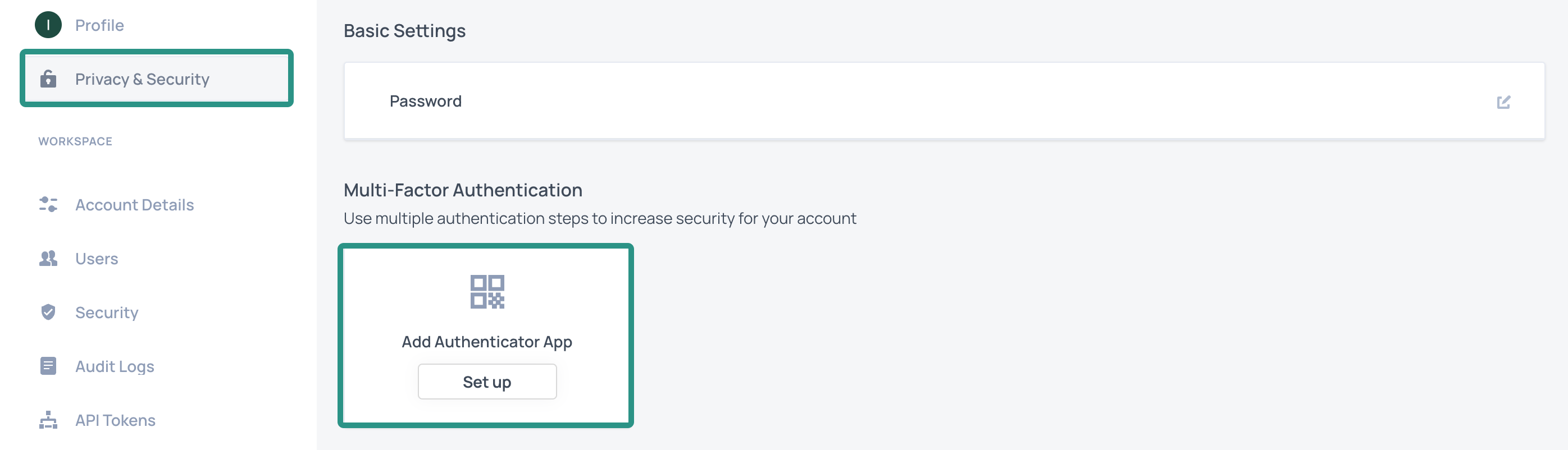
Set up authenticator app
-
Open your preferred authentication app, scan the displayed QR Code, and follow the app prompts.
-
Enter the passcode from the app to the provided cells and click the
Confirmbutton. -
To delete the MFA method, use the same account on the Authentication app.
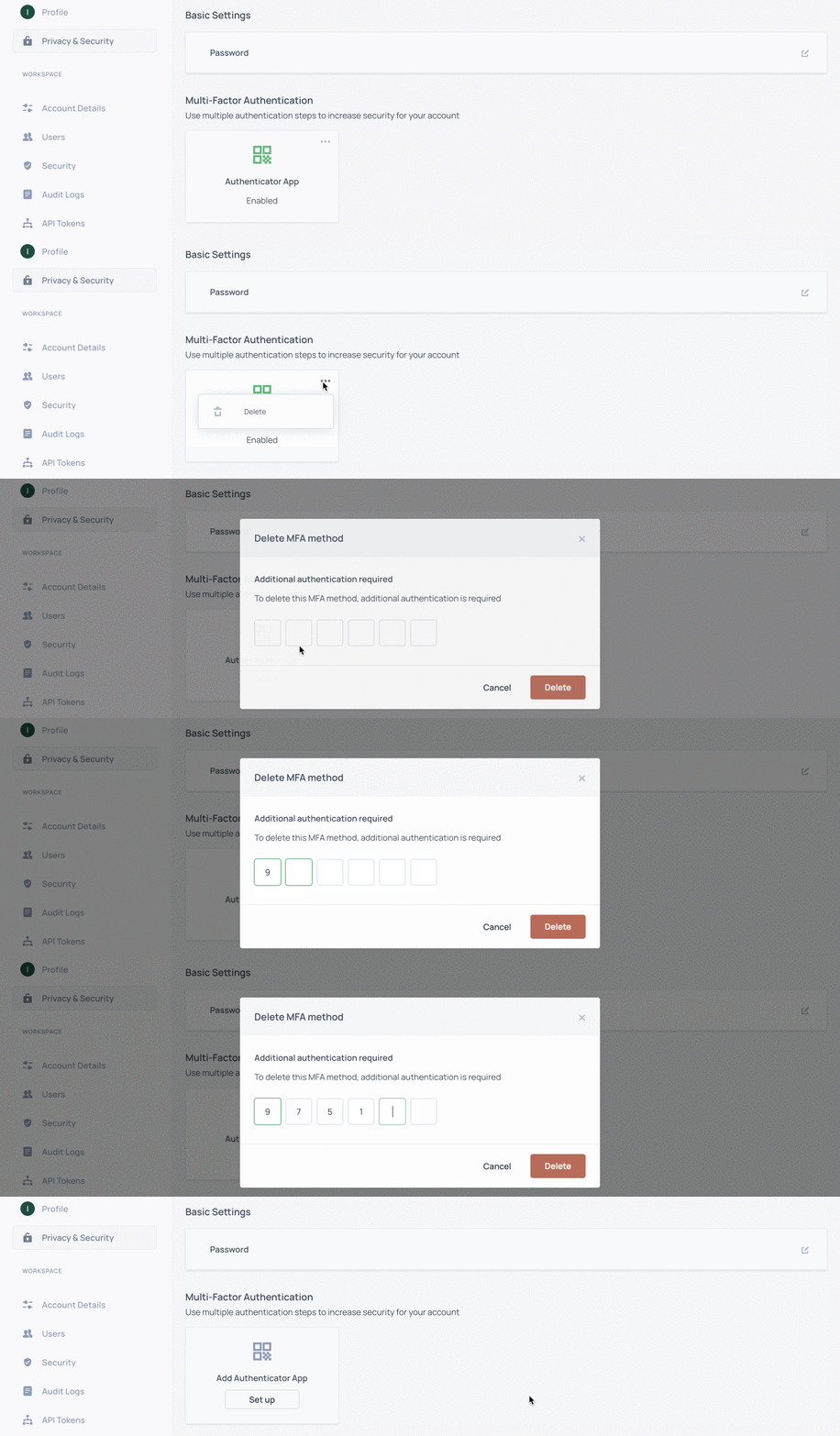
Delete authenticator app