Onboarding clusters programmatically — SaaS
PerfectScale enables the dynamic provisioning of clusters with ease, requiring only a few simple steps. Additionally, it supports mass provisioning, making it efficient for larger deployments. In this case, PerfectScale Helm needs to be included in the set of provisioned workloads of the cluster.
- To provision clusters dynamically, you need the
clientIdandclientSecret.
Follow steps 1 - 4 of the Onboarding a cluster instructions to get yourclientIdandclientSecret.
Onboarding the initial cluster via UI is a mandatory step. In this phase, you will be given the secrets (clientId and clientSecret) that can be reused to dynamically onboard clusters or efficiently provision multiple clusters for larger deployments.
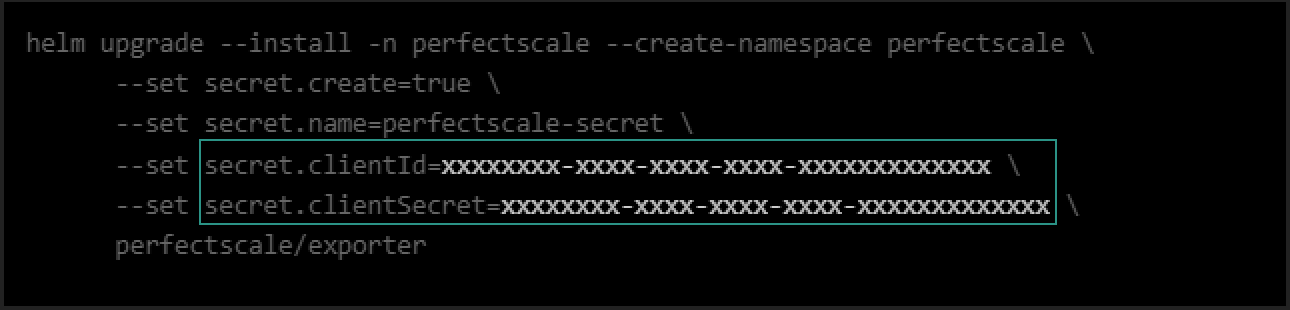
Credentials
If you have already installed the agent and need to recall the clusterName, clientID, and clientSecret, you can retrieve them using the following commands accordingly:
kubectl -n perfectscale describe deployment perfectscale-exporter | grep CLUSTER_NAME
kubectl -n perfectscale get secret perfectscale-exporter-secret -o jsonpath="{.data.clientId}" | base64 --decode
kubectl -n perfectscale get secret perfectscale-exporter-secret -o jsonpath="{.data.clientSecret}" | base64 --decode
- Add PerfectScale Helm from the following link.
- Set dynamic variables per the environment that will include the following values:
--set settings.clusterName= the name of your cluster. To prevent any confusion, it is recommended that unique values be utilized for the cluster name.
clusterNameis mandatory. PerfectScale Agent will not work if the cluster name is not provided.
- Once the variables are identified, each cluster, provisioned with the PerfectScale Agent, will be automatically registered and transmit its data.
If you have deleted the agent and want to reconnect the same cluster to PerfectScale, you can easily do so by using the same clusterName, clientID, and clientSecret.