Managing workloads with labels — SaaS
Using your existing labels, you can effectively manage workloads within PerfectScale, seamlessly focusing on the most important areas.
PerfectScale allows you to customize the Labels View in the Podfit and configure the labels to tailor to your specific needs. To personalize your Label View, you have the option to select two labels.
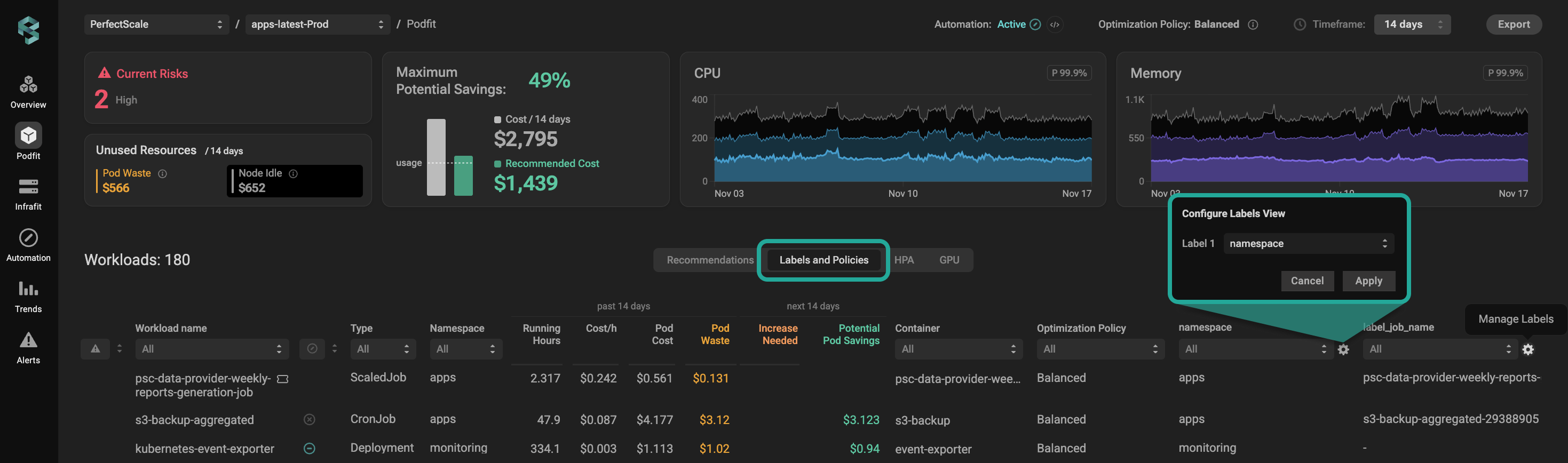
Podfit labels view
If the cluster has a Podfit Labels profile applied, manually changing the label view in Podfit remains an option, but changes will not be saved. It will always revert to the labels from the manually set Podfit Labels profile or the Default Labels profile.
Each cluster can have only one Podfit Labels profile.
Configuring Labels with the profile
:tools: How to** Create** Podfit Label profile
Go to the Settings tab on the left panel -> select Podfit Labels -> click the +Add Profile button -> name the profile and put the needed labels in the relevant fields -> click Save button.
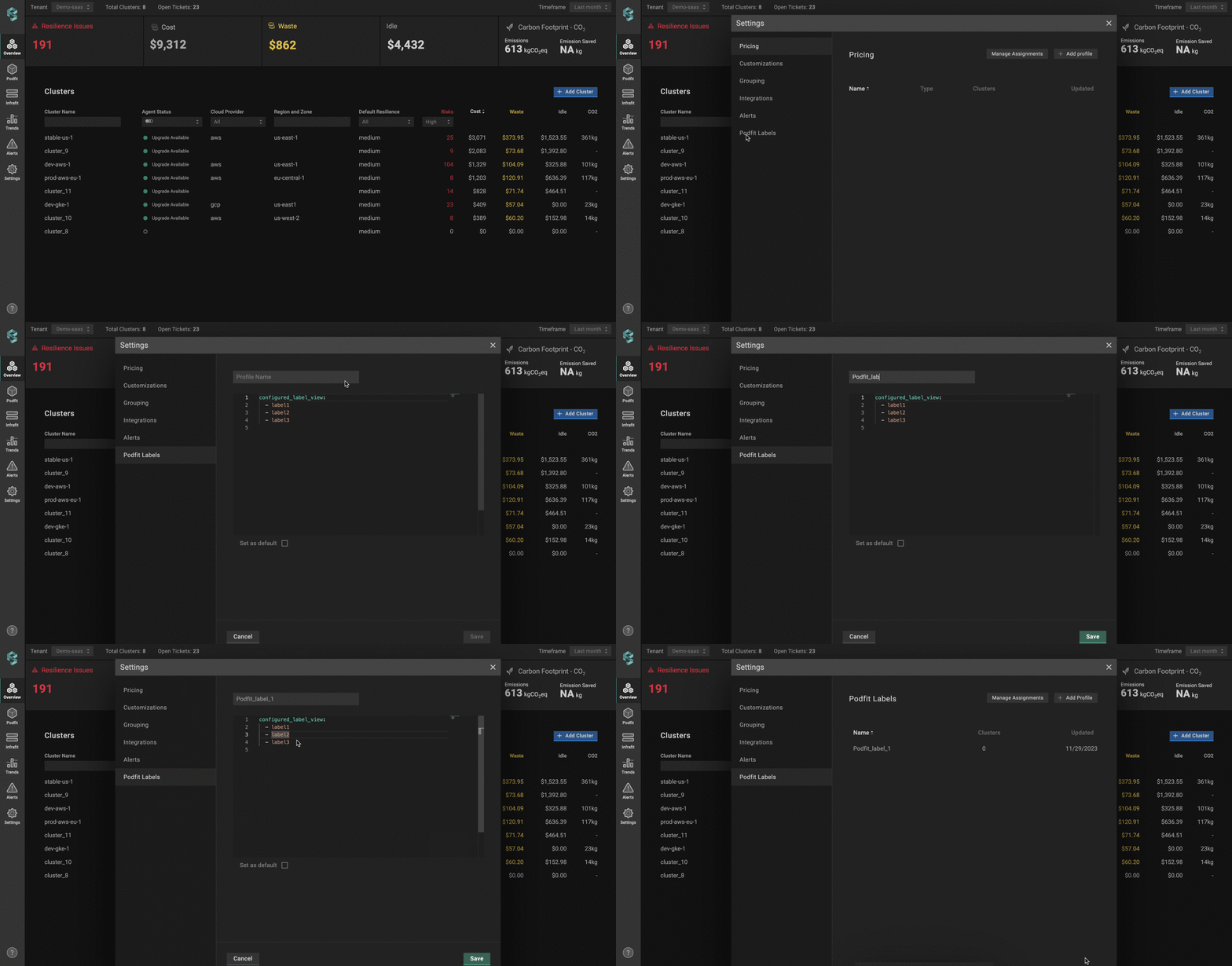
Creating label profile
:tools: How to Apply Podfit Label profile
With the Manage Assignments feature, you can easily connect the Podfit Label Profile to the cluster(s) from a single view.
Go to the Settings tab on the left panel -> select Podfit Labels -> click the Manage Assignments button -> select the profile for the needed cluster -> click the Save Changes button.
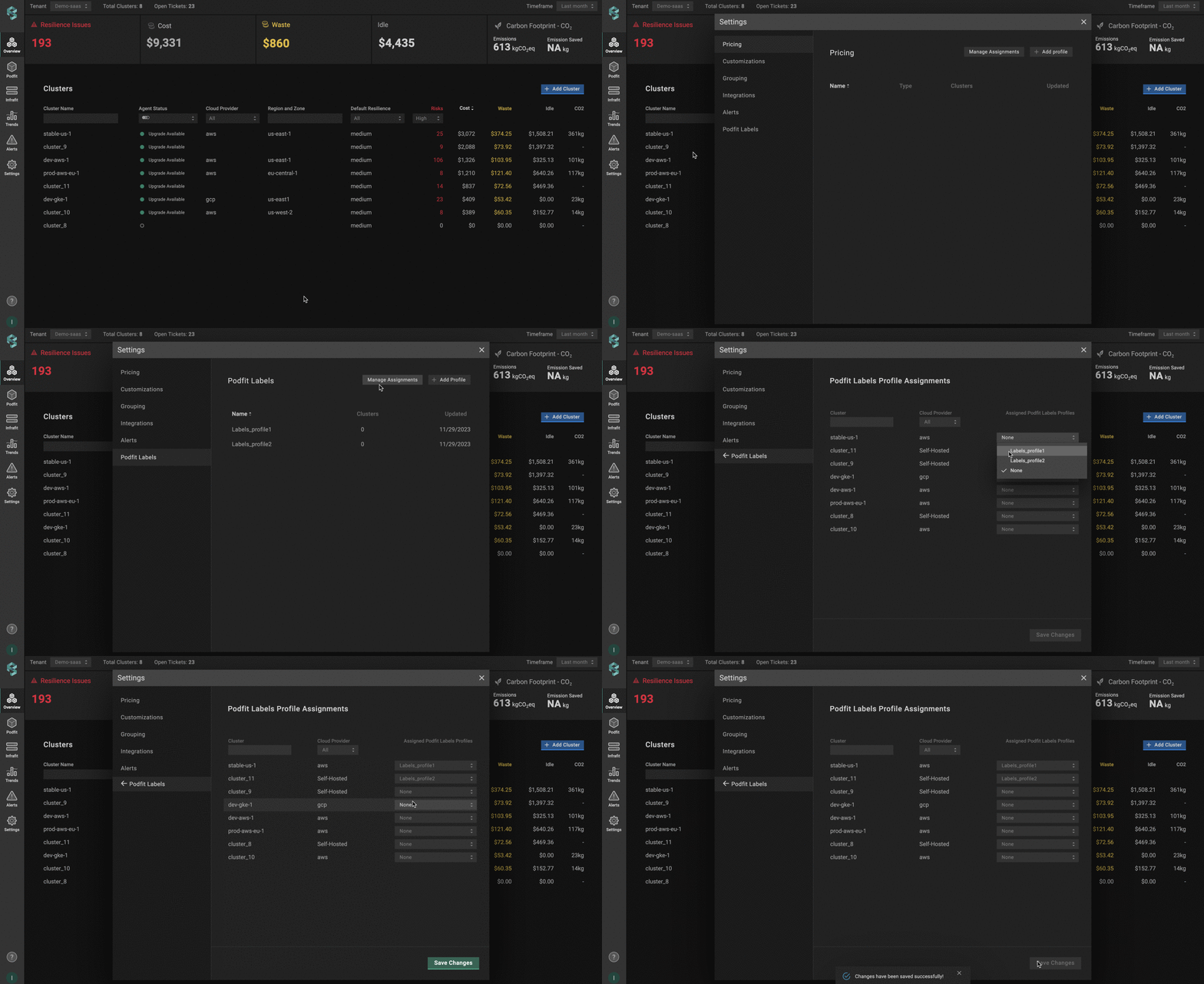
Applying label profile
Default Label profile
The Default Label Profile feature helps reduce repetitive actions and customize the Podfit Label view per your priorities in a few seconds.
To easily apply the label set specified in the Podfit Label profile to all clusters in one click, tick the profile as a Default while creating or viewing it.
The default profile takes priority over any changes made manually. Manually changing the label view in Podfit remains an option, but changes will not be saved.
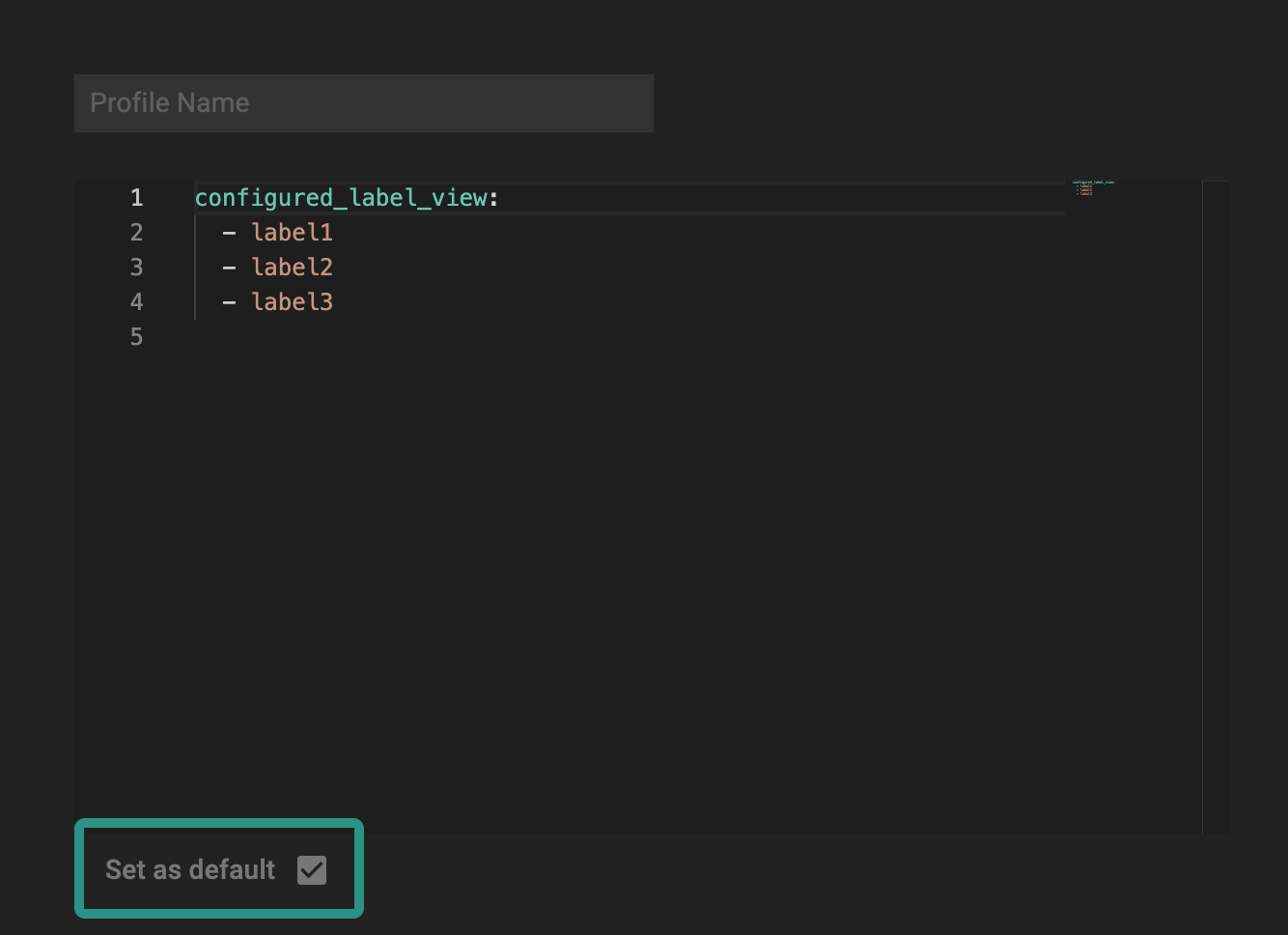
Default label profile