How to configure teams_webhook — Self-hosted 2.0
Setting up teams_webhook is a simple process that can be completed in a few steps.
- Go to https://teams.microsoft.com/ and click on the
Appsbutton on the left panel. - Type
Incoming Webhookin the search bar and clickAddbutton -> clickAdd to a teambutton to connect your Webhook to a specific channel. - Provide the name of the channel (team) where alerts should be posted in to set up the connector.
- Name your
teams_webhookand click theCreatebutton. - Copy the generated
teams_webhookURL to create Teams Integration Profile.
情報
Ensure the channel (team) was created before teams_webhook started setting up
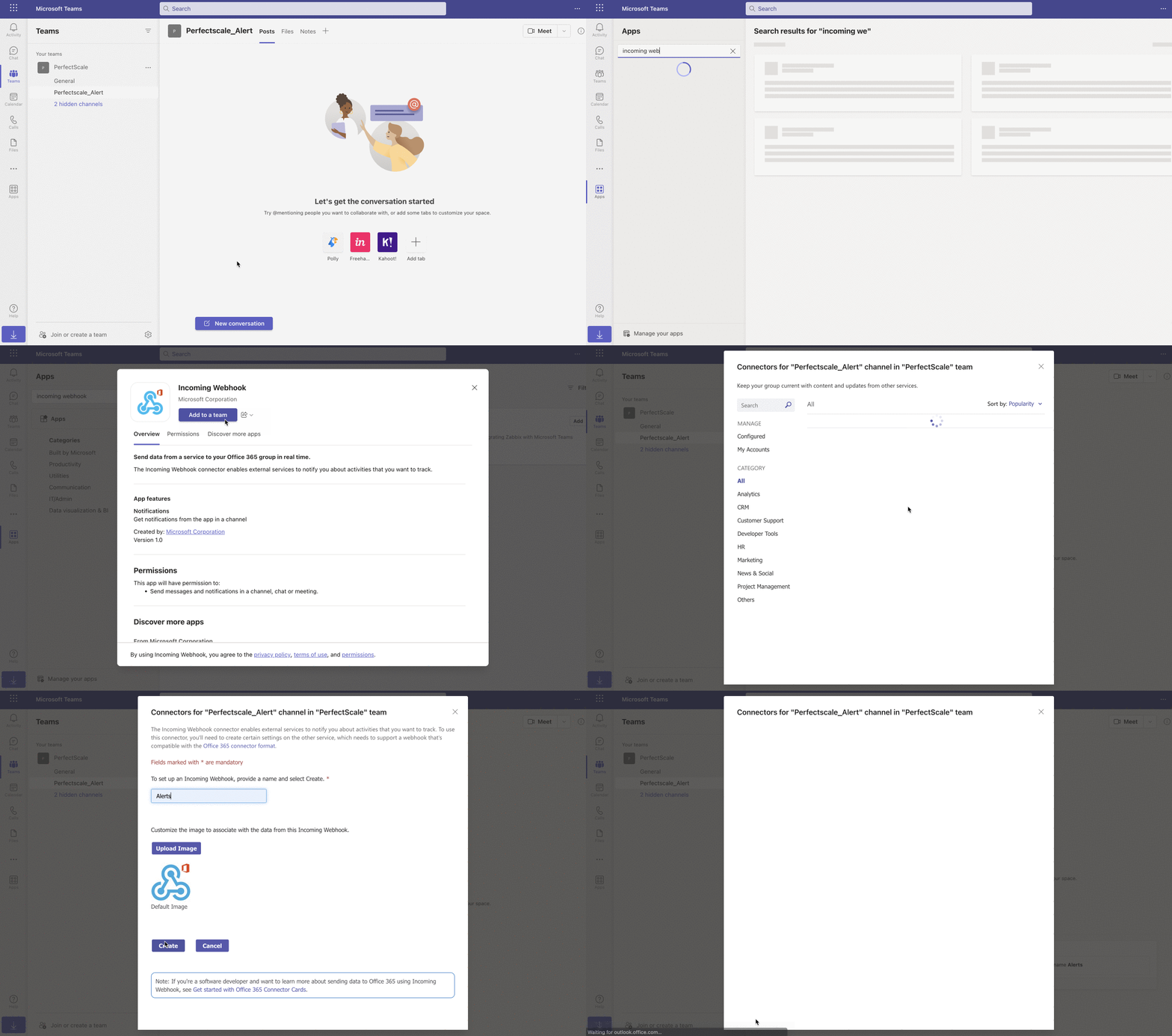
Configure MS Teams webhook