How to configure teams_webhook — SaaS
情報
teams_webhook is a mandatory field to configure MS Teams integration.
注意
starting May 18, 2026, old webhooks may stop working. To avoid disruptions, all users need to migrate to the new workflow. Learn more.
Setting up teams_webhook is a simple process that can be completed in a few steps.
- Go to https://teams.microsoft.com/.
- In the target Teams channel, open Workflows and create a new flow using the
When a Teams webhook request is receivedtrigger. SetAnyonein theWho can trigger the flow. - Parse JSON wit hthe following parameters:
- Content - “Teams” Body
- Schema:
{
    "type": "object",
    "properties": {
        "type": {
            "type": "string"
        },
        "attachments": {
            "type": "array",
            "items": {
                "type": "object",
                "properties": {
                    "contentType": {
                        "type": "string"
                    },
                    "contentUrl": {
                        "type": [
                            "string",
                            "null"
                        ]
                    },
                    "content": {
                        "type": "object"
                    }
                }
            }
        }
    }
}
- Select
Apply to each, then setattachmentsas the Select an output from previous steps value. - Set
contentvalue for the Compose -> Inputs (insideApply to each).
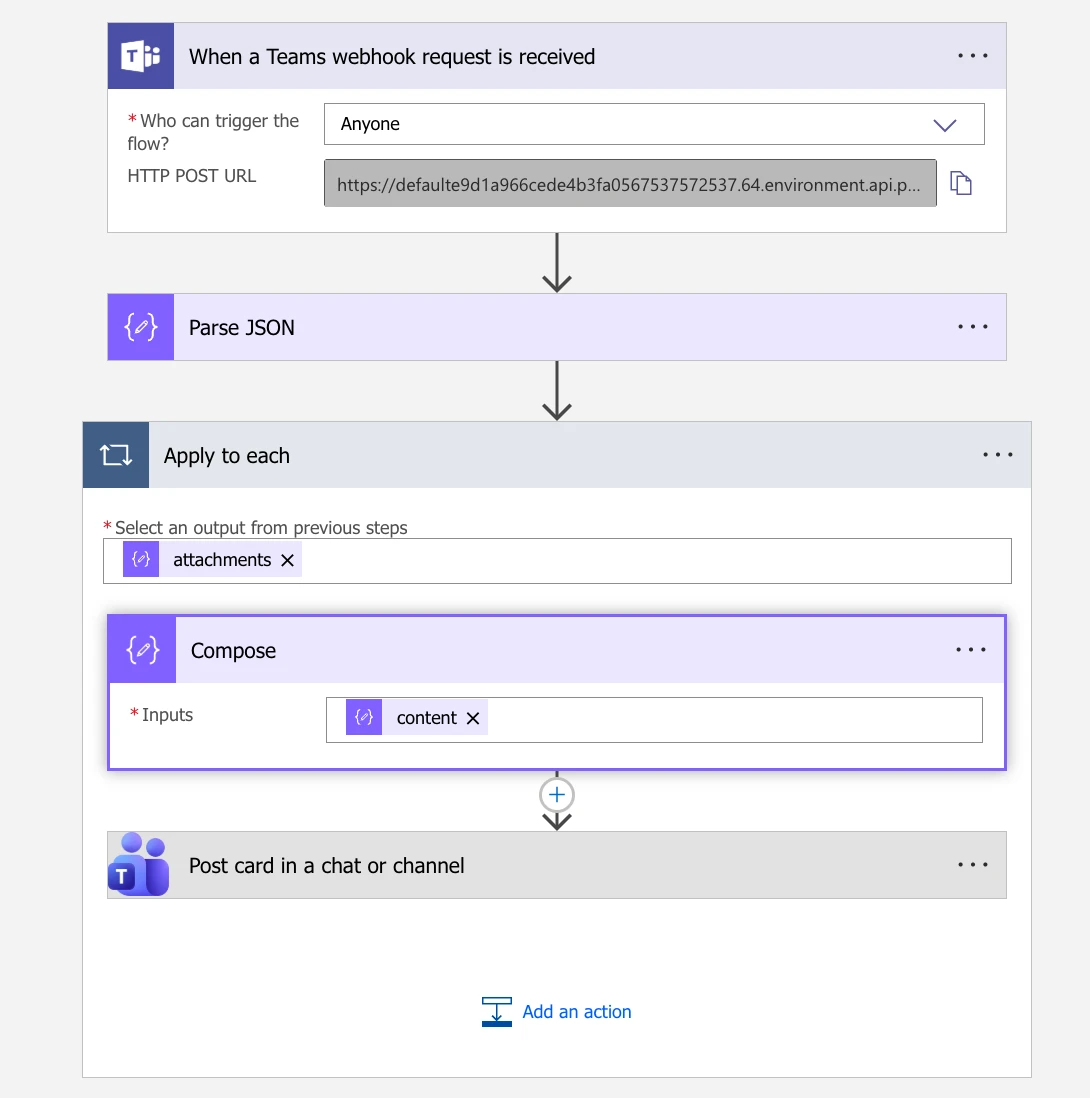
Configuring MS Teams webhook
- Click Post card in chat or channel and set the Adaptive Card field to
Outputs(insideApply to each).
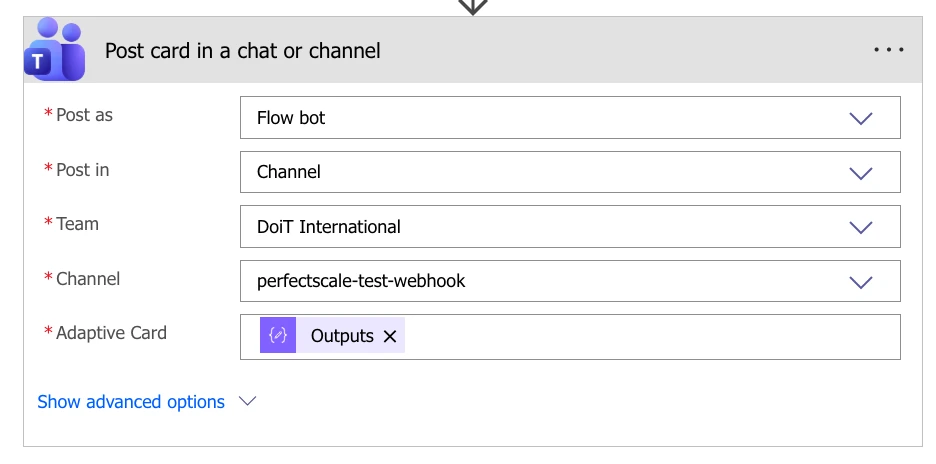
Post card config