Node type view — SaaS
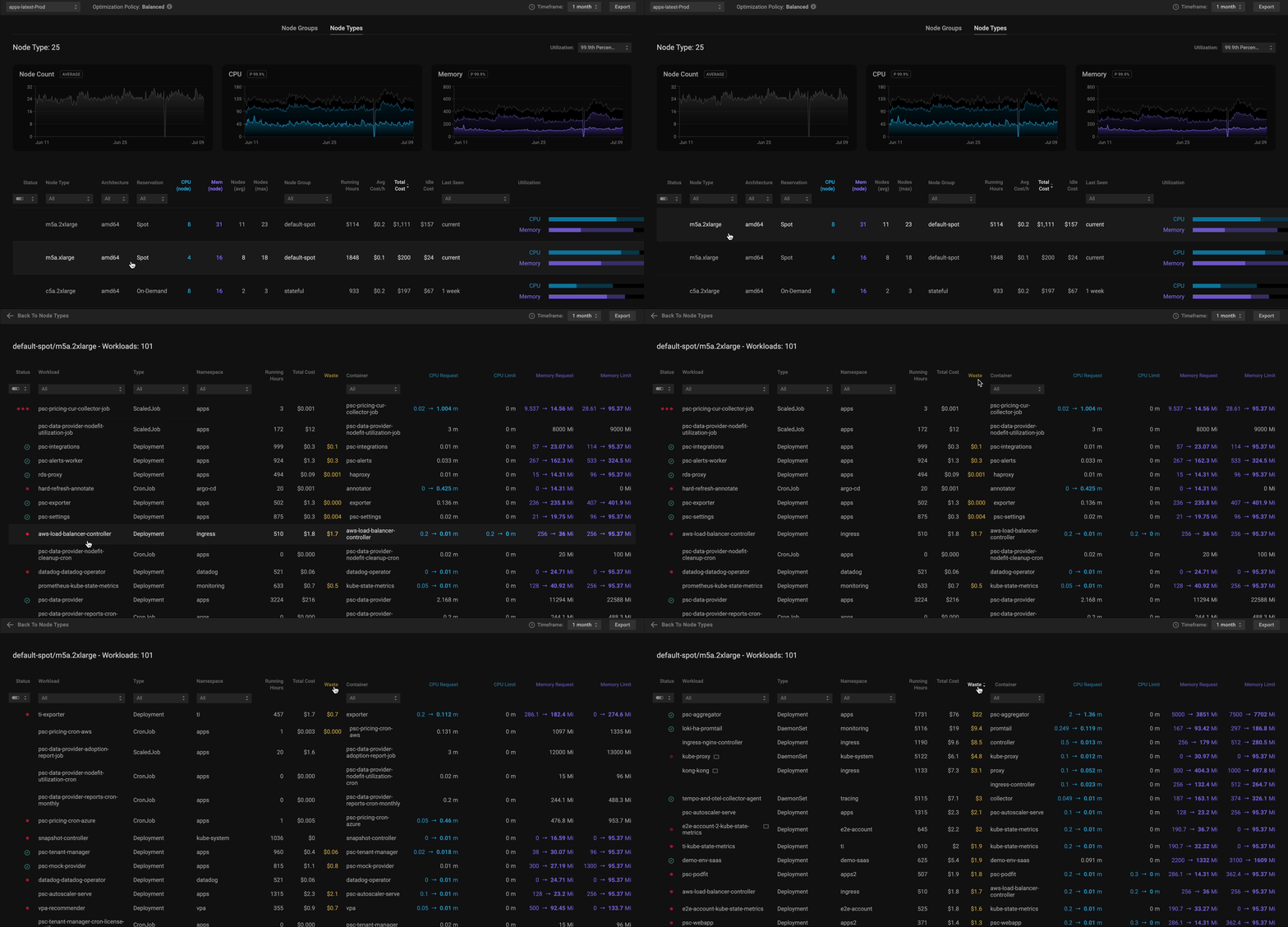
Identify wasted node resources and gain optimization insights to select the right nodes to better serve your environment's needs with the Node Types view.
To customize tables and focus on the data that matters most, use the Columns menu. Learn more about table customization here.
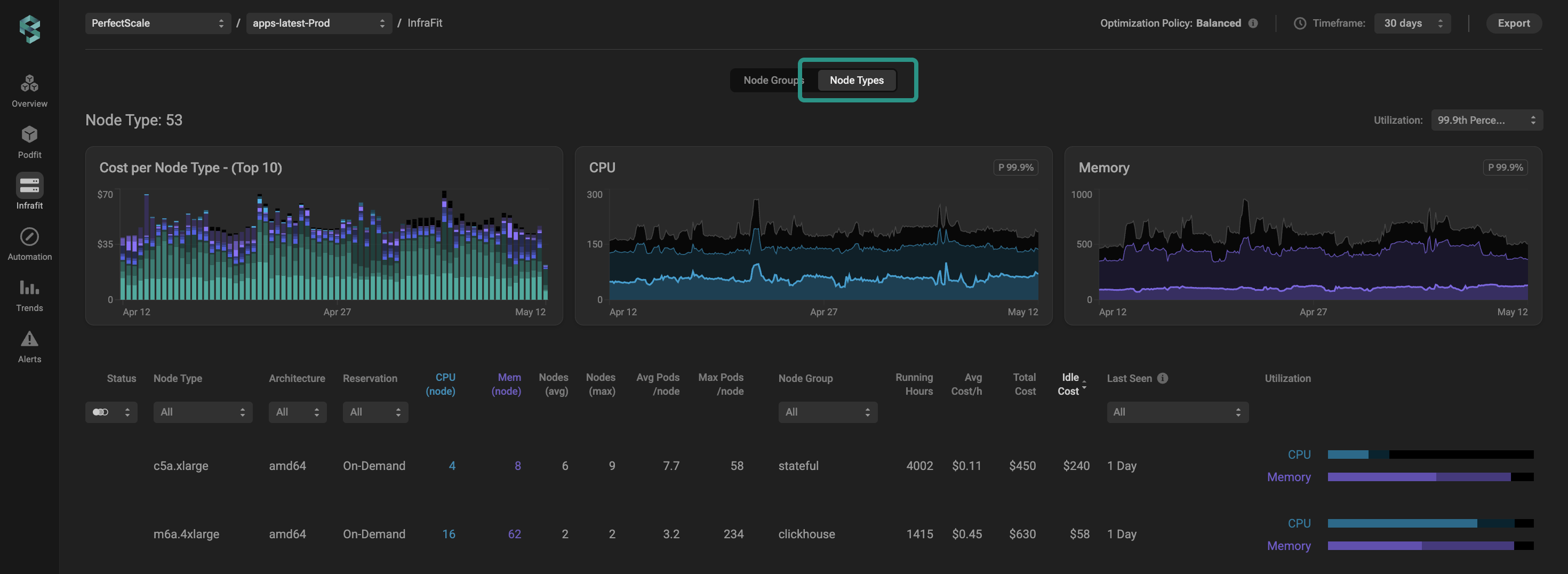
Node type view
GPU and GPU Memory Over Time
When PerfectScale detects active GPU resources within a cluster, it automatically enables GPU and GPU memory widgets and utilization insights in the UI. Learn more about GPU resources optimization here.
| Column | Descripti |
|---|---|
| Node Type | Displays the Instance Type Name. Click on a column title or use a drop-down list to sort or filter data. |
| Architecture | Displays the Node Architecture. Click on a column title or use a drop-down list to sort or filter data. |
| Reservation | Display the reservation type of nodes. Click on a column title or use a drop-down list to sort or filter data. |
| CPU/Mem (node) | Refers to the size of the instance type (memory and CPU). |
| Nodes (avg & max) | Displays the average and maximum number of nodes with the specific instance type. Click on a column title to sort data. |
| Avg Pods/node | Current average number of pods per the node in the node group. |
| Max Pods/node | The maximum possible pods that can be scheduled on the node. |
| Node Group | Displays which group nodes with a specific instance type belong to. Click on a column title or use a drop-down list to sort or filter data. |
| Running Hours | Displays the total instance running hours. |
| Avg Cost/h | Displays the average cost per hour of the instance with the specific type. Click on a column title to sort data. |
| Total Cost | Displays the total cost of nodes with the specific type. Click on a column title to sort data. |
| Idle Cost | Displays the cost of the space in nodes with the specific types that has never been used. Click on a column title to sort the data. |
| Last Seen | Displays the last time PerfectScale observed the node with the specific instance type. |
| Utilization | A visual representation of CPU, Memory, GPU, and GPU memory Utilization (allocation, request, and usage) based on the selected usage percentile. Use a drop-down list to filter data with the needed value. Clicking on a specific node type will navigate you to the workloads table, displaying the workloads associated with that node type. |